Facing a bottleneck in your Embedded Display Project?
Don’t let complex integration or supply chain issues slow your time-to-market. Book a free consultation with the RJY expert team for tailored design and manufacturing support.

In the rapidly evolving landscape of personal computing, the chassis has transcended its traditional role as a mere protective enclosure. It is now a strategic interface for brand differentiation and human-machine interaction (HMI). The integration of lcd panel computer case technology represents a paradigm shift, moving from static builds to dynamic, data-driven ecosystems. For Original Equipment Manufacturers (OEMs) and boutique PC builders, success in this “Interactive Hardware Era” requires more than just high-performance components; it demands a deep understanding of hardware-software integration, performance trade-offs, and supply chain reliability.
The surge in demand for pc case with screen on side and touchscreen computer case products is driven by a convergence of aesthetic trends and functional requirements. Modern users—ranging from hardcore gamers and streamers to professional creators—demand real-time telemetry and personalized visual feedback.
Touch technology fundamentally redefines the PC user experience through:
computer case monitor eliminates the need for intrusive on-screen displays (OSD) during gameplay or high-load tasks.lcd screen for pc case acts as a secondary command center for Twitch chats, Spotify controls, or OBS monitoring.white pc case with screen into a unique piece of digital art.
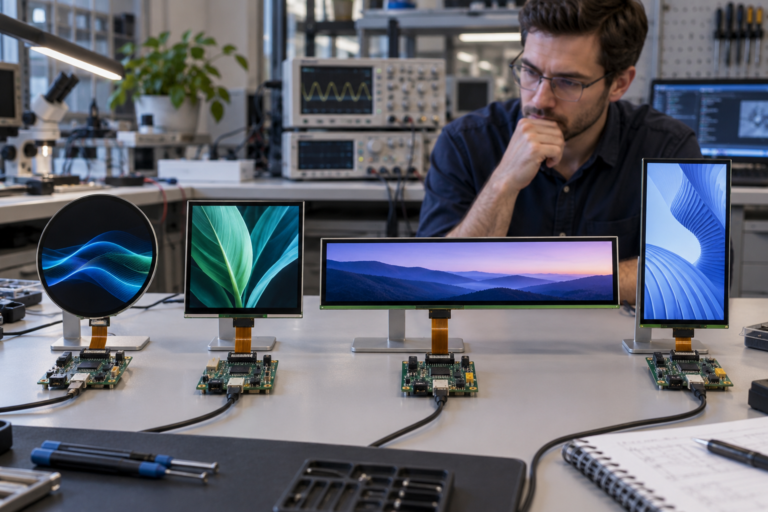
One of the most significant innovations in the pc case lcd display market is the adoption of the “stretched bar” or “strip” form factor. Unlike standard 16:9 displays, these panels are designed to fit into narrow spaces, such as the vertical front pillars or the power supply (PSU) shrouds of modern ATX cases.
For manufacturers seeking a balance between resolution and spatial efficiency, the RV069LFM-350-40 is a premier choice.
| Parameter | Specification Details |
| Panel Size | 6.9 inch stretched bar LCD |
| Interface | MIPI (Mobile Industry Processor Interface) |
| Resolution | 280(RGB) * 1424 |
| Driver IC | ST7703I |
| Active Area (AA) | 33.60 (H) * 70.88 (V) mm |
| Display Mode | Normally Black, Transmissive IPS |
| Color Support | 16.7M Colors |
| Brightness | 350-400 nits (customizable) |
This specific panel offers a high-density visual experience in an ultra-slim vertical layout. Its 40-pin MIPI interface provides a high-bandwidth, low-power connection, making it ideal for integration with embedded computing modules often used in “smart” PC cases.
Choosing a panel like the RV069LFM-350-40 involves evaluating performance trade-offs. While IPS technology ensures wide viewing angles, engineers must also consider:
To understand the competitive landscape, we must analyze the market leaders currently utilizing lcd for computer case technology.
The Hyte Y70 is widely considered the benchmark for the touchscreen computer case category.
A strong contender in the pc case with screen on side segment, the VK-02 focuses on industrial-grade specs.
Jonsbo brought lcd panel pc case technology to the mainstream by offering an affordable, modular 8-inch screen that can be used either as a front panel or a standalone desktop monitor.
Developing a successful pc case lcd screen product requires more than just sourcing a panel. It requires an end-to-end integration partner. RJY Display leverages over a decade of expertise to simplify this complex process.
The transition from a concept to a retail-ready computer case with display involves several critical stages where RJY provides specialized support:
A major challenge for manufacturers is the short lifespan of consumer electronics components. RJY Display addresses this through:
The hardware is only as good as the software that drives it. For pc case screens, the industry standard remains AIDA64 Extreme, which offers a robust “SensorPanel” for real-time monitoring.
When designing for a narrow bar screen like the RV069LFM-350-40 (280 * 1424), certain UI principles apply:
The DIY community continues to push the boundaries of pc case with screen on side technology through “Snowblind” modifications. This involves stripping an LCD monitor of its backlight and using the case’s internal white LEDs as the light source, creating a transparent display on the glass side panel.
While DIY projects offer high customization, professional integration—like the solutions provided by RJY Display—offers significant advantages:
thermaltake lcd panel kit or pre-integrated cases like the Hyte Y70 provide a “buttery smooth” experience for the end-user.As we move toward 2026, several key technologies will dominate the pc case display market :
The integration of touch technology into PC hardware is no longer a niche trend; it is a fundamental evolution of the DIY and OEM markets. To succeed, manufacturers must prioritize reliable hardware integration and long-term lifecycle support.
For Brand Owners: Leverage partners like RJY Display to accelerate your NPD cycle. Utilizing high-resolution, space-efficient panels like the RV069LFM-350-40 ($280 \times 1424$ MIPI) can provide the competitive edge needed in today’s crowded SERP.
For Enthusiasts: When choosing an lcd screen for pc case, look for IPS panels with high PPI ($170+$) and robust software support to ensure your “Interactive Case” remains a centerpiece of your setup for years to come.
Q1: What are the benefits of the MIPI interface in the RV069LFM-350-40 panel?
A: MIPI (Mobile Industry Processor Interface) is designed for high-speed data transmission with very low power consumption and low EMI. This is critical for internal PC displays where cable clutter and electromagnetic interference from the GPU can disrupt signals.
Q2: How does RJY Display handle product EOL (End-of-Life)?
A: RJY issues a notification 6–12 months before a component is discontinued. They provide “Last-time Buy” opportunities and a seamless hardware migration path to newer technology to prevent project downtime.
Q3: Can a touchscreen be used with standard PC monitoring software? A: Yes. High-end panels like those in the Hyte Y70 or Valkyrie VK-02 support Windows-native 10-point multi-touch. Software like HYTE Nexus is specifically built to map touch inputs to custom widgets.
Q4: Is it better to use HDMI or USB for PC case screens? A: HDMI is typically used for the high-resolution video signal, while USB (via internal 9-pin headers) provides the power and touch data. This hybrid approach ensures 60Hz refresh rates and smooth interactivity.
Share your display size, resolution, interface, brightness, touch requirement, controller board requirement, and application environment.
Continue reading related display technology guides and application references.
Talk to RJY’s engineering team for display matching, controller board review, and customization discussion.