An epaper screen can keep a page visible with very little display power and remain readable in bright ambient light. Those strengths make electronic paper attractive for e-readers, note-taking devices, labels, signs, and other products that show stable content. They do not make it a direct replacement for every TFT LCD.
A product team must consider what the screen will show, how often the image will change, how users will interact with it, and where the device will operate. An e ink monitor used mainly for documents has different requirements from a color industrial HMI. An epaper tablet designed for handwriting has different priorities from a conventional tablet that plays video and runs animated applications.
This guide explains the practical differences between electronic paper and TFT LCD technology. It also shows how to evaluate front lighting, refresh behavior, color, touch, controller architecture, power, and mechanical integration before choosing a display.
What Is an Epaper Screen?
Electronic paper is a family of display technologies designed to produce a paper-like reflective image. The term ePaper is generic. E Ink is the name of a company and a well-known electronic-ink technology provider, although people often use “E Ink screen” informally when they mean an electronic paper display.
Many commercial electronic paper screens use electrophoretic technology. In a common black-and-white design, electrically charged light and dark pigment particles sit in microscopic capsules or cells. An applied electric field moves selected particles toward the viewing surface. The visible particles determine whether an area appears light or dark. E Ink describes this process as an electronic ink film laminated to a backplane and connected to drive electronics.1
This is different from a TFT LCD. An LCD controls how much light passes through liquid-crystal cells and color filters. Most LCD modules require a backlight behind the display stack. Electronic paper usually reflects light from the environment, so the viewer sees light that has struck the front of the display and returned from it.
Electronic paper is also commonly bistable. After the controller moves the particles into a defined optical state, the image can remain visible without the continuous pixel driving used by a conventional active display. The system still needs power to update the image, and the complete device may keep consuming power through its processor, memory, touch controller, wireless radios, front light, and other circuits.
How an Electronic Paper Screen Creates an Image
An electronic paper screen is not a self-contained page that accepts any video signal. A working product combines several optical and electronic layers:
- Electronic ink layer: The optical material changes state when the drive system applies a controlled electric field.
- Active or segmented backplane: Electrodes address pixels or predefined image areas.
- Driver and timing control: The electronics apply a sequence of voltages, often called a waveform, to move particles toward the required state.
- Frame buffer and host controller: The system stores or creates the image and sends update commands.
- Touch layer: A capacitive or electromagnetic input system may be added for finger or pen operation.
- Front light: Some products add a light guide and edge-mounted LEDs for use in dim environments.
- Cover and enclosure: These parts protect the stack and define the visible area, surface feel, border, and mechanical installation.
The waveform is especially important. The controller does more than send a normal sequence of full-color video frames. It must manage the prior and target optical states, update mode, temperature, and characteristics of the selected panel. A faster partial update may trade image quality for speed. A full update may improve image uniformity but take longer and produce a visible transition.

This panel-specific behavior is one reason an electronic paper module cannot normally use a standard TFT LCD controller without a dedicated electronic-paper drive stage. Connector shape and interface names alone do not establish compatibility.
Does an E Ink Display Have a Backlight?
The phrase e ink display backlight reflects a common search question, but it uses the wrong term for most reflective electronic paper products. A typical electronic paper display does not need a light source behind the image layer. It uses ambient light in much the same way that printed paper does.
When the room is dark, the device may use a front light. A thin light guide spreads light across the viewing surface. LEDs usually sit along an edge and direct light into the guide. The light travels over the face of the electronic paper, points down toward it, and then reflects back to the user. E Ink’s technical explanation distinguishes this structure from the backlight used by an LCD.2
| Lighting method | Light path | Typical display | Design consequence |
|---|---|---|---|
| Ambient reflection | External light reaches the front surface and reflects toward the viewer | Electronic paper | Visibility improves with useful ambient light |
| Front light | Edge LEDs and a surface light guide illuminate the reflective layer | Electronic paper reader or tablet | Adds thickness, power demand, optical layers, and uniformity requirements |
| Backlight | LED light passes from behind the display stack toward the viewer | Transmissive TFT LCD | Supports viewing without ambient light but consumes continuous operating power |
“No backlight” should not become an absolute health claim. Visual comfort depends on lighting, contrast, text size, viewing distance, surface reflections, front-light settings, content, and the individual user. A product specification should describe the optical structure instead of promising that a screen prevents fatigue or is completely free of blue light.
Epaper Screen vs TFT LCD
The right technology depends on the workload. Electronic paper is strong when a product must hold stable information and use reflected light. TFT LCD is strong when the interface changes often or depends on fluid motion, rich color, and predictable real-time response.
| Decision factor | Electronic paper screen | TFT LCD |
|---|---|---|
| Optical method | Usually reflective | Usually transmissive with an LED backlight |
| Static image | Can retain an image without continuous pixel updates | Requires active operation to maintain the visible image |
| Motion | Update behavior depends strongly on panel and waveform | Better suited to continuous animation and video |
| Color | Ranges from monochrome to limited or full-color systems, with technology-specific trade-offs | Commonly supports broad, fast-changing color content |
| Bright ambient light | Reflective image can remain clear as useful light increases | May require higher luminance and optical control to overcome reflections |
| Dark environment | Needs external light or an integrated front light | Backlight illuminates the image |
| Power profile | Attractive for infrequent updates; total system power still matters | Backlight and active display operation create a more continuous load |
| Typical fit | Reading, labels, signs, static status, low-update devices | HMI, multimedia, camera images, instruments, dynamic control |
These are system-level tendencies, not specifications for every panel. Modern electronic paper products can use faster update modes, and some LCD systems can reduce power with careful backlight control. The engineering decision must use the actual module data, intended content, temperature range, and operating cycle.
Is an E Ink Monitor Practical for Computer Work?
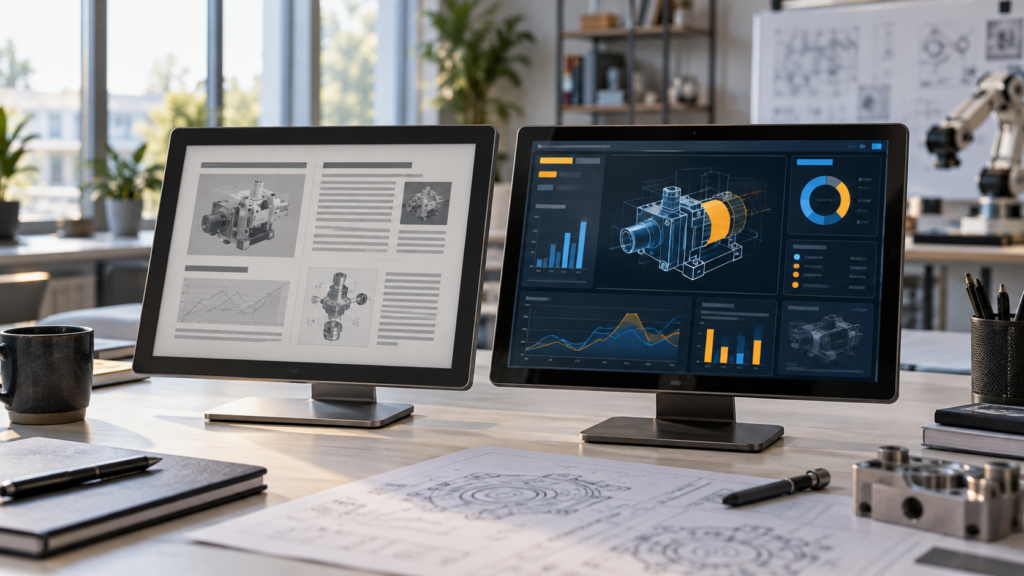
An eink monitor can be useful for work dominated by stable text. Examples include reading reports, writing long documents, viewing reference material, and working in a terminal where the screen changes in limited regions. The reflective surface can also be attractive in a bright office.
The limitations become clearer when the workload contains constant motion. Scrolling moves much of the page. A mouse pointer changes position many times per second. Window effects, video, animated web pages, and live dashboards all require frequent updates. Electronic paper can use partial or faster update modes, but these modes may affect contrast, gray levels, image cleanliness, or power use. Full refreshes may be needed to clear residual images.

E Ink notes that its modules support different update modes and that only changed regions need updating. It also states that continuous updates reduce the technology’s power advantage and that current production modules should not be assumed to support conventional video-rate use.1 Product developers should therefore test the exact monitor, controller, firmware, operating system, and content rather than rely on the generic phrase “fast e-paper.”
When an e paper monitor makes sense
- The user spends most of the day reading or editing text.
- Color accuracy and smooth video are not primary requirements.
- The user accepts visible refresh behavior or mode switching.
- The workspace provides good ambient light or the monitor includes a suitable front light.
- The computer output and the monitor controller have verified compatibility.
When an LCD monitor is the better choice
- The work includes video, conferencing, animation, or rapid scrolling.
- The application needs consistent full color, gradients, or image editing.
- The interface contains moving indicators or high-rate data visualization.
- The user expects the normal response of a mainstream computer monitor.
- The product needs a mature HDMI, DisplayPort, eDP, LVDS, or embedded display path.
An e ink monitor is therefore a specialized productivity tool, not a universal upgrade. Buyers should match it to the work they actually perform.
Epaper Tablet vs Conventional Tablet
An epaper tablet, also called an electronic paper tablet or e paper tablet, usually focuses on reading, handwriting, annotation, and document organization. The display helps define that purpose. A conventional LCD or OLED tablet aims to support a much wider range of apps and media.
| Use | Electronic paper tablet | Conventional tablet |
|---|---|---|
| Books and long documents | Strong fit for stable text and bright-room reading | Good, with a luminous full-color screen |
| Handwritten notes | Can provide a focused writing product when pen, surface, and latency are well integrated | Can support advanced pen input with fast visual response |
| Video and games | Usually not the primary use | Strong fit |
| Color-rich apps | Depends on the e-paper technology and update mode | Normal design target |
| Night use | Needs a front light or room light | Uses the emissive or backlit display |
| Battery life | Can benefit from static content, but the full system controls the result | Depends on display brightness, workload, battery, processor, and radios |
Handwriting performance deserves separate validation. The pen sensor, sampling path, processor, rendering software, update region, display waveform, and surface construction all affect the perceived delay and writing feel. The presence of an electronic paper panel does not by itself guarantee low-latency handwriting.

What to Check Before Choosing an Electronic Paper Tablet
A product specification or purchasing comparison should address the complete device rather than the screen name alone:
- Active area and document layout: A larger page can reduce zooming but increases device size and weight.
- Monochrome or color: Check the content, usable gray or color behavior, and update trade-offs of the selected technology.
- Resolution and text size: Evaluate real PDFs, drawings, forms, and fonts at the intended viewing distance.
- Update modes: Test page turns, handwriting, scrolling, menus, and image cleanup.
- Pen and touch: Confirm supported input methods, palm rejection, accuracy, and software behavior.
- Front light: Evaluate brightness range, uniformity, color adjustment if offered, and battery impact.
- Operating system and files: Confirm document formats, synchronization, export, security, and required applications.
- Connectivity: Wireless radios and cloud services may use more energy than a static display during active operation.
- Service life and supply: A consumer device purchase and a long-life OEM program require different sourcing checks.
Battery-life claims are particularly difficult to compare when vendors use different brightness, wireless, refresh, and workload conditions. Ask for the test conditions or run a device-level test based on the intended duty cycle.
Where Electronic Paper Screens Fit Best
Electronic paper creates the most value when information remains useful for long periods between updates. The display can continue showing a label, instruction, schedule, or status even when the system is not continuously driving every pixel.
Electronic shelf labels
Price and product information changes occasionally but must remain visible all day. Wireless communication, store infrastructure, update reliability, and battery strategy still matter, yet the display duty cycle aligns well with electronic paper.
Room, desk, and facility signs
Meeting-room schedules, employee names, directions, and occupancy states are mostly static. A reflective screen can blend into an architectural environment without behaving like a bright video display.
Logistics and reusable labels
A reusable electronic paper label can show routing, item, or process information. The design must still account for wireless range, mechanical protection, update confirmation, temperature, and the cost of managing many endpoints.
Transit and public information
Schedules and notices may suit a large reflective display when updates are periodic. Outdoor installation adds environmental, optical, power, communication, enclosure, and service requirements that cannot be inferred from the display technology alone.
Low-update embedded devices
Sensors, smart-home panels, badges, and battery-operated instruments may use electronic paper when their main task is to present a stable result. If the user needs live graphs, animated guidance, or camera content, another display technology may fit better.
When TFT LCD Is the Better Embedded Display
TFT LCD remains a practical choice for interfaces where the screen is active, colorful, and responsive. Typical examples include machine controls, robot interfaces, vehicle displays, medical-equipment interfaces, self-service terminals, smart appliances, and video monitoring systems. Any regulated or safety-related qualification must be confirmed for the specific module and program.
An LCD is usually the clearer starting point when the device requires:
- Continuous animation, video, or a live camera feed
- Fast movement between menus and controls
- Color-coded alarms, images, and data visualizations
- Predictable touch feedback during rapid operation
- Android, Linux, or embedded GUI frameworks designed around standard frame-buffer updates
- A conventional video-input or direct RGB, LVDS, MIPI DSI, or eDP architecture
The trade-off is that the backlight and active display path use power while the screen operates. Product teams can manage that load through luminance control, sleep modes, interface selection, backlight design, and system power policy. The final decision should compare the whole device, not an isolated panel under ideal conditions.
Controller and Interface Requirements Are Not Interchangeable
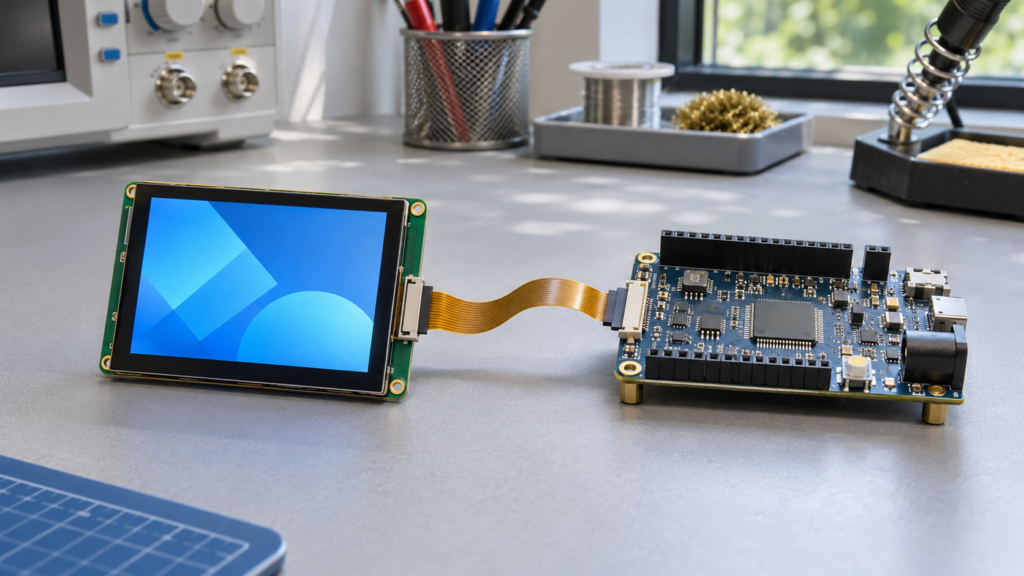
A display interface describes how two components communicate, but it does not define the full compatibility of a screen. Electronic paper and TFT LCD systems often require different controllers, power rails, timing, initialization, temperature compensation, and image-processing logic.
An electronic paper controller may need to:
- Store the current and next image
- Select a full or partial update waveform
- Apply high and low drive voltages in a controlled sequence
- Use temperature data to adjust an update
- Manage ghosting and image cleanup
- Report when an update has finished
A TFT LCD controller typically produces a continuous pixel stream with the resolution, timing, color format, lane configuration, and clock behavior required by the panel. It may also control the backlight and provide a separate connection for touch.
SPI, USB, HDMI, MIPI, LVDS, and eDP labels can appear in different parts of these systems. They do not mean that one panel can replace another. HDMI-to-MIPI conversion, for example, is an active, panel-specific process that depends on output timing, firmware, cable design, backlight, and the exact LCD. See RJY’s HDMI-to-MIPI controller-board compatibility guide and LCD display interface guide for the information required in an LCD review.
Power Consumption Must Be Evaluated at System Level
Electronic paper is often described as a low-power display because a stable image can remain without continuous refresh. That statement is useful, but incomplete. The energy used by a finished product depends on the number and type of updates, controller efficiency, front-light use, processor activity, wireless connections, sensors, storage, and sleep design.
A shelf label that wakes briefly to receive a new price has a favorable electronic-paper workload. An e paper monitor that redraws large areas throughout the workday has a different power profile. A tablet that synchronizes files, runs applications, scans for networks, and keeps its front light on cannot be evaluated from display bistability alone.
For an LCD device, the backlight is often a major power load, but content updates do not require the particle-moving waveforms used by electronic paper. Lowering luminance, using efficient LEDs, dimming by ambient conditions, and entering sleep at the right time can reduce the total. Compare both technologies with the same content, lighting, update rate, processor, and use schedule.
Optical and Mechanical Integration
A paper-like image can still be difficult to read if the front stack produces glare or poor contrast. Cover material, air gaps, bonding, touch layers, front-light guides, surface treatments, bezel shadows, and viewing angle all affect the result.
An electronic paper product may need extra protection, but every added layer changes reflection and clarity. A front light must distribute illumination evenly across the active area without obvious bright edges. A touch sensor must work through the selected cover. A pen product must balance optical distance, surface friction, structural strength, and input accuracy.
LCD integration has related trade-offs. A high-brightness backlight cannot solve every visibility problem if cover-glass reflections dominate. Optical bonding, anti-glare or anti-reflection treatments, correct viewing direction, and a suitable UI may improve the result, subject to project feasibility and validation.
How to Choose Between Epaper and LCD
Use the intended content as the first filter:
- Define the update pattern. Record how much of the image changes and how often it changes.
- Identify motion requirements. List video, scrolling, pointer movement, handwriting, live graphs, and animated feedback.
- Define the color requirement. Separate decorative color from information that must be accurate or updated quickly.
- Map the lighting environment. Include bright daylight, office light, dim rooms, and nighttime operation.
- Calculate the complete power budget. Include lighting, host processor, radios, touch, sensors, and standby behavior.
- Set acceptable response limits. Specify what the user must see after a tap, pen stroke, data change, or page turn.
- Confirm the controller path. Match the exact display model, interface, firmware, and host architecture.
- Build a realistic prototype. Test actual content, temperatures, viewing positions, update cycles, and mechanical layers.
If most content remains fixed and the product benefits from reflective viewing, electronic paper deserves evaluation. If the interface depends on smooth motion, live color, or continuous interaction, TFT LCD is usually the more direct platform. Some products can also use two displays, assigning persistent information to electronic paper and dynamic tasks to an LCD, although that increases system and mechanical complexity.
What to Provide for a Display Project Review
Prepare the following information before requesting an engineering review:
- Product type and intended user task
- Example screen content and expected update frequency
- Target active area, outer dimensions, resolution, and aspect ratio
- Monochrome, gray-scale, or color requirements
- Ambient-light and low-light operating conditions
- Finger-touch, pen, glove, or cover-glass requirements
- Host processor, operating system, video output, and preferred panel interface
- Operating and storage environment
- Power source, battery objective, and operating cycle
- FPC direction, connector position, enclosure opening, and mounting limits
- Prototype quantity, estimated production volume, and project schedule
RJY Display focuses on TFT LCD modules, touch assemblies, controller boards, and customization based mainly on existing display platforms. Depending on the project, the review may cover cover glass, touch, backlight, interface, FPC, controller-board, firmware, and display-related mechanical coordination. It should not be assumed that RJY supplies an electronic paper panel or complete epaper tablet unless a specific offering is confirmed.
Choose the Display Around the Workload
An electronic paper screen is valuable because it behaves differently from an LCD. It can keep stable information visible, use reflected light, and support products built around reading or infrequent updates. Those strengths become less decisive as the interface demands more motion, color, rapid feedback, or continuous multimedia.
Do not begin with the question, “Which display technology is better?” Begin with, “What must the user see and do?” The answer will show whether an e paper screen, an LCD, or a more specialized architecture fits the product.
If your project requires a dynamic TFT display, review RJY custom display solutions or contact RJY Display with the panel, touch, interface, controller-board, firmware, and mechanical requirements for a project-specific evaluation.
Frequently Asked Questions
What is an epaper screen?
An epaper screen is a reflective electronic display designed to present a paper-like image. Many products use electrically controlled pigment particles and can retain a static image without continuous pixel updates.
Is an E Ink display the same as an epaper screen?
Epaper is a general display category. E Ink is a company and technology brand associated with many electrophoretic electronic paper products. Not every paper-like or reflective display should automatically be called an E Ink display.
Does an E Ink display have a backlight?
A typical reflective electronic paper display does not use an LCD-style backlight. Devices intended for dark environments may add a front light that spreads LED light across the surface and directs it toward the reflective display.
Can an eink monitor replace an LCD monitor?
It can suit document reading, writing, and other text-heavy work, but it may not fit video, rapid scrolling, color-critical work, or motion-rich interfaces. Test the exact monitor and intended software before treating it as an LCD replacement.
Is an epaper tablet suitable for watching video?
Video is usually not the primary use of an epaper tablet. Refresh speed, gray or color behavior, ghosting, and power use differ from conventional tablets. An LCD or OLED tablet is generally better for continuous multimedia.
Does an epaper screen use power when displaying a static image?
The display can retain a static optical state with little or no continuous pixel-driving power, depending on the technology. The complete device can still consume power through its processor, memory, touch system, front light, radios, and other circuits.
Can a standard LCD controller board drive an electronic paper screen?
Not normally. Electronic paper needs panel-specific voltage sequences and update waveforms, while a TFT LCD usually receives a continuous pixel stream. Compatibility must be reviewed from the exact panel and controller documentation.
Should an embedded device use epaper or TFT LCD?
Use epaper when content is mostly static and reflective viewing or infrequent updating is valuable. Consider TFT LCD when the device needs animation, video, live data, rich color, or fast interactive feedback. Validate the decision with the real workload and environment.
References
- E Ink, “Electronic Ink — How It Works.”
- E Ink, “Front Lights for Low Light Reading.”
- Pervasive Displays, “What Is E-Paper? How E-Ink Displays Work.”
E Ink is a trademark of E Ink Holdings Inc. This article uses “electronic paper” and “epaper” as general technology terms and does not imply endorsement or a supply relationship.