Facing a bottleneck in your Embedded Display Project?
Don’t let complex integration or supply chain issues slow your time-to-market. Book a free consultation with the RJY expert team for tailored design and manufacturing support.

When a user walks up to an industrial control panel, a smart thermostat, or a medical ventilator, their expectation has already been set by the smartphone in their pocket. They expect fluid animations, instantaneous feedback, and an intuitive layout. However, as any embedded engineer or UI/UX designer working in the European and North American markets knows, designing a user interface for an embedded TFT touch display is a fundamentally different discipline than designing for iOS or Android.
You are not working with a multi-core gigahertz processor and gigabytes of RAM. You are often working with an STM32 or NXP microcontroller (MCU), limited flash memory, and an RGB565 color space. If you attempt to port a web-based UI directly onto a TFT touch display, the result will be sluggish, unresponsive, and visually broken.
This comprehensive, highly actionable guide breaks down the engineering realities and design psychology required to build a flawless, intuitive user interface specifically tailored for embedded TFT touch display hardware.
Before you open Figma, Adobe XD, or Sketch, you must understand the physical and computational constraints of your hardware. A brilliant UI design is useless if the MCU cannot render it at 30 Frames Per Second (FPS).
The type of touch panel integrated into your TFT touch display entirely dictates your interaction design:
In an industrial or medical setting, users are often stressed, distracted, or wearing personal protective equipment (PPE). Your UI must accommodate the “Fat Finger Problem” and adhere to ergonomic standards (such as ISO 9241-11 and ADA guidelines).
Fitts’s Law states that the time required to rapidly move to a target area is a function of the ratio between the distance to the target and the width of the target. Make your buttons big.
Do not pack buttons tightly together. Leave a minimum of 2mm to 3mm of dead space between interactive elements. Furthermore, avoid placing critical action buttons (like “Emergency Stop” or “Format Drive”) in the extreme corners of the TFT touch display. The extreme edges of standard PCAP and resistive touch panels are often the least sensitive areas due to the bezel overlay and sensor routing. Place critical buttons slightly inset from the bezel.
An embedded TFT touch display does not have the OLED-level contrast ratios of a modern iPhone. You must design your color palette defensively to compensate for the hardware’s optical characteristics.
Many embedded TFT displays use a 16-bit color format (RGB565) rather than 24-bit True Color (RGB888) to save RAM. RGB565 allows for 65,536 colors.
If your device is used outdoors or in a brightly lit factory floor, glare will wash out subtle color differences.
Embedded fonts are usually pre-rendered bitmaps to save processing power.
Even with a well-optimized UI, an MCU-driven TFT touch display might take 100 to 300 milliseconds to load a new screen or process a complex command. To the human brain, anything over 100ms feels like “lag.” You must design the UI to mask this delay.
When a user presses a button on a smartphone, the haptic motor buzzes instantly. Your TFT touch display likely does not have a haptic motor. Therefore, you must provide instantaneous visual feedback.
If a transition is going to take longer than 300ms (e.g., saving data to an SD card or fetching Wi-Fi networks), do not leave the screen frozen. The user will think the device has crashed and will start mashing the screen.
In industrial and professional environments, users are performing tasks, not casually browsing. The cognitive load required to operate your device must be near zero.
A user should be able to reach any critical function within three taps from the home screen. Do not bury essential machine controls in deep, nested menus.
Unlike a smartphone app that uses swipe-to-go-back gestures, an embedded TFT UI should always feature a persistent navigation bar (usually at the top or bottom of the screen).
Bridging the gap between the UI designer’s Figma file and the embedded engineer’s C++ code is historically the most painful part of TFT touch display development. Fortunately, modern GUI frameworks have revolutionized this workflow.
If you are developing for the European or US markets, you should be utilizing one of the following industry-standard frameworks:
Designing an intuitive UI for a TFT touch display is an exercise in engineering empathy. You must empathize with the hardware’s limitations, ensuring you do not overburden the MCU with unnecessary graphical bloat. More importantly, you must empathize with the end-user, who may be operating your device in a high-stress, poorly lit, or fast-paced environment.
By strictly adhering to ergonomic touch targets, utilizing flat design principles to mask hardware constraints, and providing instantaneous visual feedback, you elevate your product from a mere functional machine to a premium, professional-grade tool.
Q: We designed a beautiful UI, but the screen flickers violently when we transition between pages. How do we fix this? A: This is called “tearing.” It happens when the MCU updates the display buffer while the TFT controller is in the middle of drawing the screen. You must implement Double Buffering. This requires setting aside enough RAM to hold two full framebuffers. The MCU draws the next screen entirely in the background buffer, and then swaps it to the active display only during the VSYNC (Vertical Synchronization) period.
Q: Can we use PNG or JPEG images in our embedded UI? A: Generally, no. Decoding compressed image formats like PNG or JPEG requires massive CPU overhead and takes too long on an MCU. UI frameworks (like TouchGFX or LVGL) will convert your PNGs into raw C-arrays (bitmaps) during the compilation process. The tradeoff is that raw bitmaps take up significantly more flash memory space.
Q: Our PCAP touch screen registers phantom touches when water droplets hit it. Can the UI fix this? A: Software can only do so much to filter out capacitive noise. While you can implement “debounce” algorithms in your touch controller code to ignore ultra-fast, erratic inputs, the true fix is hardware-based. You need to tune the firmware of the touch controller IC (e.g., Goodix, FocalTech) to recognize the capacitance signature of water versus a human finger, or switch to a Resistive touch screen if the device is constantly wet.
Q: Why do my custom fonts look jagged and pixelated on the TFT display? A: Embedded TFTs lack the advanced sub-pixel anti-aliasing found in desktop operating systems. To fix this, ensure your UI framework is set to generate fonts with 4-bit per pixel (4bpp) anti-aliasing. This will smooth the edges by adding semi-transparent pixels around the letters. Also, stick to bold, sans-serif fonts, which naturally render better on lower-resolution screens.
Q: How do we design for colorblind users in an industrial setting? A: Never rely on color alone to convey critical information. If a machine state changes to “Error,” do not simply turn a status indicator from green to red. Additionally, change the shape (e.g., from a green circle to a red triangle) and add explicit text (e.g., “FAULT”). This ensures ADA compliance and guarantees safety regardless of the user’s visual acuity.
Share your display size, resolution, interface, brightness, touch requirement, controller board requirement, and application environment.
Continue reading related display technology guides and application references.
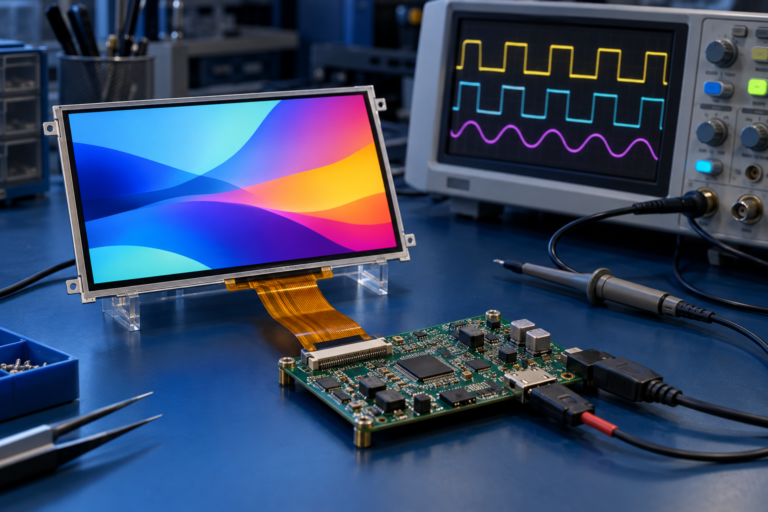


Explore product pages related to this article topic.




Talk to RJY’s engineering team for display matching, controller board review, and customization discussion.









