The basic difference between HD and Full HD is pixel count. In common 16:9 terminology, HD usually refers to 1280 × 720 pixels, while Full HD refers to 1920 × 1080 pixels. Full HD therefore provides 2.25 times as many pixels as 1280 × 720 HD.
For an embedded display, however, more pixels do not automatically create a better product. The visible benefit depends on screen size, viewing distance, interface complexity, source content and whether the host processor can drive the panel correctly.
OEMs comparing HD and Full HD should evaluate the complete display system rather than treating resolution as an isolated specification. The TFT LCD, controller board, interface, graphics workload, touch interface, enclosure and software must work together.
What Is the Difference Between HD and Full HD?
| Display term | Common resolution | Total pixels | Typical embedded-display role |
|---|---|---|---|
| HD | 1280 × 720 | 921,600 | Compact interfaces, simple HMIs, basic video and large controls |
| HD-class panel | May include 1366 × 768 and related formats | Depends on the exact panel | Embedded terminals, small monitors and equipment interfaces |
| Full HD | 1920 × 1080 | 2,073,600 | Detailed dashboards, imaging, fine text, video and multi-panel interfaces |
These names originated from standardized video formats, but embedded-display catalogs include many resolutions and aspect ratios that do not fit consumer television terminology. Square, round, portrait and bar-type TFT LCDs may have high pixel counts without being accurately described as HD or Full HD.
For engineering work, the exact horizontal and vertical resolution is more useful than the marketing label. A 1080 × 1080 round panel, for example, is not a conventional 1920 × 1080 Full HD screen even though one dimension contains 1080 pixels.
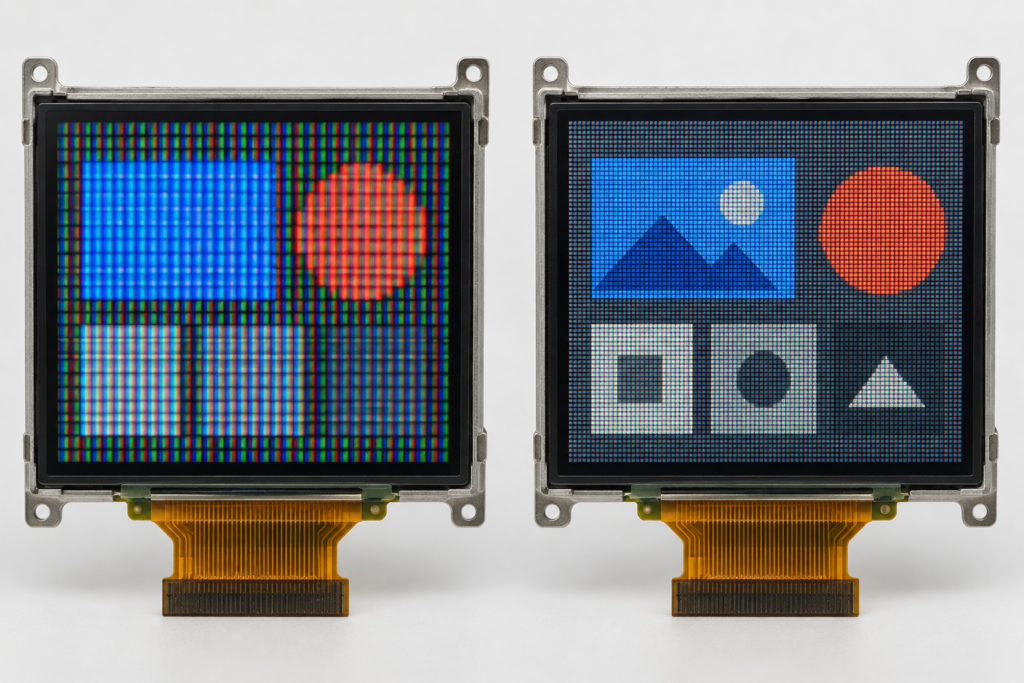
The same caution applies to portrait panels. A display listed as 1080 × 1920 may provide the same total pixel count as Full HD but use a vertical orientation. The host system, UI layout and display timing still need to match the actual panel configuration.
Resolution Is Not the Same as Image Quality
Resolution describes the number of addressable pixels. It does not by itself define brightness, contrast, viewing angle, color behavior, response time, surface reflection or outdoor visibility.
A Full HD panel can show finer detail than an HD panel of the same physical size, but that advantage may be reduced if the complete display has poor contrast, excessive reflection, unsuitable viewing angles or an interface that scales content incorrectly.
Similarly, an HD display with a well-designed user interface may be easier to operate than a Full HD display filled with small text and crowded controls.
Image quality in an embedded product should therefore be evaluated through several connected factors:
- Native panel resolution
- Physical active area
- Pixel density and pixel pitch
- Normal viewing distance
- Viewing direction and panel orientation
- Brightness and ambient-light conditions
- Cover-glass reflection and surface treatment
- Source-image quality
- Graphics rendering and scaling
- Interface signal integrity and timing
Why Screen Size Changes the HD vs Full HD Decision
The same resolution can produce very different results on different screen sizes. When 1920 × 1080 pixels are placed into a smaller active area, the pixels are more densely packed. When the same resolution is used on a larger display, each pixel occupies more physical space.
This relationship is commonly described through pixel density or pixel pitch. Higher pixel density can produce smoother text, finer lines and more detailed icons when the user is close enough to see the difference.
In a compact handheld or desktop device, users may view the screen from a short distance. Fine text and detailed controls can therefore benefit from higher pixel density. On equipment viewed from farther away, the interface may use large values and large buttons regardless of the panel resolution. In that case, Full HD may provide little operational benefit.
Before selecting a module, render representative screens at the final physical size. Testing a UI on a computer monitor at a different scale can give a misleading impression of text size, spacing and sharpness.
When Full HD Provides a Real Engineering Benefit
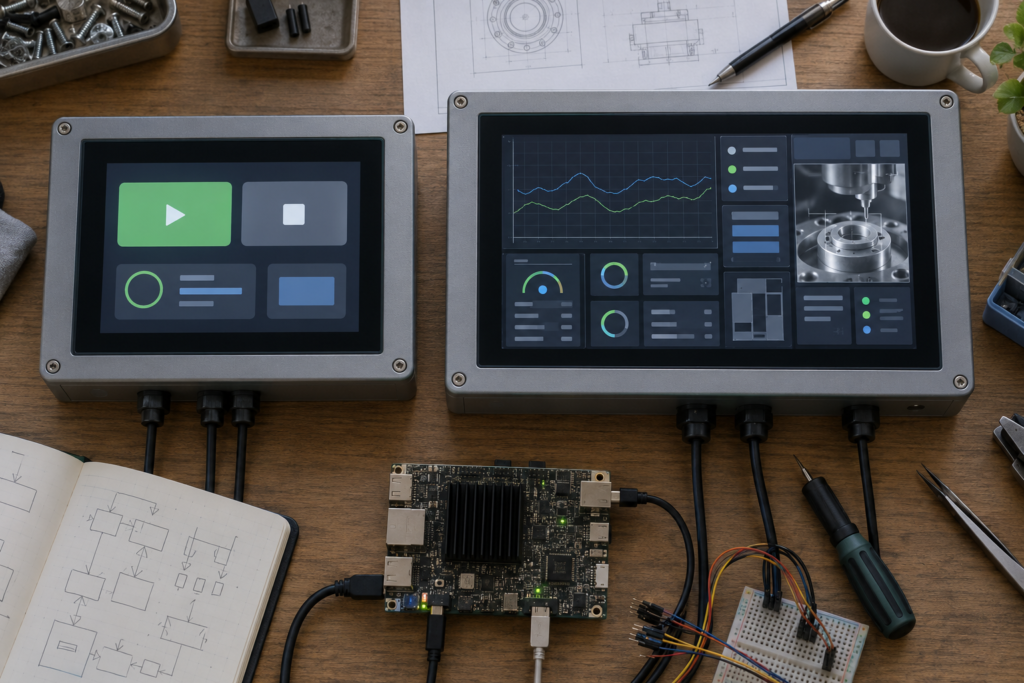
Detailed dashboards and multi-panel layouts
Full HD provides more room for charts, status cards, navigation, camera views and control areas. It can help when several information groups must remain visible without frequent page changes.
The advantage depends on whether the physical display is large enough for users to read those interface elements. More pixels do not justify making essential controls too small.
Fine text and multilingual interfaces
Higher pixel density can improve the rendering of small characters, curved letterforms and complex symbols. This may be useful when the interface needs technical terminology, long German compound words, Asian-language characters or several languages on the same hardware platform.
Localization should still be tested with real translations. Full HD gives designers more pixels, but it does not automatically prevent truncation, poor line wrapping or inadequate button dimensions.
Imaging and camera-based equipment
Inspection equipment, camera terminals and image-based control systems may benefit from Full HD when the source material contains useful fine detail. The complete imaging chain matters: sensor resolution, encoding, processing, scaling and display resolution all affect the final result.
A Full HD panel cannot restore information that is absent from the source image. Conversely, reducing a detailed source to a lower-resolution panel may remove information that the operator needs to see.
Desktop-style embedded applications
Some embedded products run browser interfaces, Linux desktops, Android applications or multi-window software originally designed for larger screens. Full HD may provide a more practical workspace for these environments.
The software should still be designed for the actual screen. Simply shrinking a desktop interface onto a compact high-resolution panel can produce text and touch targets that are technically sharp but physically difficult to use.
Products requiring a refined visual appearance
Fine icons, smooth curves and detailed product graphics can benefit from higher pixel density. This may matter for premium control panels, smart appliances and customer-facing terminals where the interface contributes to perceived product quality.
Resolution should still be balanced with brightness, cover glass, viewing angle and graphical performance. A premium-looking interface is a system result, not a resolution label.
When HD May Be the Better Choice
Simple control interfaces
If an interface contains a few large buttons, status icons and numerical values, HD may already provide sufficient detail. Full HD will not necessarily make large controls easier to understand.
Long viewing distances
Operators standing away from a machine normally need larger interface elements. At that distance, the additional pixels may be difficult to distinguish, particularly when the content consists mainly of large text and simple shapes.
Resource-constrained host systems
A Full HD framebuffer contains more than twice as many pixels as a 1280 × 720 framebuffer. Depending on color depth, buffering strategy and graphics architecture, this can increase memory usage and the work required to render, transfer and update the interface.
If the processor or graphics engine cannot maintain the intended performance, a lower-resolution display with a responsive interface may provide a better user experience.
Products with tight thermal or power limits
Resolution is not the only factor affecting power consumption, and panel power cannot be calculated from resolution alone. However, driving and processing more pixels can increase the workload elsewhere in the system.
Battery-powered and passively cooled products should evaluate the complete host, display interface, memory, graphics and backlight power budget rather than assuming that resolution has no system-level cost.
Interfaces built around native HD content
If the graphics, video or application output is designed for 1280 × 720, displaying it on a native HD panel can avoid unnecessary scaling. Moving to Full HD without redesigning the content may provide little benefit and can introduce softness or inconsistent element sizes if scaling is not handled correctly.
The System Cost of Moving from HD to Full HD
The cost of higher resolution is not limited to the LCD panel. It can affect multiple parts of the product architecture.
| System area | Possible Full HD impact | What to verify |
|---|---|---|
| Processor and GPU | More pixels must be rendered and composited | Graphics capability, UI workload and target update behavior |
| Memory | Larger framebuffers and graphical assets may be required | Available memory, color depth and buffering strategy |
| Display interface | Higher pixel data rate may be needed | Interface type, lane configuration, clocking and panel timing |
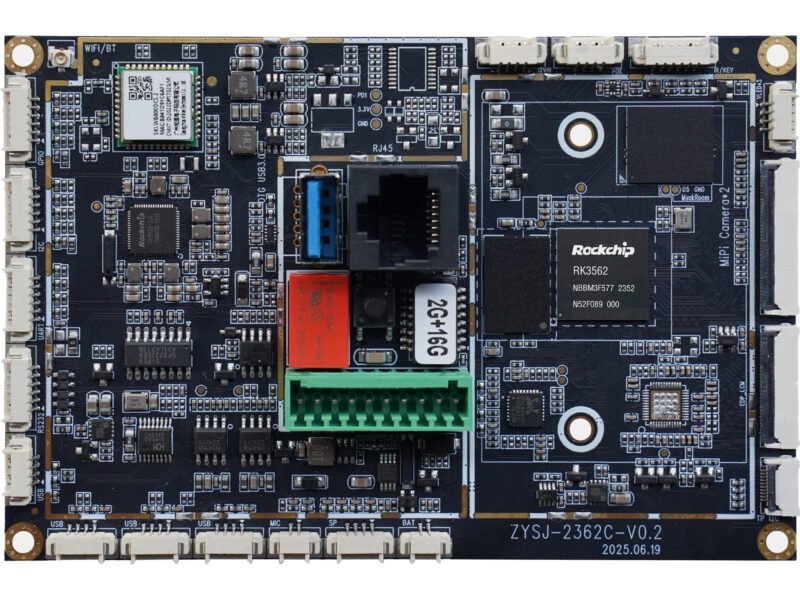
| Controller board | Board and firmware must support the exact panel | Resolution, timing, pin definition, driver IC and firmware |
| Software | Layouts and assets may require adaptation | Native rendering, scaling, fonts, touch targets and boot behavior |
| Power and thermal design | Host processing and signal activity may change | Complete operating modes rather than resolution alone |
| Validation | More system combinations must be tested | Image stability, scaling, touch mapping and operating environment |
A panel and controller board should never be matched only because both are advertised as Full HD. Compatibility depends on the exact panel model, interface, timing, pin definition, driver IC, backlight requirements, touch interface, firmware, operating system and application environment.
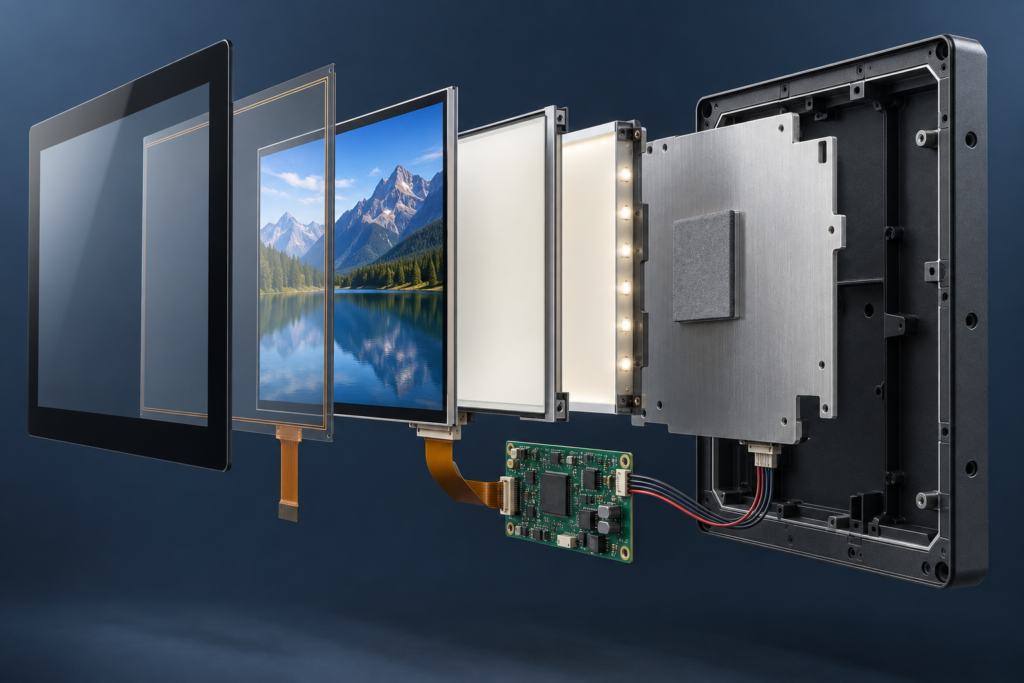
For further technical context, review the common LCD module interface guide and the TFT LCD and Android control-board matching guide.
Native Resolution and Scaling Matter
TFT LCD panels have a fixed physical pixel matrix. They normally produce the clearest result when the source is rendered for the panel’s native resolution.
If a 1280 × 720 interface is sent to a 1920 × 1080 panel, the image must be scaled. Because the horizontal and vertical dimensions increase by a factor of 1.5, source pixels do not map directly to whole groups of physical pixels. The scaler must interpolate the image, which can soften fine text and one-pixel lines.
Scaling can be handled by the host processor, graphics system, bridge device or controller board, depending on the architecture. The engineering team should define where scaling occurs and validate the result using real interface screens.
Common problems include:
- Blurred small text
- Uneven line thickness
- Incorrect aspect ratio
- Black borders or cropped content
- Touch coordinates that do not align with the visible interface
- Boot screens that use a different resolution from the application
- Inconsistent scaling between operating-system and application layers
If a product moves from HD to Full HD, the interface should ideally be reviewed and rendered for the new native resolution rather than merely enlarged.
Do Not Ignore Aspect Ratio and Orientation
HD and Full HD usually imply a 16:9 format, but many embedded TFT LCDs use other shapes. A product may require a portrait display, square panel, round display or wide bar screen because of its enclosure and information layout.
In these cases, selecting a screen based on the term “Full HD” can direct attention away from more important questions:
- Does the active area fit the enclosure?
- Does the aspect ratio suit the UI?
- Can the host output the panel’s native resolution?
- Does the interface support the required pixel clock and timing?
- Will portrait rotation be handled by hardware or software?
- Does rotation affect graphics performance or touch mapping?
For additional background, see RJY Display’s guide to LCD pixels, resolution and aspect ratio.
How to Choose Between HD and Full HD
Use the following sequence rather than selecting the largest resolution available:
- Define the screen’s job. List the text, controls, images, charts and status information that must appear simultaneously.
- Confirm the physical active area. Determine the maximum display opening, viewing distance and required orientation.
- Create representative UI screens. Include the smallest text, densest page, longest translation and most detailed image.
- Evaluate pixel density. Compare the actual physical size of interface elements on candidate HD and Full HD modules.
- Check the host architecture. Confirm that the processor, GPU, memory and software can support the native resolution.
- Verify the signal path. Review the display interface, timing, pin definition, backlight and controller-board requirements.
- Review power and thermal conditions. Test complete operating modes rather than estimating from resolution alone.
- Prototype at native resolution. Validate text, graphics, video, boot behavior, touch alignment and viewing conditions on the real display assembly.
Choose Full HD when its additional detail supports a defined user or product requirement. Choose HD when it already communicates the required information clearly and provides a better match for the host, interface, power budget and cost structure.
Information Needed for an HD or Full HD Display Review
Before requesting a display or controller-board recommendation, prepare:
- Target application and user workflow
- Required active area and enclosure dimensions
- Preferred orientation and aspect ratio
- Representative UI screenshots or wireframes
- Smallest required text and most detailed content
- Host processor, operating system and graphics output
- Preferred or available panel interface
- Touchscreen and cover-glass requirements
- Backlight and viewing-environment requirements
- Available power and thermal constraints
- Prototype quantity and estimated production demand
RJY Display can review TFT LCD modules, touch integration, cover glass, backlight, FPC, controller boards, firmware and display-related mechanical requirements based mainly on existing display platforms.
Explore RJY custom display solutions or contact RJY Display with your screen size, resolution, UI, host platform, interface and enclosure requirements for an engineering review.
Frequently Asked Questions
What is the main difference between HD and Full HD?
HD commonly refers to 1280 × 720 pixels, while Full HD refers to 1920 × 1080 pixels. Full HD contains 2.25 times as many pixels, but the visible benefit depends on screen size, viewing distance, content and system design.
Is Full HD always better than HD for an embedded display?
No. Full HD is useful when the product needs fine text, detailed images, dense dashboards or a larger workspace. HD may be more suitable for simple interfaces, long viewing distances or host systems with tighter processing, power or cost limits.
Will a Full HD display make every image sharper?
Not necessarily. The source content, scaling method, physical screen size, viewing distance and optical characteristics also affect sharpness. Low-resolution content may still look soft on a Full HD panel.
Can an HD controller board drive any Full HD LCD?
No. Compatibility must be checked against the exact panel model, resolution, interface, timing, pin definition, driver IC, backlight, firmware, touch requirements, operating system and application environment.
Is a 1080 × 1080 round display Full HD?
It has 1080 pixels in both directions, but it is not the conventional 1920 × 1080 Full HD format. For nonstandard shapes, engineers should use the exact native resolution and interface requirements rather than relying on an HD label.
Can RJY help evaluate HD and Full HD TFT options?
RJY can review available TFT LCD platforms and project-specific requirements including resolution, interface, touch, cover glass, backlight, controller board, firmware and mechanical coordination. Compatibility and customization scope must be confirmed for the selected module.