Stehen Sie bei Ihrem Embedded-Display-Projekt vor einer Herausforderung?
Lassen Sie nicht komplexe Integration oder Lieferkettenprobleme Ihre Markteinführung verzögern. Vereinbaren Sie eine kostenlose Beratung mit dem RJY-Expertenteam für maßgeschneiderte Design- und Fertigungsunterstützung.
Wie wählt man ein TFT-LCD für das Bedienfeld einer CNC-Maschine aus
Veröffentlicht:
6 Min. Lesezeit
Aktualisiert:
Ein CNC-Maschinenbedienfeld kann ein Display, physische Tasten, einen manuellen Impulsgeber oder Handrad, Not- und Maschinensteuerungen, eine CNC-Steuerung, Antriebssysteme und maschinenspezifische Software kombinieren. Das TFT-LCD ist ein wichtiger Bestandteil der Bedienererfahrung, aber es ist nicht die CNC, das Bewegungssteuerungssystem, eine Sicherheitsfunktion oder ein Nachweis der Bearbeitungsgenauigkeit.
Das Display sollte um den tatsächlichen Bediener-Workflow herum ausgewählt werden: Einrichtung, Programmauswahl, Statusprüfung, zulässige Einstellungen, Alarme, Wartung und kontrollierte Wiederherstellung. Dies erfordert eine klare Abgrenzung zwischen der Display-Baugruppe und der vollständigen Maschinensteuerungsarchitektur.
Trennen Sie die CNC, das Bedienfeld und die Display-Baugruppe.
Eine CNC-Maschine verfügt über mehrere unterschiedliche Ebenen. Das CNC-System führt die definierten Maschinensteuerungsfunktionen aus. Das Bedienfeld präsentiert Informationen und akzeptiert zulässige Eingaben. Das TFT-LCD rendert Pixel. Touch, sofern verwendet, meldet Eingaben über seinen eigenen Sensor und Controller. Physische Tasten und ein Handrad bieten separate Eingabepfade. Antriebe, Rückmeldegeräte, Sicherheitsfunktionen und die Maschinenmechanik bleiben separate Bestandteile des fertigen Gerätedesigns.
Moderne CNC-Schnittstellen kombinieren häufig bildschirmgestützte Führung mit etablierten Maschinensteuerungs-Workflows. FANUC beschreibt sein iHMI als Benutzerschnittstelle für den CNC-Betrieb, während Haas seine Steuerung als maschinenspezifische Kombination aus Hardware und Software beschreibt.12 Diese Beispiele verdeutlichen, warum ein Displaymodul nicht als gesamte CNC-Steuerung dargestellt werden sollte.
Beginnen Sie mit den Bedienaufgaben.
Definieren Sie, was der Bediener an der Maschine sehen und tun muss. Ein Bedienfeld muss möglicherweise Programm- und Moduskontext, Werkzeug- oder Prozessinformationen, Alarme, Diagnosen, Einrichtungsbildschirme und Wartungsaufforderungen anzeigen. Der korrekte sichtbare Bereich und die Auflösung hängen von der tatsächlichen Bildschirmhierarchie, dem Betrachtungsabstand, der Bedienerposition und der erforderlichen Informationsmenge ab – nicht allein von der Bildschirmdiagonale.
Trennen Sie routinemäßige Bedienaktionen von geschützten Einrichtungs-, Inbetriebnahme- oder Engineering-Funktionen. Dies hilft der GUI, den vorgesehenen Benutzer zu unterstützen, ohne jede Person an der Maschine zu zwingen, detaillierte Controller-Daten zu durchsuchen.
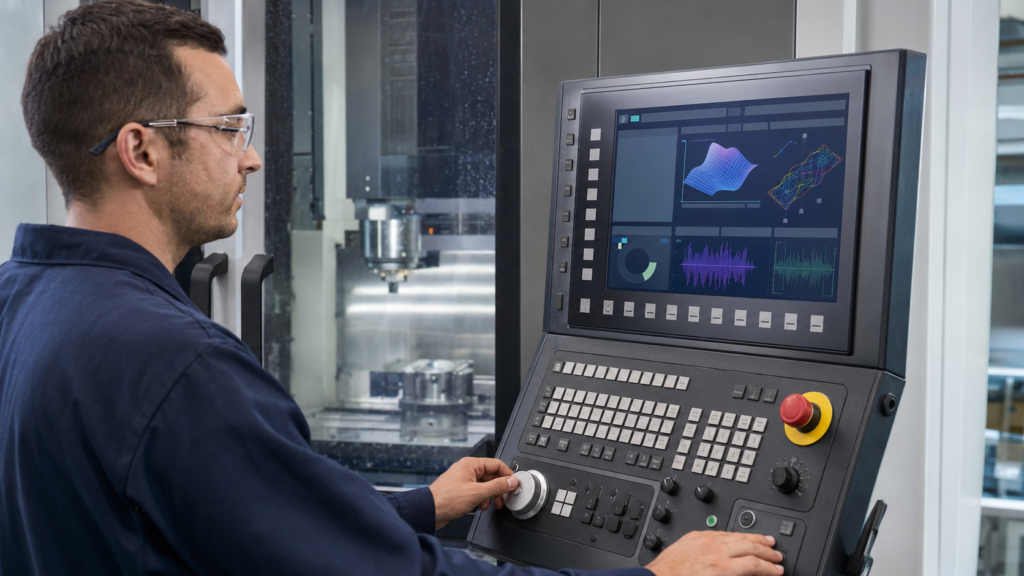
Maschinist an einem CNC-Bedienfeld mit separatem Touchscreen-Ziffernblock und Handrad.
Ein TFT-Display kann Zustandsinformationen darstellen, die das fertige System liefert. Es stellt weder die Werkzeugpfadkorrektheit, die Achsposition, das Spindelverhalten, die Sicherheitsleistung noch die Qualität des fertigen Teils fest.
Verwenden Sie Touch- und physische Bedienelemente entsprechend ihrer tatsächlichen Funktionen.
Touch kann Navigation, Seitenauswahl, kontextbezogene Steuerungen und definierte Konfigurations-Workflows unterstützen. Physische Tasten, Schalter und Handräder können dort bevorzugt werden, wo das Maschinendesign taktile Bedienung, wiederholbare Eingaben oder klar getrennte Steuerungsfunktionen erfordert.
Gehen Sie nicht davon aus, dass ein Touchscreen jede physische Eingabe ersetzt. Die Wahl hängt vom vorgesehenen Betriebs-Workflow, dem Panel-Layout, den Umgebungsbedingungen, der Abdeckungskonstruktion, der Benutzerposition und dem fertigen CNC-Maschinendesign ab.
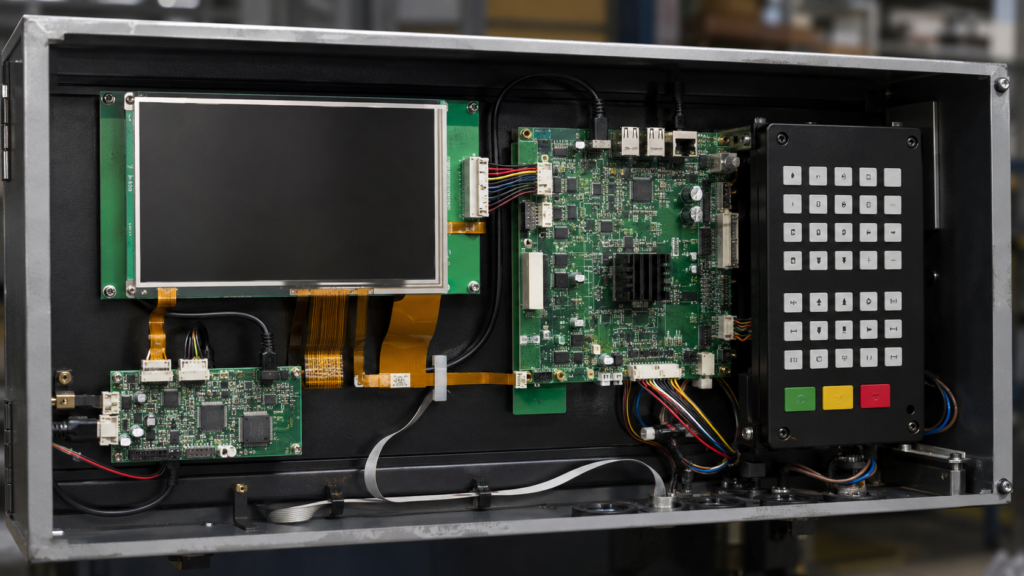
Internes CNC-Bedienfeld mit separaten Display-Touch- und Tastenfeld-Baugruppen.
Touch ist auch vom Video-Pfad des Panels getrennt. Die LCD-Schnittstelle steuert Pixel. Der Touch-Sensor, Controller, die Verbindung, Firmware und Host-Software melden Eingaben. Jeder Pfad erfordert eine eigene Kompatibilitätsprüfung.
Passen Sie die Panel-Schnittstelle an den HMI-Host an.
Rohe TFT-Module können RGB, LVDS, MIPI DSI oder eDP verwenden. Der ausgewählte Host muss die exakte Panel-Schnittstelle, das Timing, das Pixelformat, die Einschaltsequenz, die Steckverbinderanordnung, die Hintergrundbeleuchtungssteuerung und die Softwarekonfiguration unterstützen.
Die Panel-Konfiguration umfasst Parameter wie aktive Abmessungen, Synchronisations-Timing, Polarität und Ausgabeformat.3 Allein die Ähnlichkeit der Steckverbinder begründet keine Kompatibilität.
Wenn eine Quelle HDMI bereitstellt, während das LCD-Modul rohes MIPI DSI, RGB, LVDS oder eDP erfordert, kann ein passives Kabel die Konvertierung nicht durchführen. Ein kompatibler aktiver Controller oder eine Brücke ist erforderlich und wird Teil der elektrischen, Firmware-, Start-, thermischen und Lebenszyklusprüfung.
Unterscheiden Sie das eingebettete Bediendisplay von einem externen Monitor.
Ein eingebettetes Bediener-TFT ist Teil des Maschinenbedienfelds. Ein externer Monitor kann der Inbetriebnahme, technischen Diagnose, Schulung oder einem separaten Überwachungs-Workflow dienen. Die beiden Produkte können verwandte Informationen anzeigen, haben aber nicht unbedingt dieselben Schnittstellen-, Montage-, Wartungs- oder Umgebungsanforderungen.
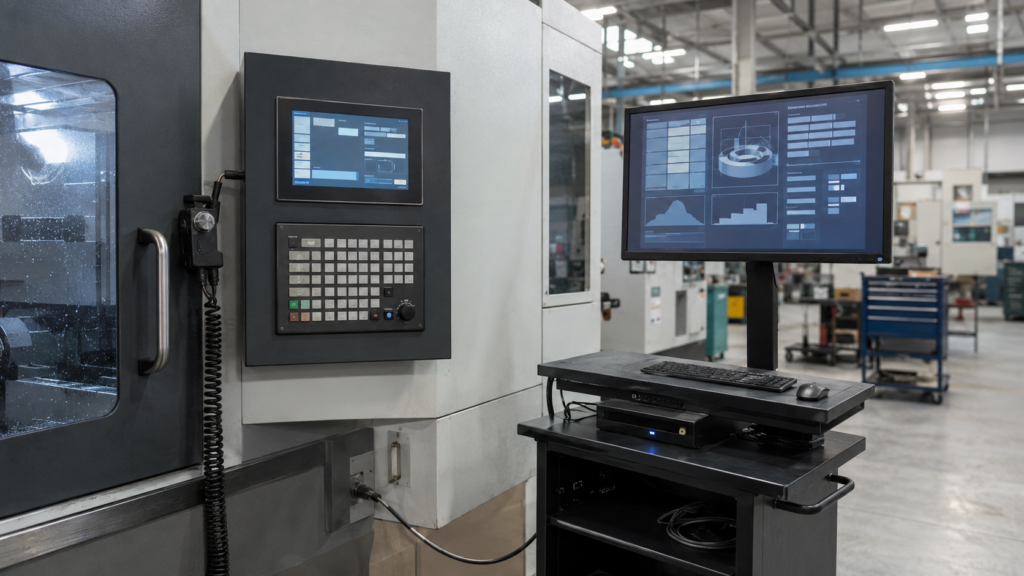
Eingebettetes CNC-Bediendisplay und separater externer Engineering-Monitor.
Legen Sie die vorgesehene Display-Rolle fest, bevor Sie den Video-Pfad wählen. Eine Anforderung für einen externen HDMI-Monitor bedeutet nicht, dass ein rohes eingebettetes Panel ohne aktive Konvertierungsstufe direkt über HDMI angesteuert werden kann.
Überprüfen Sie die produktionsorientierte mechanische Baugruppe.
Das fertige Bedienfeld umfasst mehr als nur das LCD. Prüfen Sie das Displaymodul, den Touch-Sensor (sofern verwendet), das Abdeckglas, die Frontplattenöffnung, Montagehalterungen, den Steckverbinderzugang, die FPC-Führung, den Kabelbiegeradius, die Kabelbaumhalterung, die Wartungsmethode, den Betrachtungswinkel und die Reflexion durch Werkstattbeleuchtung.
Bewerten Sie das fertige Bedienfeld unter repräsentativen Bedingungen. Eine reine Panel-Spezifikation begründet nicht die Umgebungstauglichkeit, das elektrische Verhalten, die Wartbarkeit oder die Maschinenkonformität der endgültigen Baugruppe.
Validieren Sie die vollständige Integration.
Die Validierung sollte vom elektrischen Hochfahren bis zum vorgesehenen Host, der Firmware, dem Panel-Gehäuse, den Kabeln, dem Touch-Stack, den physischen Bedienelementen und der CNC-Maschinenumgebung fortschreiten. Bestätigen Sie den erwarteten Display-Start, die Touch-Initialisierung, die Panel-Verfügbarkeit, die Wiederherstellung nach Stromunterbrechung, den Servicezugang und das kontrollierte Verhalten bei Kommunikationsverlust.
Schreiben Sie Abnahmekriterien vor dem Design-Freeze. Aussagen wie “gut lesbar”, “mit Handschuhen bedienbar” oder “unterstützt den CNC-Betrieb” benötigen definierte Bedingungen: Betrachtungsabstand, Grafikinhalt, Handschuhtyp, Zielgröße, Host-Zustand, Wiederherstellungsverhalten und die vorgesehene Bedienaufgabe.
Techniker validiert ein CNC-Bedienfeld mit integriertem Display und Elektronik.
Bereiten Sie eine zweckdienliche Anfrage zur CNC-Display-Prüfung vor.
Für eine CNC-Bedienfeld-Displayprüfung stellen Sie die Gehäusezeichnung, den Ziel-Aktivbereich, die Ausrichtung, die repräsentative GUI, den Controller- oder Host-Plattform, die verfügbaren nativen Display-Schnittstellen, Touch- und Abdeckungsanforderungen, das Layout der physischen Bedienelemente, Kabelbeschränkungen, die Einschaltsequenz, den Servicezugangsbedarf, die Projektphase und den erwarteten Bedarfsbereich bereit.
RJY Display kann die Anwendbarkeit bewerten Anzeigemodule und Anpassung auf Basis bestehender Modulplattformen, einschließlich Touch, Abdeckglas, Hintergrundbeleuchtung, Schnittstelle, FPC, Controller-Platine, Firmware und mechanischer Koordination. Die Machbarkeit hängt vom bestätigten Modul und den Projektanforderungen ab. Dies bedeutet nicht, dass RJY Display eine vollständige CNC liefert, die Maschinensicherheit qualifiziert oder eine beliebige LCD-Zellengröße von Null an entwickelt.
Ist ein TFT-LCD-Modul dasselbe wie ein CNC-Steuerungssystem?
Nein. Das TFT-LCD präsentiert Informationen. Das CNC-System, Antriebe, Rückmeldegeräte, Maschinensoftware und die fertige Steuerungsarchitektur erfüllen ihre separaten Maschinenfunktionen.
Kann ein Touchscreen jede CNC-Tastenfeld- und Handradfunktion ersetzen?
Nicht unbedingt. Touch- und physische Bedienelemente sollten gemäß dem vorgesehenen Workflow, den Betriebsbedingungen, dem erforderlichen taktilen Feedback und dem fertigen Maschinendesign ausgewählt werden.
Kann HDMI direkt ein rohes MIPI-, RGB-, LVDS- oder eDP-TFT-Panel ansteuern?
Nein. Ein passives Kabel kann HDMI nicht in eine rohe MIPI-, RGB-, LVDS- oder eDP-Panel-Schnittstelle umwandeln. Ein kompatibler aktiver Controller oder eine Brücke ist erforderlich und muss die Quelle und die genauen Panel-Anforderungen unterstützen.
Ist die Touch-Eingabe Teil der TFT-Videoschnittstelle?
Nein. Die Touch-Eingabe verwendet normalerweise einen separaten Sensor, Controller, Anschluss, Firmware und Softwarepfad. Die Videoschnittstelle treibt die Pixel des LCDs an, während das Touch-System Benutzereingaben an den Host meldet.
Was sollte ein OEM für eine CNC-Bedienfeld-Displayprüfung bereitstellen?
Stellen Sie die Gehäusezeichnung, den Aktivbereich-Zielwert, die repräsentative GUI, die Host-Plattform, die verfügbare Display-Schnittstelle, Touch- und Abdeckungsanforderungen, das Layout der physischen Bedienelemente, die Betrachtungsbedingungen, Kabelbeschränkungen, die Einschaltsequenz, den Servicezugangsbedarf, die Projektphase und den erwarteten Bedarfsbereich bereit.