Stehen Sie bei Ihrem Embedded-Display-Projekt vor einer Herausforderung?
Lassen Sie nicht komplexe Integration oder Lieferkettenprobleme Ihre Markteinführung verzögern. Vereinbaren Sie eine kostenlose Beratung mit dem RJY-Expertenteam für maßgeschneiderte Design- und Fertigungsunterstützung.
LCD-Bildeinbrennen vs. Burn-In: Warum ein statisches Bild auf einem TFT-Bildschirm verbleiben kann
Veröffentlicht:
12 Minuten Lesezeit
Aktualisiert:
A machine changes to a new screen, but the outline of the previous menu remains faintly visible. An operator may describe the problem as LCD burn-in, ghosting or a damaged screen. These terms are often used interchangeably, even though they can describe different display behaviors.
LCD image retention generally refers to a temporary residual image that remains after static content has been displayed for an extended period. Motion ghosting, backlight non-uniformity, electrical interference and permanent panel degradation can create different symptoms that require different solutions.
Understanding the difference matters for equipment designers. Replacing the LCD will not solve a problem caused by incorrect signal timing, DC imbalance, poor thermal design or application software that displays the same high-contrast interface continuously.
What Is LCD Image Retention?
Image retention, sometimes called image sticking or image persistence, is a visible trace of previously displayed content. It is normally easiest to see after switching from a static, high-contrast interface to a uniform gray, white or mid-tone image.
Typical examples include:
The outline of a menu remaining after another page opens
A faint status bar visible on a uniform background
Fixed buttons or grid lines appearing after the interface changes
A pale positive or negative version of the previous image
Uneven areas corresponding to content that remained static
The residual pattern may fade after the screen displays changing content or remains powered off for a period. However, recovery behavior depends on the panel, operating conditions, image pattern and cause. A screen should not automatically be classified as permanently damaged simply because a residual image is visible.
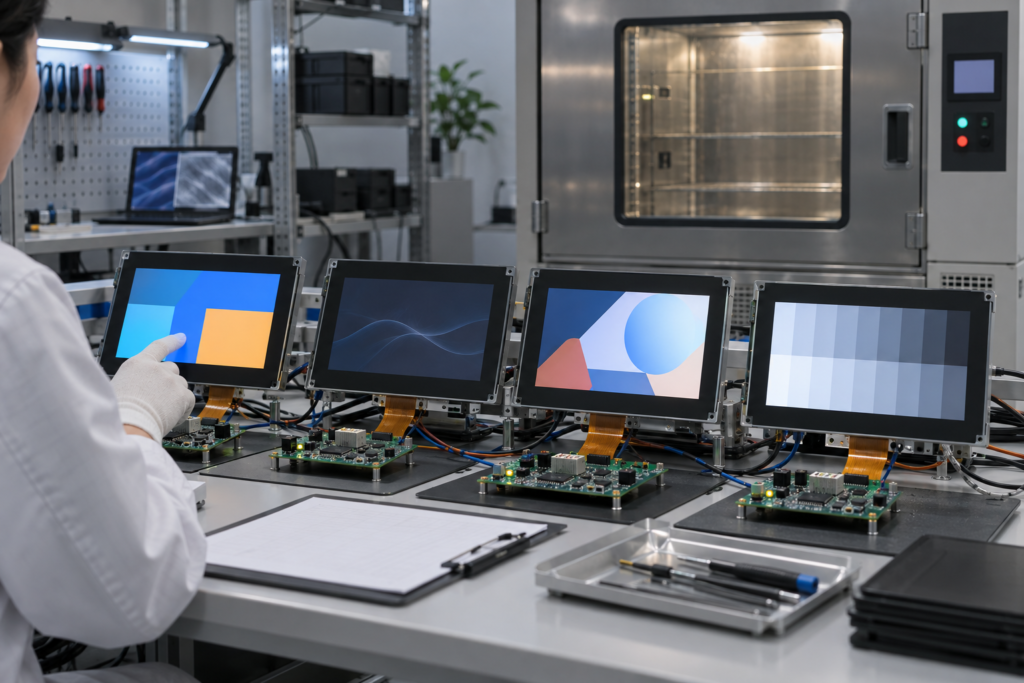
Engineer inspecting image retention on an industrial TFT LCD
Is Image Retention the Same as LCD Burn-In?
Not exactly. “Burn-in” is a broad consumer term frequently used for any persistent screen mark. In technical diagnosis, it is more useful to separate temporary image retention from permanent or long-term non-uniformity.
Display symptom
When it appears
Typical behavior
First area to investigate
Image retention
After static content is removed
A faint previous image may gradually fade
Static UI duration, temperature and LCD drive conditions
Motion ghosting
While objects or images are moving
A trail follows moving content
Pixel response, temperature and frame behavior
Backlight non-uniformity
Visible across many images
Bright or dark areas remain fixed in place
Backlight, optical films, pressure and assembly
Signal-related artifact
During operation or startup
Lines, flicker, noise or repeated patterns
Timing, interface, grounding, power and FPC connection
Permanent degradation
Remains after recovery attempts
The pattern does not meaningfully change
Panel history, temperature, drive conditions and physical damage
Whether a particular screen has recoverable retention or permanent degradation cannot be determined from the word “burn-in” alone. The equipment team needs to observe when the symptom appears, how it changes and whether it follows the displayed content.
Why Can a Static Image Remain on a TFT LCD?
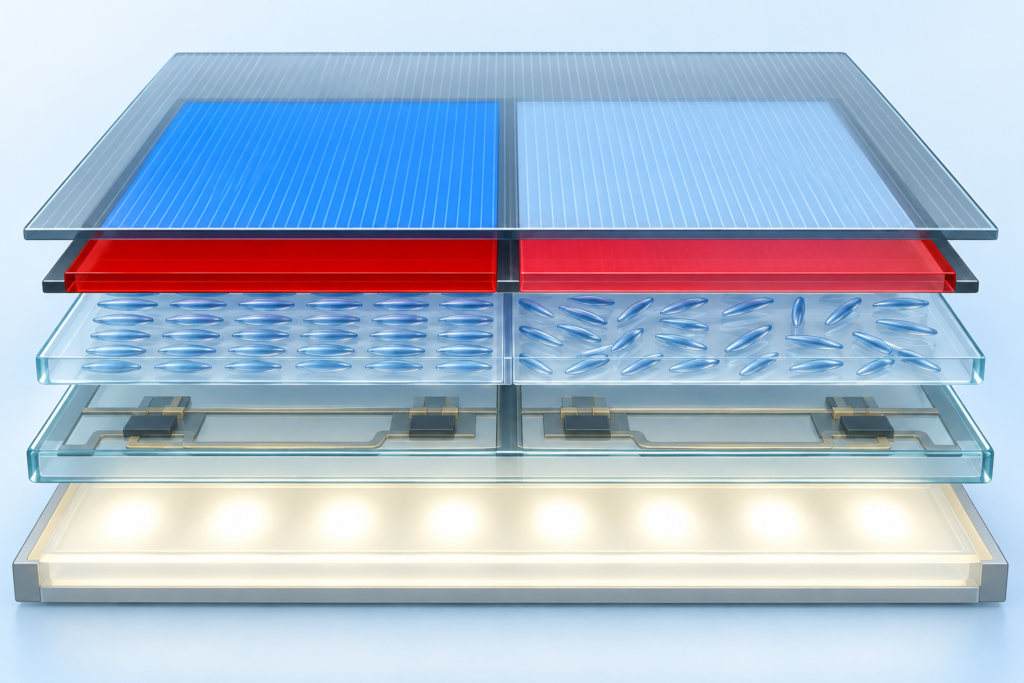
Liquid crystals must be driven with alternating polarity
A TFT LCD creates an image by controlling the electrical state of liquid-crystal cells. The applied drive is normally balanced over time so that the liquid-crystal layer is not exposed to a continuous DC component.
If the electrical balance is disturbed, charge-related effects can contribute to image sticking. Potential causes may include abnormal signal timing, an unsuitable drive condition, an incorrect initialization sequence or a panel and controller combination that has not been fully matched.
This does not mean every retained image is caused by faulty electronics. Static content, temperature and panel characteristics can also influence the result. The signal path should nevertheless be included in the investigation rather than treating the LCD as an isolated component.
Static high-contrast patterns stress different regions differently
Industrial interfaces often contain elements that barely move: navigation bars, alarm areas, numeric fields, logos, borders and fixed control buttons. When neighboring regions remain at very different gray levels for long periods, the pattern can become temporarily visible after the content changes.
A black-and-white grid or fixed high-contrast status panel generally creates a more demanding pattern than content that changes frequently and uses moderate differences in brightness.
Temperature changes liquid-crystal behavior
Liquid-crystal response is temperature-dependent. At lower temperatures, pixel transitions may become slower, making motion trails or delayed changes more noticeable. Elevated temperature can also affect image-retention behavior, particularly when the screen continuously shows static content.
For this reason, a result observed on an open laboratory bench may not represent the display inside a sealed enclosure, near a heat source or in a cold outdoor installation.
Mechanical pressure can imitate a display defect
Uneven pressure from the bezel, cover glass, adhesive, bracket or enclosure can disturb the optical appearance of an LCD. The resulting bright, dark or discolored area may be mistaken for image retention.
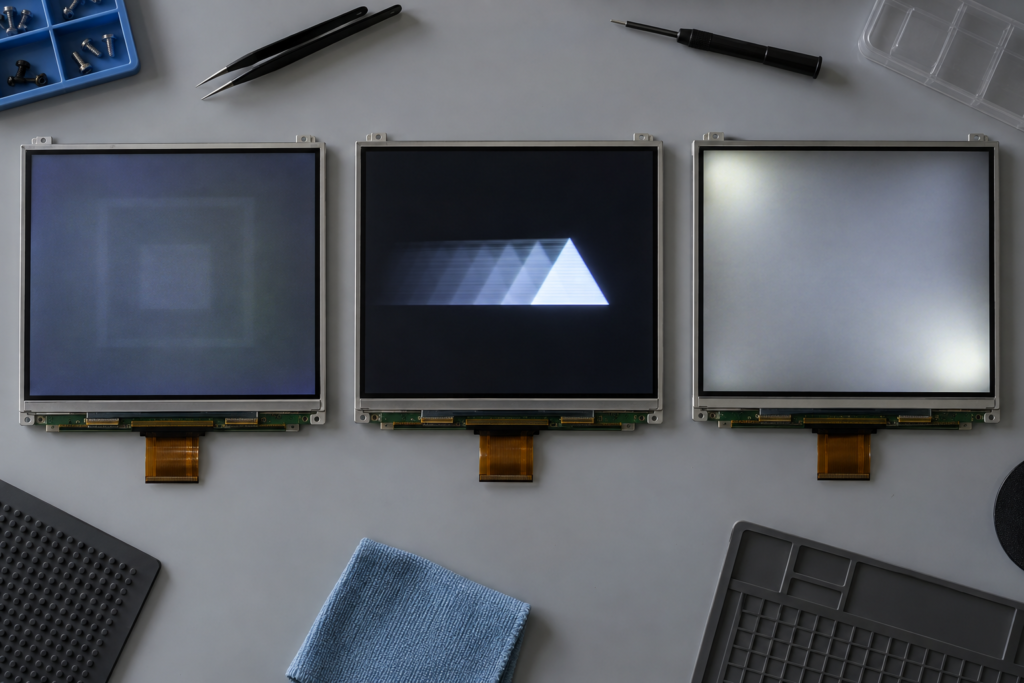
Comparison of LCD image retention, motion ghosting and backlight non-uniformity
Pressure-related artifacts usually remain in the same physical location and may not match the previous screen content. Testing the module outside the enclosure can help separate a panel-drive issue from an assembly issue, provided the module is handled safely.
Power and signal conditions may contribute to abnormal patterns
Unstable power rails, an incorrect startup or shutdown sequence, poor grounding, interface noise and marginal timing can produce artifacts that resemble persistence. Some appear only after warm-up, after repeated power cycles or when another part of the equipment is active.
A reliable investigation therefore needs both visual observation and electrical information.
Image Retention Is Not the Same as Motion Ghosting
Motion ghosting appears while content is moving. A shape may leave a trailing edge because pixels require time to transition from one state to another. It can be influenced by LCD mode, gray-level transition, temperature and the way the source renders moving content.
Image retention remains after the original content has been removed. A simple distinction is:
If the artifact follows a moving object, investigate response behavior.
If the previous static page remains visible on the next page, investigate image retention.
If a bright or dark patch stays in the same physical area regardless of content, investigate backlight and assembly conditions.
If lines, noise or duplicated regions change with cables or startup behavior, investigate the signal path.
More than one condition can exist at the same time. For example, a display used in a cold environment may show slow motion response while also retaining a static status bar after extended operation.
How to Test a TFT LCD for Image Retention
Step 1: Record the original operating condition
Before changing anything, record the interface page, brightness setting, operating time, ambient temperature and equipment state. Photograph the screen using the same exposure and viewing angle where practical.
Also note whether the symptom appears immediately, only after warm-up or only after many hours of static operation.
Step 2: Display uniform test screens
Switch the LCD to uniform gray levels and simple full-screen colors. Mid-gray backgrounds are often useful because both lighter and darker residual areas can be easier to observe.
A generated test screen is preferable to a photograph containing gradients, compression artifacts or unknown color processing. Avoid drawing a conclusion from only one background.
Step 3: Compare the residual pattern with the previous interface
If the visible trace matches buttons, borders, text blocks or other fixed elements from the previous page, image retention becomes a reasonable hypothesis. If the artifact does not match the displayed content, investigate the backlight, optical stack, mechanical pressure and signal system.
Step 4: Introduce varied content
Run normal changing content or a controlled sequence of different gray levels. Observe whether the residual pattern becomes weaker. Do not use rapidly flashing content in a public or uncontrolled environment.
Recovery can support an image-retention diagnosis, but it does not identify the original cause. The system may still need changes to UI behavior, thermal management or LCD drive conditions.
Step 5: Allow an appropriate rest period
Powering the equipment down can help determine whether the effect is temporary. Record the condition before shutdown and after restart rather than relying on memory.
There is no universal recovery time applicable to every TFT LCD. Panel construction, previous operating duration, temperature and severity all affect the result.
Step 6: Repeat the test in the actual enclosure
If the open-module test differs from the installed result, examine enclosure temperature, mechanical pressure, grounding, cable routing and nearby electronics. This step is especially important for sealed equipment and high-brightness displays.
A Symptom-Based Diagnostic Checklist
Observation
Possible explanation
Useful next check
The old menu is visible on a gray screen
Image retention
Run changing content and observe recovery
A trail appears only behind moving graphics
Slow pixel response
Compare at normal and low operating temperatures
A bright patch remains in one corner
Backlight, pressure or optical non-uniformity
Compare different images and inspect the assembly
Vertical or horizontal lines appear
Connection, timing or panel fault
Inspect the FPC, connector, signals and power rails
The artifact appears after another load starts
Power or electromagnetic interference
Monitor supplies, grounding and cable routing
The residual image never changes
Long-term degradation or another permanent fault
Compare with a known-good module under the same conditions
How UI Design Can Reduce Image-Retention Risk
For many embedded products, prevention begins in the application software. Industrial screens often remain on the same page for much longer than phones or consumer computers.
Change static elements periodically
Small changes in position, color or layout can reduce the time that identical high-contrast boundaries remain on the same pixels. The movement must not interfere with usability or make safety-related information difficult to locate.
If operators do not need the screen continuously, the application can enter a lower-brightness page, screen saver or display-off state after an appropriate period. The design must account for applications where information must remain continuously visible.
Avoid unnecessary maximum brightness
Brightness should be selected for the real viewing environment instead of automatically operating the backlight at its maximum setting. This can also help control temperature and power consumption.
Reducing backlight brightness does not correct an electrically driven image-retention problem by itself, because the backlight and liquid-crystal drive are separate. It is one part of a broader display-management strategy.
Reduce persistent contrast where practical
A fixed pure-white element against a black background creates a strong boundary. Moderate colors and less extreme contrast may be considered for elements that remain visible for long periods, provided readability and application requirements are maintained.
Refresh fixed information deliberately
Changing a clock value or a small data field does not necessarily refresh the rest of the screen. UI teams should identify which pixels remain unchanged across normal operation and design the idle behavior around those areas.
When the Controller or Firmware Should Be Investigated
If image retention appears earlier than expected, varies between controller configurations or is accompanied by flicker and unstable startup, review the display-driving system.
The engineering review may need to include:
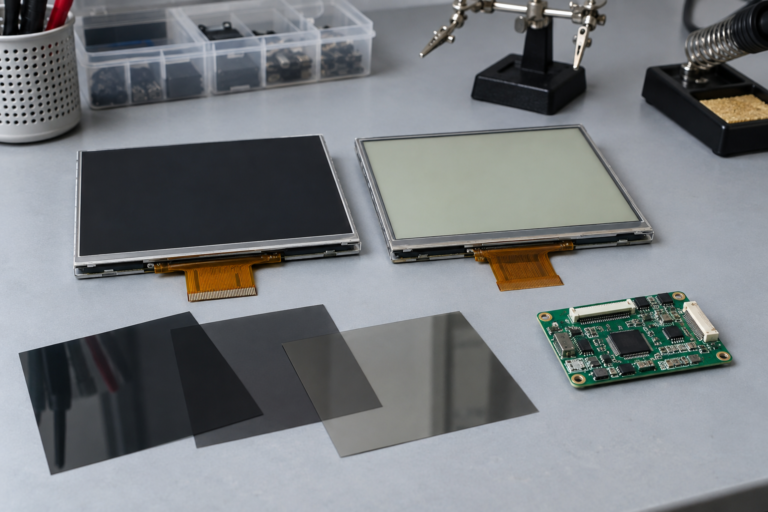
Exact LCD panel model and driver IC
Display interface and pin definition
Input voltage and power sequencing
Pixel clock, synchronization and porch settings
Frame rate and polarity behavior
Initialization commands and register configuration
Controller-board firmware
Grounding and FPC routing
Backlight driver and thermal conditions
A controller board should not be considered compatible merely because it produces a visible image. Long-duration testing, startup testing and operation under the intended environmental conditions are also necessary.
When Should the TFT LCD Be Replaced?
Replacement may be appropriate when the residual image remains after controlled recovery attempts, the symptom is repeatable on an independent test setup or physical panel degradation has been confirmed.
Before replacing the module, determine whether the root cause is inside the LCD or elsewhere in the product. Installing a new screen without correcting abnormal timing, power, heat or mechanical pressure may allow the same problem to return.
A comparison with a known-good module can be useful:
If both modules show the same symptom, investigate the host system and operating conditions.
If only the original module shows the symptom, investigate its operating history and condition.
If the symptom appears only inside the enclosure, investigate temperature and mechanical integration.
If it changes with the controller firmware, investigate timing and initialization.
How to Validate a Display for Static Industrial Interfaces
A short visual inspection is not enough for products that will show the same interface for many hours. The prototype plan should reflect the real operating pattern.
Running the screen for the expected continuous-use periods
Testing relevant temperature conditions
Checking multiple gray backgrounds after static operation
Recording recovery after changing content and powering down
Repeating tests inside the finished enclosure
Comparing more than one sample where appropriate
The exact test conditions and acceptance criteria should be agreed for the selected display and application. A generic test result should not be treated as a guarantee for every LCD configuration.
What RJY Needs to Review an Image-Retention Problem
If an equipment team needs help evaluating an abnormal TFT image, provide:
LCD model number and datasheet
Photographs on several uniform backgrounds
The interface page displayed before the symptom appeared
Static operating duration and brightness setting
Ambient and estimated enclosure temperature
Controller-board model and firmware information
Display timing and initialization settings, where available
Power, backlight and touch configuration
Information about mounting, cover glass and optical bonding
Whether the effect changes after rest or content cycling
RJY can review the LCD module, controller-board configuration and display-related mechanical structure as a system. Any conclusion or proposed change must be based on the actual module and project conditions.
Diagnose the Pattern Before Replacing the Screen
A faint image remaining on a TFT LCD is not automatically permanent burn-in. It may be temporary image retention, slow response, backlight non-uniformity, mechanical pressure or an electrical artifact.
The most useful first step is to identify when the pattern appears and whether it follows the previous content. Uniform test images, controlled recovery observations and system-level comparison can then narrow the cause.
If you are diagnosing an embedded or industrial TFT display, explore RJY kundenspezifische Display-Lösungen oder kontaktieren Sie RJY with the LCD model, controller information, photographs and operating conditions for a project-specific review.
Häufig gestellte Fragen
Is image retention permanent on a TFT LCD?
Not always. Some residual images fade after the content changes or the display rests, while other cases may involve long-term degradation or a different fault. Recovery behavior should be tested before the screen is classified as permanently damaged.
What is the difference between LCD image retention and motion ghosting?
Image retention is a residual trace that remains after static content is removed. Motion ghosting is a visible trail that appears while an object or image is moving, commonly associated with pixel response behavior.
Can a screen saver prevent LCD image retention?
A screen saver or changing idle page can reduce the time that one static pattern remains on the same pixels. It cannot correct abnormal drive voltage, timing, temperature, mechanical pressure or an existing panel fault.
Does lowering the backlight brightness remove image retention?
Lower brightness may reduce power and internal heat, but it does not directly correct every form of image retention. The backlight and liquid-crystal drive are separate systems, so the cause must still be diagnosed.
Should I replace the LCD as soon as a residual image appears?
Not necessarily. First compare the pattern with the previous interface, test uniform screens, observe recovery and investigate temperature, timing, power and enclosure pressure. Replacement is appropriate only after the likely cause and module condition have been evaluated.
↗
Planen Sie ein Display-Projekt?
Teilen Sie Ihre Display-Größe, Auflösung, Schnittstelle, Helligkeit, Touch-Anforderung, Controllerplatinen-Anforderung und Anwendungsumgebung mit.