디지털 사이니지 하드웨어 비용을 절감하면서도 잘못된 시스템을 구매하지 않는 방법

디지털 사이니지 하드웨어 비용을 절감하려는 시도가 반드시 가장 저렴한 LCD, 프로세서 또는 인클로저를 선택하는 것을 의미하지는 않는다. 많은 프로젝트에서 가장 큰 회피 가능한 비용은 애플리케이션이 활용할 수 없는 사양을 구매하거나, 호환되지 않는 구성 요소를 결합하거나, 하드웨어 설계가 이미 승인된 후에 설치 문제를 발견하는 데서 발생한다.

비용 통제형 디지털 사이니지 시스템은 콘텐츠, 시청 환경 및 운영 워크플로우에 대한 명확한 이해에서 시작된다. 이러한 요구 사항이 정의되면 개발자는 불필요하게 복잡하지 않으면서도 작업에 충분한 디스플레이, 컨트롤러 보드, 터치 솔루션 및 기계 구조를 선택할 수 있다.

본 가이드는 선반 가장자리 디스플레이, 카운터탑 정보 단말기, 회의실 상태 화면, 자판기 디스플레이, 가전제품 통합 광고 화면 및 기타 소형 상업용 디스플레이 시스템을 포함한 컴팩트 및 임베디드 디지털 사이니지에 중점을 둔다. 대형 상업용 TV와 옥외 LED 전광판은 다른 구매 전략이 필요하다.

가장 저렴한 디지털 사이니지 하드웨어가 항상 최저 비용 선택은 아니다

단가(單價)는 즉시 확인할 수 있다. 통합 비용은 그렇지 않다.

저가 디스플레이는 자재 명세서 비용을 줄이는 것처럼 보일 수 있지만, 개발 팀이 추후 추가 변환 보드, 다른 케이블, 수정된 인클로저 또는 새 펌웨어가 필요하게 되면 절감 효과는 사라질 수 있다. LCD 인터페이스와 핀 정의가 확인되기 전에 컨트롤러 보드를 먼저 선택하는 경우에도 유사한 문제가 발생한다.

실제 하드웨어 예산에는 다음이 포함될 수 있다:

  • LCD 모듈 및 백라이트
  • 터치스크린 및 커버 글라스
  • 컨트롤러 보드 또는 임베디드 호스트
  • 인터페이스 어댑터, FPC 및 케이블
  • 전원 공급 장치 및 내부 배선
  • 인클로저, 장착 하드웨어 및 금형
  • 펌웨어 및 운영체제 통합
  • 프로토타입 수정 및 인증 작업
  • 설치 인건비, 예비 부품 및 서비스 방문

한 구성 요소에서 비용을 절감하면서 다른 세 가지 비용 항목을 증가시키는 것은 효과적인 비용 절감이 아니다. 목표는 전체 시스템을 단순화하고 재설계 가능성을 줄이는 것이어야 한다.

최저 구매 가격이 추가 수명주기 비용을 어떻게 발생시킬 수 있는지에 대한 더 폭넓은 논의는 RJY의 가이드를 참조하라: 저가 LCD 디스플레이의 숨은 비용과 위험.

1. 하드웨어를 선택하기 전에 사이니지가 표시해야 할 콘텐츠를 정의하라

콘텐츠가 하드웨어를 결정한다. 가격과 간단한 프로모션 그래픽을 표시하는 선반 디스플레이는 고해상도 비디오를 재생하고 실시간 데이터를 검색하는 터치스크린 디렉토리와 동일한 요구 사항을 갖지 않는다.

견적을 요청하기 전에 다음을 정의하라:

  • 콘텐츠가 정적, 애니메이션 또는 비디오 기반인지 여부
  • 예상 시청 거리
  • 콘텐츠 변경 빈도
  • 화면이 독립적으로 작동하는지 또는 네트워크에 연결되는지 여부
  • 사용자가 터치하거나 상호작용해야 하는지 여부
  • 필요한 외부 인터페이스의 수와 유형
  • LCD, 컨트롤러 및 케이블에 사용 가능한 물리적 공간

이 정보는 실제 사용 사례가 불명확할 때 공급업체가 불필요하게 고사양 시스템을 견적하는 것을 방지한다. 또한 모든 공급업체가 동일한 애플리케이션 브리프를 기반으로 작업하므로 경쟁 제안을 비교하기가 더 쉬워진다.

2. 콘텐츠에 적합한 디스플레이 형태를 선택하라

기업들은 때때로 콘텐츠가 화면의 일부 영역만 차지하는 경우에도 기존의 직사각형 디스플레이를 선택한 후 그 주위에 대형 인클로저를 제작한다. 이는 LCD 비용, 인클로저 크기, 운송 부피 및 설치 공간을 증가시킬 수 있다.

바(bar) 형태 디스플레이는 선반 가장자리 프로모션, 장비 헤더, 교통 정보, 방향 안내 메시지 또는 컴팩트 광고 스트립에 더 효율적인 선택이 될 수 있다. 정사각형 디스플레이는 룸 컨트롤러나 카운터탑 제품에 적합할 수 있다. 기존의 가로형 디스플레이는 인터페이스에 긴 텍스트, 여러 메뉴 항목 또는 비디오가 포함된 경우 여전히 적절하다.

절감 효과는 활성 디스플레이 영역을 정보 구조에 맞추는 데서 발생한다. 화면 형태는 순전히 참신함을 위해 선택되어서는 안 되지만, 적절한 비표준 종횡비는 사용되지 않는 영역을 제거하고 전체 장치의 크기를 줄이는 데 도움이 될 수 있다.

Developers of shelf and narrow-panel systems can review RJY’s bar LCD display options6.9-inch bar TFT LCD module as examples of compact display formats.

3. 시청자가 활용할 수 없는 해상도에 비용을 지불하지 마라

Higher resolution is attractive in a specification table, but it is not automatically more valuable in the finished product. The useful resolution depends on screen size, viewing distance, content design and visual detail.

A resolution increase may affect more than the LCD price. It can require additional graphics-processing capacity, memory bandwidth, storage, software optimization and power. It may also reduce the number of controller-board options available for the project.

If a display mainly presents large numbers, icons, logos or short messages, the interface may not benefit from an extremely high pixel density. The better approach is to test representative content at the intended viewing distance and select a resolution that keeps the interface clear without overloading the system.

RJY’s guide to LCD resolution, pixels and aspect ratio explains why these factors should be evaluated together instead of treating resolution as an isolated measure of quality.

4. 설치 환경에 맞춰 밝기를 조정하라

Brightness is another area where over-specification can raise hardware cost. An indoor sign installed under controlled retail lighting does not necessarily need the same backlight design as a screen exposed to strong daylight.

Higher-brightness configurations may affect the backlight, power supply, heat management and enclosure. Selecting a brightness target without evaluating the real environment can therefore increase both component cost and engineering work.

At the same time, under-specifying brightness is a false economy. A display that cannot be read in its installed location may need to be replaced or repositioned.

Provide photographs or lighting information from the installation site when possible. Consider reflections from the cover glass, display angle, viewing distance and whether sunlight reaches the screen directly. Brightness should be treated as an environmental requirement, not a marketing number.

5. 가치 있는 작업을 지원할 때만 터치 기능을 추가하라

Touch can transform a digital sign into a directory, ordering terminal, product selector or service interface. However, a touchscreen is unnecessary when customers only need to read a message or watch content.

Adding touch can introduce costs for the sensor, cover glass, touch controller, bonding, cabling, software and validation. The enclosure may also need to support repeated public interaction and cleaning.

Before adding touch, identify the exact action the user must complete. If the application only needs occasional technician access, a hidden service button or remote-management workflow may be more economical. If customers will browse products or make selections, touch may justify its cost by replacing physical buttons and enabling a configurable interface.

For interactive projects, the LCD, touch sensor, cover glass, controller and operating system should be reviewed as one configuration. The final behavior should be verified with the actual assembly rather than assumed from a generic touchscreen specification.

6. 평판이 아닌 작업 부하에 따라 컨트롤러 보드를 선택하라

A powerful Android controller board can support video, networking, application software and sophisticated interfaces. It is not automatically the most economical choice for every sign.

A simple display that repeats a fixed information sequence may need fewer processing resources than a connected touchscreen terminal. Conversely, an underpowered controller can create playback problems, slow interaction or additional software-development work.

Define the required workload before choosing the board:

  • Image, animation or video format
  • Target playback resolution
  • Touch and user-interface complexity
  • Network and peripheral requirements
  • Operating system and application framework
  • Storage and update method
  • Expected future functions

Purchase reasonable performance headroom when the product roadmap requires it, but avoid paying for interfaces and processing capacity that the application has no plan to use.

Controller-board compatibility cannot be determined by connector appearance alone. The panel model, resolution, display interface, pin definition, timing, backlight, touch path, firmware and operating environment must be checked. The TFT LCD 및 Android 컨트롤러 보드 매칭 가이드 lists the information needed for this review.

7. 어댑터, 변환 보드 및 불필요한 케이블을 줄여라

Every additional interface layer adds something to purchase, mount, power and test. It may also create another connector that can loosen during transport or field service.

For an early prototype, using an adapter may be the fastest way to demonstrate a concept. For a production system, the team should determine whether the host and LCD can be connected through a cleaner, project-specific architecture.

The lowest-risk configuration depends on the selected panel and host. MIPI, LVDS, eDP, HDMI and other display interfaces are not interchangeable, even when adapters exist. A controller-board path should be confirmed only after the actual LCD information is available.

RJY can review HDMI-to-MIPI and other controller configurations on a project basis. The HDMI-to-MIPI 호환성 가이드 explains why panel documentation, backlight requirements and firmware must be evaluated before a board is approved.

8. 기존 LCD 플랫폼에서 시작하라

A completely new panel size may sound like the best way to achieve a unique digital signage product. In many compact projects, it also introduces avoidable development cost, volume requirements and technical risk.

A more practical route is often to select an existing LCD module and customize the surrounding assembly. Depending on the module and project, this may include:

  • Cover-glass shape and printed border
  • 터치스크린 구성
  • Backlight requirements
  • FPC direction or cable arrangement
  • Controller-board adaptation
  • Firmware coordination
  • Display-related enclosure and mounting details

This strategy preserves a distinctive front-panel appearance while avoiding the assumption that every product needs a new LCD cell or panel geometry. It can also make early samples more representative of the intended production design.

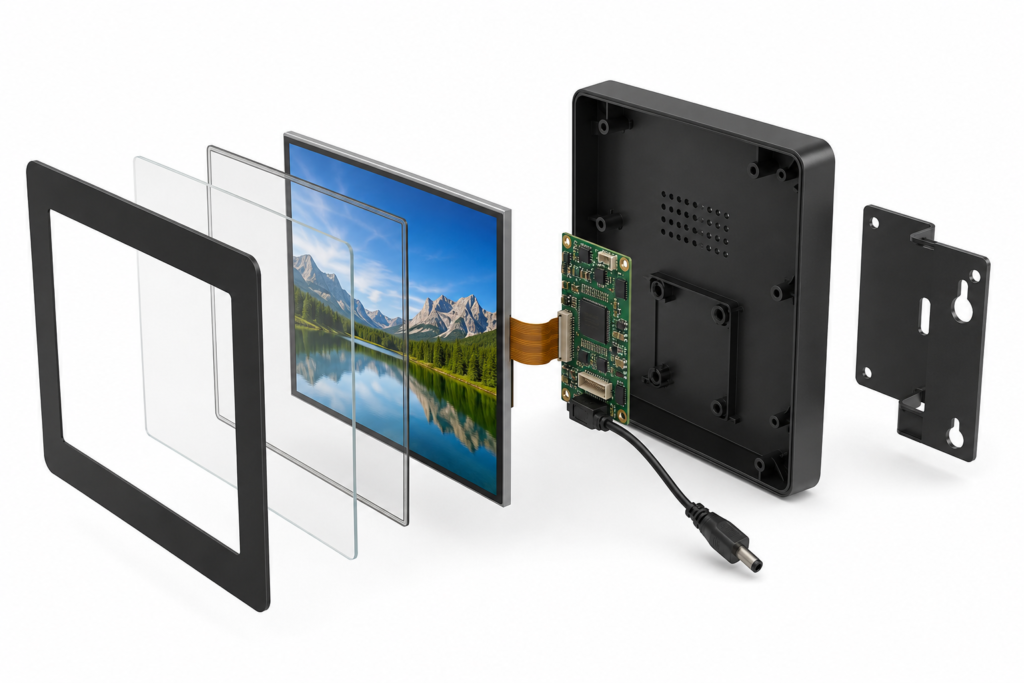
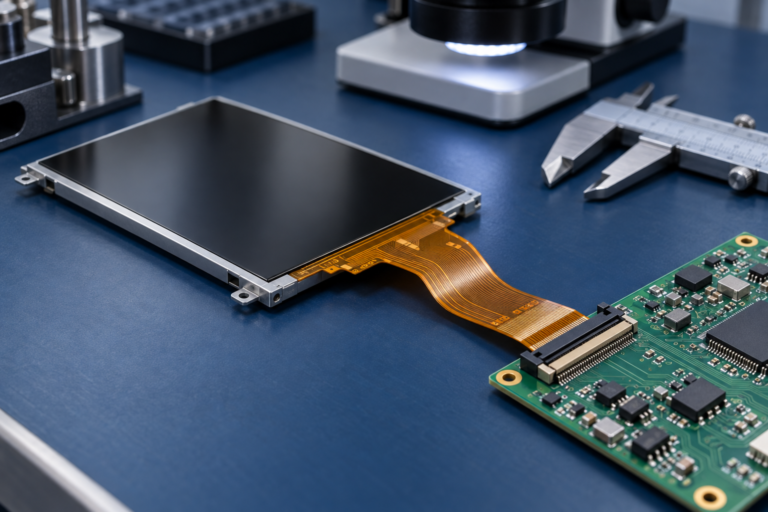
Exploded compact digital signage display and controller assembly

9. 여러 사이니지 제품에 걸쳐 하드웨어를 표준화하라

A business operating several signage formats may be able to use one display-and-controller architecture for multiple product variants. Branding, content and interface behavior can then be changed in software or through the cover-glass design.

Standardization can reduce the number of spare parts, technical documents, cables and firmware versions the organization must manage. Installers also become familiar with one internal architecture.

This does not mean forcing one screen into every enclosure. Standardization works best where the viewing requirement, content workload and environmental conditions are similar. A store may use one hardware platform for several countertop displays while maintaining a separate platform for narrow shelf-edge units.

The saving should be measured across purchasing, development, deployment and maintenance—not only through a larger order for a single component.

10. 생산 전에 설치 및 서비스 접근성을 설계하라

A compact sign can still be expensive to install if the mounting points are difficult to reach, the cable exits in the wrong direction or the enclosure must be removed to access a common service connection.

Review the installation environment before freezing the mechanical design. Confirm:

  • Mounting orientation and available depth
  • Power-entry position
  • Cable length and bend clearance
  • Ventilation requirements for the controller
  • Access to storage, reset and update functions
  • Protection of the LCD, FPC and connectors
  • How a failed unit will be removed and replaced

A few minutes saved during each installation can matter across a multi-location rollout. More importantly, good service access can prevent technicians from damaging unrelated components while replacing one part.

실용적인 디지털 사이니지 하드웨어 비용 체크리스트

DecisionCommon False EconomyCost-Controlled Approach
디스플레이 크기Buying a larger screen than the content requiresMatch the active area and aspect ratio to the message
해상도Choosing the highest available valueTest real content at the intended viewing distance
밝기Using an outdoor target for every installationEvaluate ambient light, reflections and viewing angle
터치Adding touch without a defined user actionAdd it when interaction creates measurable product value
컨트롤러Buying maximum performance or selecting by connector aloneMatch processing, interfaces and firmware to the workload
Custom designAssuming a completely new LCD panel is requiredCustomize around a suitable existing module
인터페이스Stacking multiple adapters into the production designReview the panel-to-host architecture early
내구성 설계로 7–10년 이상Ignoring access until installationDesign mounting, cabling and replacement procedures in advance
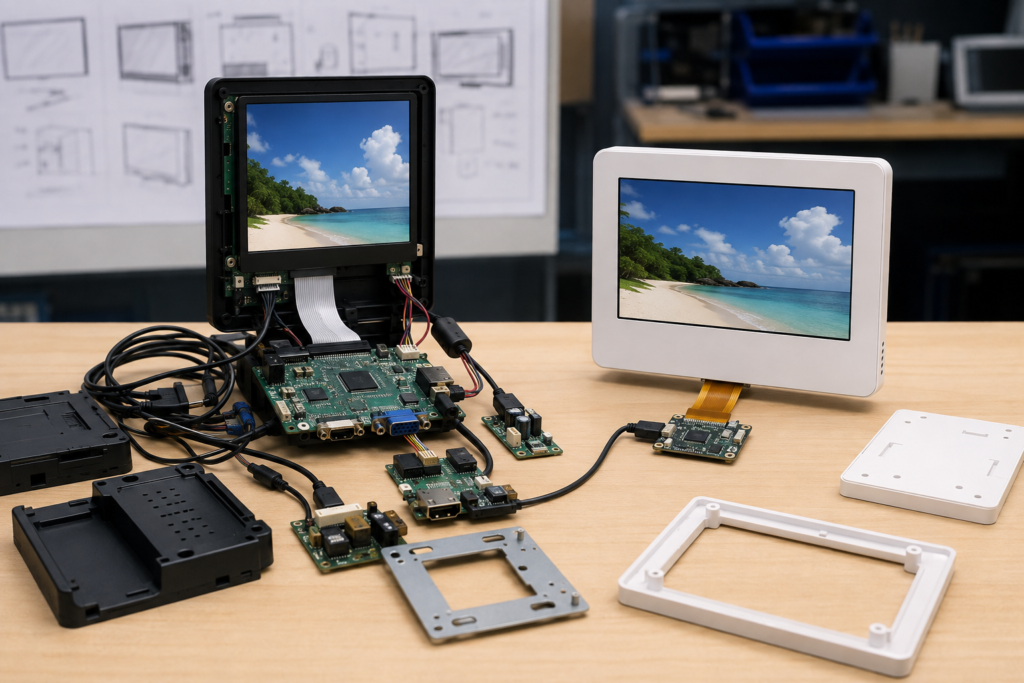
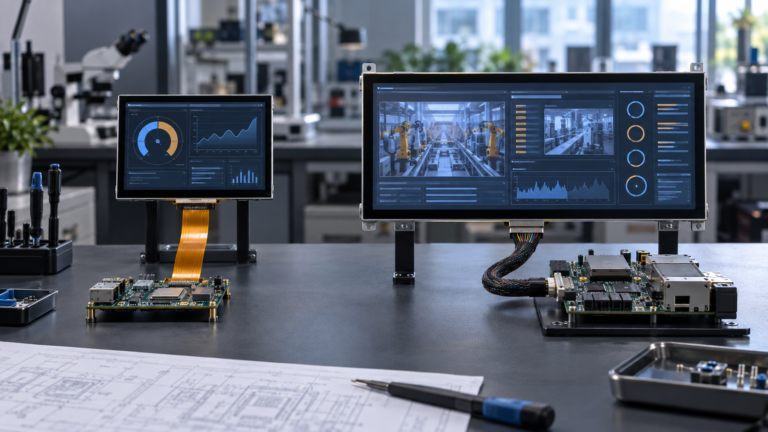
Comparison of complex and streamlined digital signage hardware designs

초기 비용을 더 지출하는 것이 추후 비용을 절감할 수 있는 경우

Cost optimization does not always mean removing features. Some investments can reduce lifecycle expense when they solve a verified requirement.

A higher-brightness backlight may be justified where ambient light would otherwise make the message unreadable. A durable front cover may reduce damage in a public environment. Additional controller performance may be worthwhile when future software functions are already part of the product roadmap. Firmware coordination may prevent a costly mismatch between the LCD timing and host platform.

The distinction is evidence. Spend more when the application, test result or deployment plan supports the decision. Avoid adding specifications only because they look stronger in a comparison table.

설계 승인 전에 총 하드웨어 비용을 산출하라

A useful comparison should include more than the LCD and controller-board price. Build a simple total-cost model covering components, development, installation and maintenance.

For each candidate architecture, compare:

  • Display, touch and cover-glass cost
  • Controller, power and cable cost
  • Enclosure, tooling and mounting cost
  • Firmware and application-integration effort
  • Prototype and validation requirements
  • Installation time per location
  • Recommended spare-unit strategy
  • Expected service and replacement process

This exercise often shows that the most economical system is the one with fewer parts, clearer compatibility and easier installation—not necessarily the system containing the cheapest individual screen.

RJY가 비용 통제형 컴팩트 디지털 사이니지를 지원하는 방법

RJY Display can help equipment developers review compact TFT LCD modules, touch assemblies and controller-board options for embedded digital signage projects. Controller-board adaptation is available for selected displays from approximately 1.28 to 15.6 inches, depending on resolution, interface, firmware and the complete project requirements.

Support may include existing TFT LCD 모듈 선정, cover glass, touchscreen, backlight, FPC, interface, controller board, firmware and display-related mechanical coordination. LCD modules and controller boards can also be discussed separately when the customer already has part of the system architecture.

Compatibility and customization scope must be confirmed from the actual panel and project information. RJY does not treat one controller board as universally compatible with every LCD, and customization should not be assumed to include unrestricted development of a completely new LCD size.

디지털 사이니지 RFQ에 포함해야 할 정보

To receive a technically meaningful proposal, provide:

  • Application and installation environment
  • Target display size, shape and resolution
  • Content type and viewing distance
  • Brightness and viewing-angle expectations
  • 터치스크린 및 커버 글라스 요구사항
  • Host platform, operating system and display interface
  • Panel datasheet or reference model, if already selected
  • FPC, connector and enclosure constraints
  • Controller-board and firmware requirements
  • Prototype quantity, estimated annual demand and schedule

A complete brief makes it easier to remove unnecessary hardware before it enters the design. It also helps identify compatibility problems while they are still inexpensive to correct.

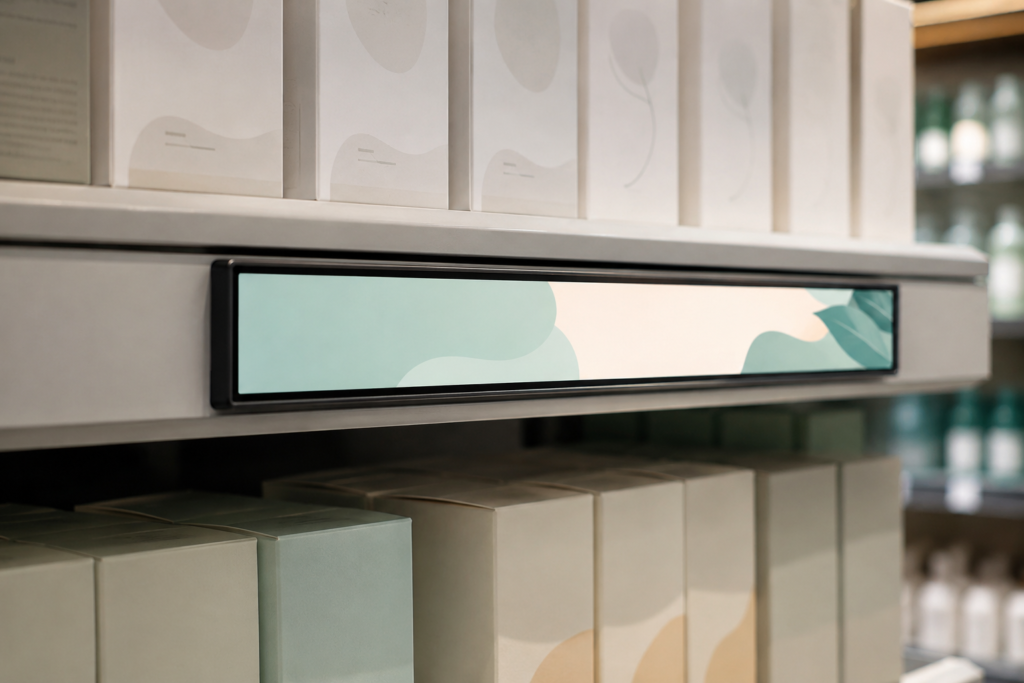
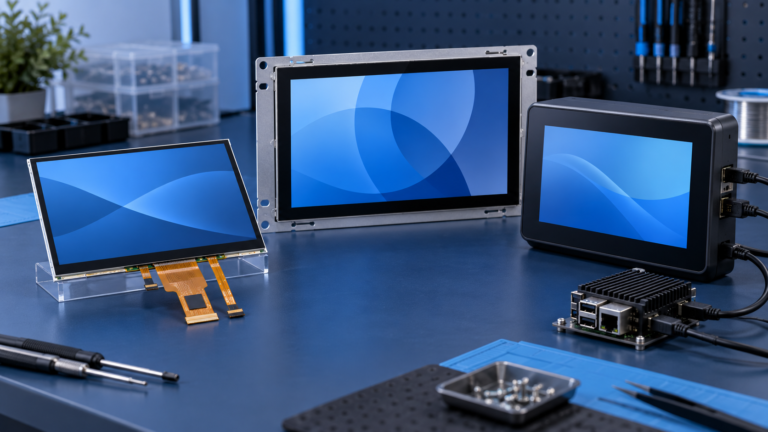
Cost-efficient bar LCD digital signage integrated into a retail shelf

단순히 더 저렴한 화면이 아닌, 더 저렴한 사이니지 시스템을 구축하라

The most reliable way to save money on digital signage hardware is to make every component serve a defined purpose. Choose a screen shape that fits the content, a resolution the viewer can benefit from, a brightness level suited to the environment and a controller capable of the actual workload.

Then simplify the connection path, customize around an existing module and plan installation before production. These decisions can lower the bill of materials while also reducing development time, field problems and redesign risk.

If you are developing a compact retail sign, shelf display, countertop terminal or embedded commercial display, explore RJY custom display solutions 또는 RJY에 문의 with your LCD, controller-board, touch and mechanical requirements for an engineering review.

자주 묻는 질문

What is the best way to save money on digital signage hardware?

Start by defining the content, viewing environment and required interaction. Then select only the display size, resolution, brightness, touch capability and controller performance needed for that application. Reducing unnecessary components and avoiding redesign can be more valuable than selecting the cheapest individual screen.

Do I need a powerful Android board for every digital sign?

No. The appropriate controller depends on video resolution, interface complexity, networking, touch, software and future functions. A simple information display may need fewer resources, while an interactive connected terminal may justify a more capable Android platform.

Is higher LCD resolution always worth the additional cost?

No. The benefit depends on screen size, content detail and viewing distance. Higher resolution may also increase processing, bandwidth and power requirements. Representative content should be tested before the resolution is finalized.

Can one hardware platform support several signage designs?

Possibly. Products with similar content, performance and environmental requirements may share an LCD-and-controller architecture while using different software, cover glass or enclosures. Each configuration should still be validated for its intended installation.

Can RJY provide an LCD and controller board together?

RJY can review a matched LCD and controller-board solution after receiving the panel, resolution, interface, pin definition, backlight, touch, firmware and operating-environment requirements. LCD modules and controller boards can also be discussed separately.

디스플레이 프로젝트를 계획 중이신가요?

디스플레이 크기, 해상도, 인터페이스, 밝기, 터치 요구 사항, 컨트롤러 보드 요구 사항 및 적용 환경을 공유해 주십시오.

호환성 검토 요청
프로젝트 지원

여전히 프로젝트에 적합한 디스플레이를 확신하지 못하시나요?

디스플레이 매칭, 컨트롤러 보드 검토 및 맞춤화 논의를 위해 RJY의 엔지니어링 팀에 문의하십시오.