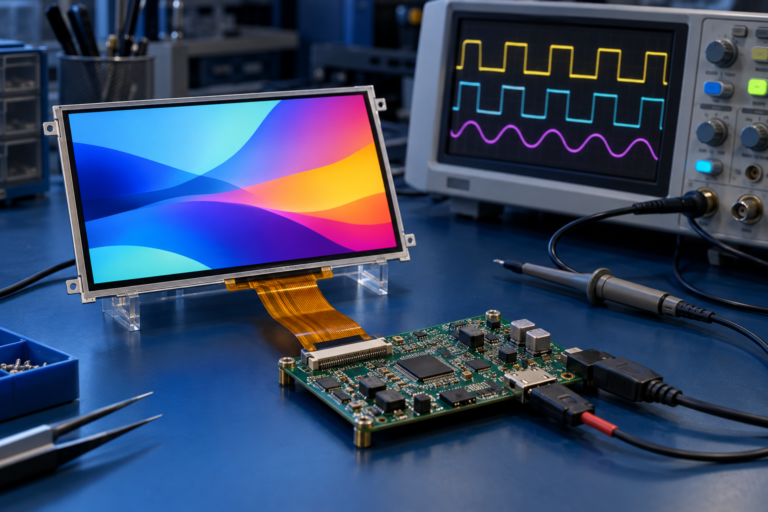
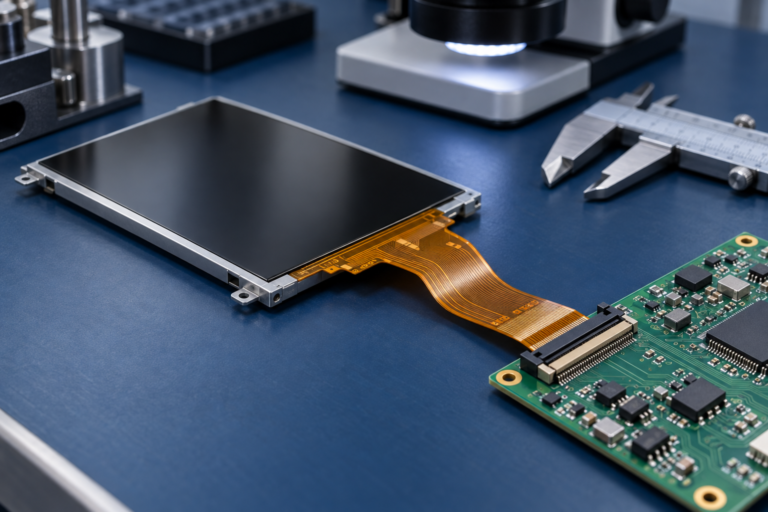
Vous rencontrez un goulot d'étranglement dans votre projet d'affichage embarqué ?
Ne laissez pas l'intégration complexe ou les problèmes de chaîne d'approvisionnement ralentir votre mise sur le marché. Réservez une consultation gratuite avec l'équipe d'experts RJY pour un accompagnement sur mesure en conception et fabrication.
Options d'écran tactile de petite taille pour les dispositifs embarqués
Publié :
Lecture de 14 minutes
Mis à jour :
Les écrans tactiles de petite taille sont largement utilisés dans les dispositifs embarqués où l'espace est limité mais où l'interaction utilisateur reste importante. Des contrôleurs domotiques et instruments portatifs aux panneaux de commande industriels, dispositifs médicaux compacts, équipements de charge et terminaux portables, un petit écran peut devenir l'interface principale entre l'utilisateur et le produit.
Pour les équipes produit OEM, le choix d'un écran tactile de petite taille ne se limite pas à la question de la taille de l'écran. L'écran doit s'adapter au boîtier, prendre en charge l'interface utilisateur, correspondre au processeur ou à la carte de contrôle, offrir des performances tactiles fiables et rester adapté à la production tout au long du cycle de vie du produit.
Un écran qui fonctionne lors du prototypage précoce peut encore créer des problèmes ultérieurement si la luminosité est trop faible, si le panneau tactile n'est pas calibré pour l'environnement d'exploitation, si l'interface ne correspond pas à l'architecture système, ou si la structure mécanique ne s'adapte pas au boîtier final.
Ce guide explique les principales options d'écrans tactiles de petite taille pour les dispositifs embarqués et ce que les acheteurs OEM, les ingénieurs matériels et les chefs de produit devraient considérer avant de lancer un projet.
Qu'est-ce qu'un écran tactile de petite taille ?
Un écran tactile de petite taille est un module d'affichage compact qui combine un affichage visuel avec une saisie tactile. Dans les dispositifs embarqués, il est couramment utilisé comme interface utilisateur locale pour la configuration, la surveillance, le contrôle, l'affichage d'état et la navigation dans les menus.
Les écrans tactiles de petite taille sont généralement basés sur la technologie TFT LCD, bien que la structure exacte dépende des exigences du produit. Un module d'écran tactile de petite taille typique peut inclure :
panneau LCD TFT
Rétro-éclairage
Panneau tactile capacitif ou résistif
Vitre de protection
Câble FPC
Connecteur
Interface d'affichage
Contrôleur tactile
Carte de contrôle ou carte pilote optionnelle
Structure de montage mécanique
Pour les dispositifs embarqués, les écrans tactiles de petite taille sont souvent sélectionnés dans des tailles telles que 2,4 pouces, 2,8 pouces, 3,5 pouces, 4,0 pouces, 4,3 pouces, 5,0 pouces et 7,0 pouces. Cependant, la taille seule ne détermine pas si un écran est adapté. L'interface, la luminosité, le type tactile, la résolution, l'environnement d'exploitation, la conception du boîtier et la disponibilité à long terme sont tout aussi importants.
Pourquoi les écrans tactiles de petite taille sont importants dans la conception de produits embarqués
Dans de nombreux produits embarqués, l'écran est l'un des rares composants que les utilisateurs voient et touchent directement. Cela rend l'écran important tant pour la fonctionnalité du produit que pour la perception utilisateur.
Un écran tactile de petite taille bien choisi peut aider à :
Simplifier l'utilisation de l'appareil
Réduire la dépendance aux boutons physiques
Améliorer l'apparence du produit
Prendre en charge des interfaces utilisateur plus riches
Afficher l'état en temps réel et les alertes
Permettre une conception HMI compacte
Améliorer la différenciation du produit
Réduire la complexité mécanique dans certaines conceptions
Cependant, un mauvais choix d'écran peut créer de sérieux problèmes de conception. Si l'écran est trop petit pour l'interface utilisateur, les utilisateurs peuvent avoir du mal à lire les informations. Si le panneau tactile n'est pas fiable, le produit peut sembler instable. Si l'écran est trop sombre, il peut échouer en utilisation réelle. Si l'interface est incorrecte, les ingénieurs peuvent avoir besoin de cartes adaptatrices supplémentaires ou de travaux de reconception.
Pour les acheteurs OEM, le meilleur écran tactile de petite taille n'est pas toujours l'option la plus petite, la plus lumineuse ou la plus haute résolution. C'est l'option qui correspond au cas d'utilisation réel du produit, à sa structure mécanique, à son architecture électronique et à ses exigences de production.
Options courantes de tailles d'écrans tactiles de petite taille
Les écrans tactiles de petite taille sont disponibles dans de nombreuses tailles. Chaque gamme de tailles présente différents atouts et limitations.
Gamme de tailles d'écran
Cas d'utilisation typiques
Considérations pour l'acheteur
1,3–2,0 pouces
Appareils portables, indicateurs compacts, boutons de commande, petits affichages d'état
Espace UI limité, adapté aux icônes simples et aux informations courtes
Choix courant pour les interfaces basées sur des menus et les systèmes de contrôle compacts
5,0 pouces
Terminaux industriels, contrôleurs d'équipement, interfaces de dispositifs intelligents
Meilleure lisibilité et flexibilité de l'interface utilisateur
7,0 pouces
Systèmes HMI compacts, panneaux de commande, tableaux de bord, équipements intelligents
Zone UI plus grande, mais nécessite plus d'espace dans le boîtier et de ressources système
Pour les produits avec un espace très limité, un écran plus petit peut être nécessaire. Pour les produits nécessitant des menus, des graphiques, des icônes ou une interaction tactile fréquente, un écran légèrement plus grand peut améliorer la convivialité.
Les équipes OEM doivent évaluer la taille de l'écran en même temps que la disposition de l'interface utilisateur, la distance de visualisation, la taille des cibles tactiles, les contraintes du boîtier et la capacité du processeur.
Principales options d'écrans tactiles de petite taille pour les dispositifs embarqués
Les écrans tactiles de petite taille peuvent être divisés par forme, technologie tactile, interface, luminosité et niveau d'intégration. La bonne option dépend de la conception du produit et de l'environnement d'utilisation.
Écrans tactiles de petite taille rectangulaires standard
Les écrans tactiles TFT rectangulaires sont l'option la plus courante pour les dispositifs embarqués. Ils sont disponibles dans de nombreuses tailles et peuvent prendre en charge une large gamme d'interfaces et de résolutions.
Ils sont adaptés pour :
Instruments portatifs
Contrôleurs industriels
Appareils domestiques intelligents
Systèmes de contrôle d'accès
Matériel médical
Terminaux portables
Dispositifs de charge
Panneaux de commande
Les écrans rectangulaires sont généralement plus faciles à intégrer que les écrans de forme spéciale car ils s'adaptent aux dispositions UI courantes et aux structures de boîtier. Ils sont souvent le premier choix lorsque le produit ne nécessite pas une identité visuelle unique ou un facteur de forme spécial.
Les principales considérations pour l'acheteur incluent :
Taille de l'affichage et zone active
Résolution
Compatibilité des interfaces
Type de tactile
Luminosité
Angle de vision
Direction du FPC
Emplacement du connecteur
Exigences relatives au verre de couverture
Support du cycle de vie
Écrans tactiles ronds de petite taille
Les écrans tactiles ronds de petite taille sont utiles lorsque le produit nécessite une interface circulaire, une surface de commande compacte ou un design industriel distinctif.
Ils sont souvent utilisés dans :
Boutons de commande intelligents
Tableaux de bord
Appareils de type portable
Contrôleurs domestiques intelligents
Petits panneaux IHM
Équipements audio
Interfaces de charge
Dispositifs IoT
Un écran tactile rond peut rendre un produit plus différencié qu'un écran rectangulaire standard. Cependant, cela nécessite également une conception d'interface utilisateur minutieuse. Les menus, icônes, textes et zones tactiles doivent être disposés autour d'une zone active circulaire.
Les écrans tactiles de type barre sont utilisés lorsque le produit dispose d'un espace d'installation étroit ou nécessite une disposition d'informations étirée.
Ils peuvent convenir pour :
Panneaux d'état industriels
Équipements de transport
Appareils de vente au détail intelligents
Bandes de commande
Interfaces d'appareils électroménagers
Équipements montés en rack
Tableaux de bord à espace étroit
Un écran de type barre peut afficher des menus, des indicateurs d'état, des icônes, des avertissements ou des données opérationnelles dans un format de bande horizontale ou verticale. Cela peut être utile lorsqu'un écran standard 4:3 ou 16:9 ne correspond pas à la structure du produit.
Les considérations de l'acheteur incluent :
Format d'image
Disposition de l'interface utilisateur
Précision tactile
Direction du FPC
Structure de montage
Luminosité
Orientation de visualisation
Support d'interface
Une option d'écran LCD étiré, comme un écran LCD barre de 11,65 pouces, peut être envisagée lorsque le produit intégré nécessite une zone d'affichage longue et étroite.
Petits écrans tactiles avec cartes de contrôle
Certains produits intégrés nécessitent plus qu'un module d'affichage. Ils ont besoin d'un écran, d'un panneau tactile, d'une carte de contrôle, d'un système d'exploitation et d'un environnement logiciel fonctionnant ensemble.
Un petit écran tactile avec une carte de contrôle peut convenir pour :
Panneaux IHM Android
Terminaux de contrôle intelligents
Interfaces d'équipements industriels
Appareils AIoT
Produits domestiques intelligents
Instruments médicaux ou de laboratoire
Terminaux compacts de type kiosque
Cette approche peut réduire la complexité d'intégration lorsque l'équipe OEM ne souhaite pas développer l'architecture de contrôle d'affichage complète dès le départ.
Les considérations importantes incluent :
Plateforme du processeur
Système d'exploitation
Interface d'affichage
Prise en charge du contrôleur tactile
Disponibilité des pilotes
Cadre GUI
Exigences de connectivité
Alimentation électrique
Dimensions mécaniques
Support de plateforme à long terme
Pour les applications d’affichage Android embarquées, une carte de contrôle telle que la Rockchip RK3566 Quadricœur Carte de contrôle Android peut être pertinente lorsque le projet nécessite une intégration de l’affichage et du calcul.
Écrans tactiles capacitifs vs résistifs
La technologie tactile est l’une des décisions les plus importantes dans le choix d’un petit écran tactile.
Les deux options courantes sont le tactile capacitif et le tactile résistif.
Type de contact
Avantages
Limites
Cas d’utilisation courants
Tactile capacitif
Aspect moderne, support multitactile, bonne clarté, expérience utilisateur fluide
Peut nécessiter un réglage pour les gants, l’eau, le verre épais ou les environnements CEM
Appareils intelligents, panneaux IHM, dispositifs médicaux, produits destinés aux consommateurs
Tactile résistif
Peut fonctionner avec des gants, un stylet ou une pression ; fonctionnement simple
Clarté optique inférieure, aspect moins premium, généralement monotactile
Les écrans tactiles capacitifs sont désormais courants dans de nombreux produits embarqués car ils offrent une expérience utilisateur moderne et de meilleures performances optiques. Cependant, le tactile résistif peut encore être utile dans des environnements où les utilisateurs manipulent l’appareil avec des gants, des outils ou une entrée basée sur la pression.
Pour les produits OEM, le choix du tactile doit être basé sur l’environnement d’exploitation réel plutôt que sur l’apparence seule.
Facteurs techniques clés pour choisir un petit écran tactile
Un petit écran tactile doit être sélectionné dans le cadre du système embarqué complet, et non comme un composant isolé.
Voici les principaux facteurs que les équipes OEM doivent examiner.
Taille de l’écran et disposition de l’interface utilisateur
Les petits écrans ont un espace limité. Un écran de 2,8 pouces peut convenir pour des icônes, des menus simples et des informations de statut de base, mais il peut ne pas être adapté aux graphiques complexes, aux longs textes ou à la saisie fréquente de données.
Avant de choisir la taille de l’écran, définissez :
Fonctions principales de l’interface utilisateur
Profondeur de menu requise
Taille de police
Taille des icônes
Taille des cibles tactiles
Distance de visualisation
Conditions d’utilisation de l’utilisateur
Orientation : portrait, paysage, circulaire ou bande verticale
Une erreur courante consiste à sélectionner un écran uniquement en fonction de l’espace du boîtier, puis à essayer d’intégrer une interface utilisateur complexe dans un écran trop petit.
Résolution et capacité du processeur
La résolution affecte la netteté, les détails de l’interface utilisateur, l’utilisation de la mémoire, les performances graphiques et la bande passante de l’interface.
Un écran à plus haute résolution peut améliorer la qualité visuelle, mais il peut également augmenter la charge sur le processeur et l’interface d’affichage. Pour les systèmes embarqués à puissance de traitement limitée, une résolution modérée peut être plus pratique.
Les équipes OEM doivent faire correspondre la résolution avec :
La capacité graphique du processeur
Système d'exploitation
Cadre GUI
Exigences de rafraîchissement de l’affichage
Budget énergétique
La bande passante de l’interface
La complexité de l’interface utilisateur
L’objectif n’est pas toujours la résolution la plus élevée. L’objectif est une performance visuelle fiable pour le produit visé.
Luminosité et conditions de visualisation
La luminosité doit correspondre à l’environnement où le produit sera utilisé.
Les équipements intérieurs peuvent fonctionner correctement avec une luminosité modérée. Les appareils extérieurs, les produits montés dans des véhicules et les équipements destinés au public peuvent nécessiter une luminosité plus élevée, un meilleur contraste, une liaison optique ou un traitement de surface.
Les questions clés incluent :
Le produit sera-t-il utilisé à l’intérieur ou à l’extérieur ?
L’écran sera-t-il exposé à la lumière directe du soleil ?
Quelle est la distance de visualisation typique ?
L’utilisateur est-il debout, assis ou en mouvement ?
L’appareil sera-t-il utilisé sous un éclairage industriel intense ?
Un grand angle de vision est-il requis ?
Une luminosité plus élevée peut améliorer la lisibilité, mais elle peut également augmenter la consommation d’énergie et la chaleur. Les acheteurs doivent équilibrer la lisibilité avec la conception thermique et énergétique au niveau du système.
Compatibilité des interfaces
L’interface d’affichage doit correspondre au processeur, au microcontrôleur ou à la carte de contrôle. Le choix de l’interface affecte la disposition du circuit imprimé, le routage des signaux, le développement logiciel, le support des pilotes et la complexité du système.
Les interfaces courantes pour les petits écrans tactiles incluent :
Interface
Adéquation typique
Notes
SPI
Petits écrans et dispositifs basés sur microcontrôleur.
Simple et à faible nombre de broches, mais bande passante limitée
RVB
Systèmes à microcontrôleur (MCU) ou à processeur applicatif.
Courant pour les écrans embarqués, mais peut nécessiter plus de broches
MIPI
Systèmes Linux ou Android compacts
Haute bande passante et moins de broches, mais le support de la plateforme doit être confirmé
LVDS
Écrans embarqués industriels ou plus grands
Stable et mature pour de nombreux systèmes d’affichage
HDMI
Cartes de développement et systèmes basés sur SBC
Facile pour le prototypage, moins idéal pour la production embarquée compacte dans certains cas
eDP
Plateformes embarquées à plus haute résolution
Nécessite une vérification de compatibilité de la plateforme et des pilotes
La sélection de l'interface doit être confirmée tôt, avant que la conception du PCB et du boîtier ne soit figée.
FPC, connecteur et ajustement mécanique
Les petits dispositifs embarqués ont souvent des contraintes d'espace strictes. La direction du FPC, l'emplacement du connecteur, la longueur du câble et la zone de pliage peuvent déterminer si l'affichage peut être assemblé correctement.
Les facteurs mécaniques à examiner incluent :
Dimensions extérieures de l'écran
Zone active et zone visible
Contour du verre de protection
Largeur du cadre
Direction de sortie du FPC
Position du connecteur
Méthode de montage
Zone adhésive
Tolérance du boîtier
Séquence d'assemblage
Contrainte sur le verre, l'écran tactile ou le FPC
Un affichage qui semble adapté électriquement peut encore échouer mécaniquement si ces détails sont ignorés.
Verre de protection et traitement de surface
Le verre de protection peut améliorer l'apparence, la protection et les performances tactiles. Il peut également aider à aligner l'affichage avec le design industriel du produit.
Les options de personnalisation peuvent inclure :
Forme du verre
Épaisseur du verre
Traitement des bords
Impression de bordure noire
Impression d'icônes
Revêtement antireflet
Revêtement antireflet
Exigences de dureté de surface
Liaison optique
Ouvertures ou découpes spéciales
Pour les produits utilisés dans des environnements industriels, médicaux ou extérieurs, la conception du verre de protection doit être examinée conjointement avec les exigences de nettoyage, les attentes en matière de durabilité, les performances tactiles et la lisibilité optique.
Environnement d'exploitation et cycle de vie
Les petits écrans tactiles utilisés dans les dispositifs embarqués peuvent être confrontés à des conditions très différentes selon l'application.
Un écran pour un thermostat intelligent n'est pas évalué de la même manière qu'un écran pour un équipement d'automatisation industrielle, un instrument médical ou un dispositif lié à un véhicule.
Les acheteurs OEM doivent définir :
Température de fonctionnement
Température de stockage
Conditions d'humidité
Exposition aux vibrations
Exposition à la poussière ou à l'eau
Exigences de nettoyage
Exposition au soleil
Cycle de vie attendu du produit
Volume de production annuel
Planification de remplacement ou de révision
L'approvisionnement à long terme doit également être pris en compte. Un petit écran tactile sélectionné uniquement pour la commodité du prototype peut ne pas être le bon choix pour un produit destiné à rester en production pendant des années.
Exemples d'applications pour les petits écrans tactiles
Les petits écrans tactiles sont utilisés dans de nombreuses catégories de produits embarqués. La meilleure option d'affichage dépend de l'application.
Application
Orientation d'affichage appropriée
Préoccupations clés
Contrôleur de maison intelligente
Écran tactile capacitif de 2,8 à 5,0 pouces
Apparence, expérience tactile, clarté de l'interface utilisateur, verre de protection
Appareil portable industriel
Écran tactile de 3,5 à 5,0 pouces
Durabilité, lisibilité, gants, stabilité de l'interface
Instrument médical
Écran tactile de 4,3 à 7,0 pouces
Lisibilité, convivialité, nettoyage, support à long terme
Bouton de commande ou IHM compacte
Petit écran tactile rond
Interface utilisateur circulaire, taille des cibles tactiles, intégration mécanique
Équipement de charge
Écran de 4,3 à 7,0 pouces
Lisibilité en extérieur, fiabilité tactile, ajustement du boîtier
Appareil électroménager intelligent
Écran tactile de 2,8 à 5,0 pouces
Conception de l'interface utilisateur, verre de protection, apparence de la marque
Panneau d'état industriel
Écran de type barre ou rectangulaire compact
Angle de vision, limites d'espace, interface, montage
Ce tableau doit être considéré comme un point de départ. La sélection finale de l'affichage doit être basée sur les exigences confirmées du produit.
Erreurs courantes dans la sélection des petits écrans tactiles
Les équipes OEM peuvent réduire les risques de développement en évitant plusieurs erreurs courantes.
Choisir le plus petit écran possible
Un écran plus petit peut économiser de l'espace, mais il peut également réduire la convivialité. Si l'interface utilisateur nécessite des menus, des avertissements, des icônes ou une saisie de données, l'écran doit offrir suffisamment d'espace pour un contenu lisible et des cibles tactiles fiables.
Ignorer les conditions tactiles
Les performances tactiles doivent être testées dans l'environnement d'exploitation réel. Les gants, l'eau, l'épaisseur du verre de protection, la température et le bruit électrique peuvent tous affecter le comportement tactile.
Sélectionner l'interface trop tard
Les décisions relatives à l'interface doivent être prises tôt. Si l'interface d'affichage ne correspond pas au processeur ou à la carte de contrôle, des travaux de reconception peuvent être nécessaires.
Se concentrer uniquement sur le prix de l'affichage
Le prix unitaire ne représente qu'une partie du coût. Le temps d'intégration, la reconception de la carte PCB, l'outillage, les tests, les reprises mécaniques et le risque d'approvisionnement peuvent générer un coût total plus élevé que prévu.
Utiliser la disponibilité des prototypes comme principal facteur de décision
Un écran facile à acheter pour les tests de prototype peut ne pas convenir à la production en série. Les acheteurs doivent examiner le cycle de vie, le support du fournisseur et les options de personnalisation avant la sélection finale.
Comment démarrer un projet d'écran tactile de petite taille
Un projet réussi d'écran tactile de petite taille commence par des exigences techniques et commerciales claires.
Avant de demander un devis, les acheteurs OEM doivent préparer :
Exigence
Détails à fournir
Application du produit
Dans quel appareil l'écran sera utilisé
Taille d'affichage
Taille cible ou ouverture du boîtier
Résolution
Résolution requise ou besoin de lisibilité de l'interface utilisateur
Forme de l’affichage
Format rectangulaire, rond, en barre ou personnalisé
Interface
SPI, RGB, MIPI, LVDS, HDMI, eDP ou plateforme processeur
Type de tactile
Capacitif, résistif, tactile avec gants, tactile humide ou sans tactile
Luminosité
Intérieur, extérieur, lisible en plein soleil ou luminosité cible
Vitre de protection
Forme, épaisseur, impression, revêtement ou besoins de collage
Direction du FPC, emplacement du connecteur, méthode de montage, taille du boîtier
Carte de contrôle
Carte existante, MCU, plateforme Linux, carte Android ou autre
Besoins logiciels
Pilote, firmware, framework GUI ou exigences du système d'exploitation
Quantité de prototypes
Quantité d'échantillons ou lot de validation
Volume annuel
Quantité de production estimée
Calendrier
Date limite du prototype et date de production cible
Périmètre de personnalisation
Tactile, verre de protection, FPC, rétroéclairage, interface, boîtier ou carte de contrôle
Des exigences claires aident le fournisseur d'affichage à recommander une solution plus adaptée et à réduire les itérations d'échantillons inutiles.
Comment RJY soutient les projets d'écrans tactiles de petite taille
RJY soutient les acheteurs OEM avec des solutions d'écrans tactiles de petite taille pour dispositifs embarqués, commandes intelligentes, équipements industriels, systèmes HMI compacts et produits électroniques personnalisés.
Selon les exigences du projet, RJY peut soutenir :
Pour les produits nécessitant une intégration compacte de l'affichage et du contrôle, RJY peut également aider à évaluer si une Carte de contrôle Android, solution d'interface d'affichage ou une architecture HMI intégrée est appropriée.
Si votre dispositif embarqué nécessite un écran tactile de petite taille, RJY peut vous aider à examiner la taille de l'écran, la résolution, l'interface, les exigences tactiles, les contraintes du boîtier et le calendrier du projet.
Parlez à un ingénieur RJY pour discuter de vos besoins en matière d'écran tactile de petite taille.
Conclusion
Un écran tactile de petite taille peut définir la manière dont les utilisateurs interagissent avec un dispositif embarqué. Il affecte la convivialité, l'apparence du produit, la structure mécanique, la conception du PCB, le choix du processeur, les performances tactiles, la consommation d'énergie et la planification de la production.
Le bon choix dépend de plus que de la taille. Les acheteurs OEM doivent évaluer la forme de l'écran, la résolution, le type tactile, la luminosité, l'interface, le verre de protection, la conception du FPC, l'ajustement mécanique, l'environnement d'exploitation et les exigences d'approvisionnement à long terme.
Pour les produits simples, un écran tactile de petite taille standard peut suffire. Pour les dispositifs OEM avec des besoins uniques en matière de boîtier, d'interface, de tactile, de lisibilité ou de cycle de vie, une solution d'affichage personnalisée peut réduire le risque d'intégration et améliorer le chemin du prototype à la production.
Envoyez les exigences de votre projet à RJY pour explorer les options d'écrans tactiles de petite taille pour votre dispositif embarqué.
FAQ
Qu'est-ce qu'un écran tactile de petite taille ?
Un écran tactile de petite taille est un module d'affichage compact qui combine un affichage visuel avec une entrée tactile. Il est couramment utilisé dans les dispositifs embarqués, les commandes intelligentes, les instruments portables, les équipements industriels et les systèmes HMI compacts.
Quelle taille est considérée comme un écran tactile de petite taille ?
Il n'existe pas de définition fixe, mais de nombreux projets embarqués utilisent des écrans tactiles de petite taille d'environ 1,3 pouces à 7 pouces. La taille appropriée dépend de la complexité de l'interface utilisateur, de la distance de visualisation, de l'espace du boîtier et des exigences d'interaction utilisateur.
Dois-je choisir un tactile capacitif ou résistif ?
Le tactile capacitif convient aux interfaces modernes, à l'opération multi-touch et à une meilleure clarté optique. Le tactile résistif peut être utile lorsque les utilisateurs ont besoin d'une entrée par pression, d'une utilisation avec un stylet ou de gants. Le meilleur choix dépend de l'environnement d'exploitation.
Quelle interface est la meilleure pour un écran tactile de petite taille ?
La meilleure interface dépend du processeur ou de la carte de contrôle. SPI est courant pour les petits écrans basés sur MCU, RGB est utilisé dans de nombreux systèmes embarqués, MIPI est courant dans les systèmes Linux ou Android compacts, et LVDS ou HDMI peuvent être utilisés dans des applications spécifiques.
Un écran tactile de petite taille peut-il être personnalisé ?
Oui. Les écrans tactiles de petite taille peuvent être personnalisés dans des domaines tels que la taille, la résolution, le panneau tactile, le verre de protection, la luminosité, la direction du FPC, le type de connecteur, l'interface, le collage optique et la structure mécanique.
Quelles informations dois-je fournir pour une demande de devis d'écran tactile de petite taille ?
Vous devez fournir la taille de l'écran, la résolution, l'interface, le type tactile, les besoins en luminosité, l'environnement d'exploitation, les exigences du verre de protection, les contraintes mécaniques, la plateforme de la carte de contrôle, la quantité de prototypes, le volume annuel et le calendrier du projet.
↗
Vous planifiez un projet d'affichage ?
Partagez la taille de votre écran, sa résolution, son interface, sa luminosité, ses exigences tactiles, les besoins en carte contrôleur et l'environnement d'application.