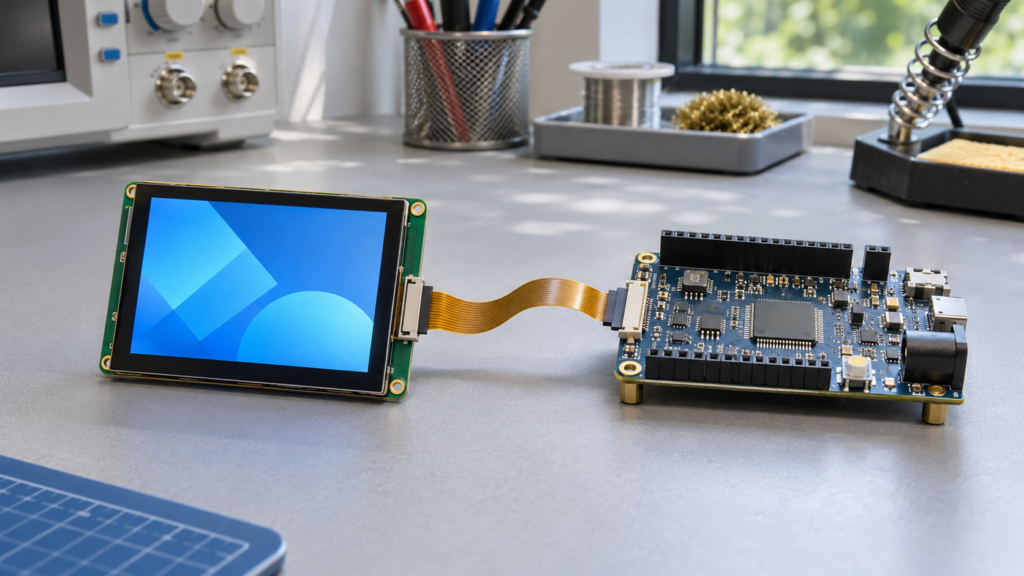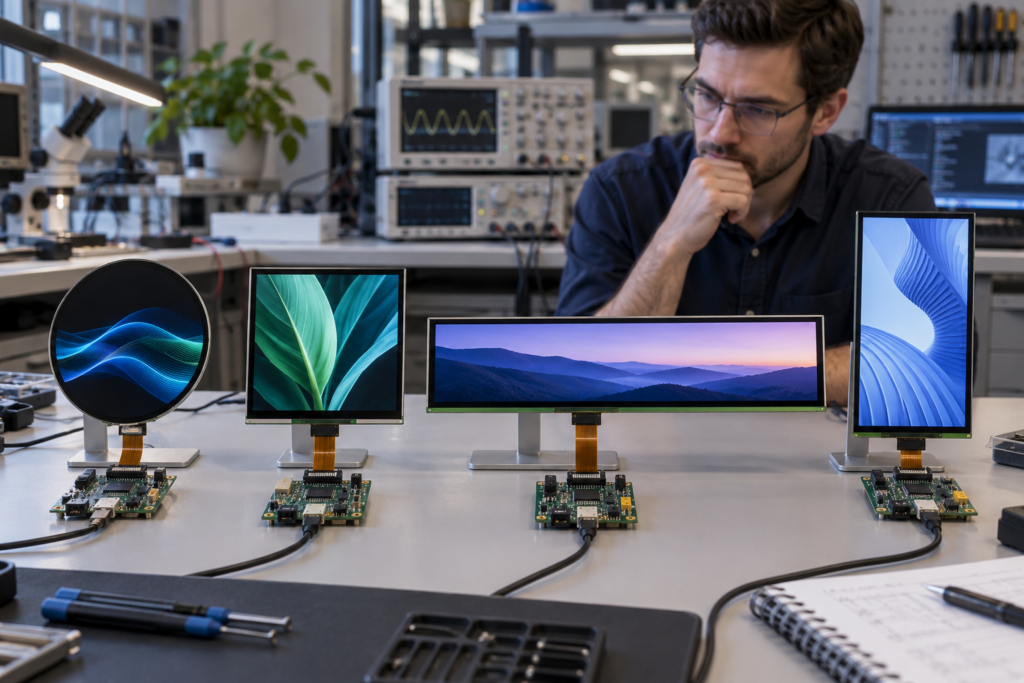
Runde, quadratische, balkenförmige und hochformatige LCDs können einem Produkt eine unverwechselbare visuelle Identität verleihen. Die ungewöhnliche Form der Frontblende ist jedoch nur der sichtbare Teil der technischen Herausforderung. Hinter dem Display muss der LCD-Display-Controller die korrekte Auflösung, das Timing, die Signalschnittstelle, das Initialisierungsverhalten und die Hintergrundbeleuchtungssteuerung für das exakte Panel erzeugen.
Eine herkömmliche Videoquelle ist oft auf vertraute Auflösungen und Seitenverhältnisse ausgelegt. Ein unregelmäßig geformtes Display kann stattdessen eine quadratische Pixelmatrix, eine sehr breite Balkenauflösung oder ein hochformatiges Panel verwenden, das ursprünglich für eine andere Gerätekategorie entwickelt wurde. Selbst wenn die Anschlüsse von Quelle und Panel kompatibel erscheinen, kann das Bild beschnitten, gestreckt, gedreht, instabil oder vollständig fehlend sein.
Die Controller-Platine ist daher kein generisches Zubehör, das nach der Auswahl des LCDs hinzugefügt wird. Bei einem Display-Projekt mit nicht standardmäßigem Format ist sie Teil der Display-Architektur und sollte gleichzeitig mit dem Panel, dem Touch-System, der Firmware, dem Gehäuse und der Benutzeroberfläche bewertet werden.
Was ist ein unregelmäßig geformtes LCD?
In der praktischen Produktentwicklung ist ein unregelmäßig geformtes LCD jedes Display, dessen sichtbare Geometrie, aktive Fläche oder Seitenverhältnis von den konventionellen rechteckigen Formaten abweicht, die von Standardmonitor- und Embedded-Computing-Plattformen erwartet werden.
Häufige Beispiele umfassen:
- Runde LCDs für Instrumente, Haushaltsgeräte und Bedienknöpfe
- Quadratische LCDs für Smart-Home-Panels und kompakte HMIs
- Ultrawide-Balkendisplays für Regale, Zugangsterminals und Gerätestatuspanels
- Hohe Hochformatdisplays für Handheld- und Produkte mit schmaler Frontblende
- Displays mit nicht standardmäßigen Seitenverhältnissen für Armaturenbretter und spezialisierte Geräte
Einige runde Module verwenden eine quadratische Pixelmatrix mit einem kreisförmigen sichtbaren Bereich. Andere können Pixel oder Masken aufweisen, die für eine bestimmte kreisförmige Implementierung angeordnet sind. In ähnlicher Weise kann ein Balkenanzeige ein natives Langformat-Panel sein, anstatt ein konventioneller Bildschirm, der physisch von einem schmalen Fenster abgedeckt wird.
Diese Unterscheidung ist wichtig, weil der Controller die tatsächliche Pixelmatrix des Panels adressieren muss. Er kann die Kompatibilität nicht allein anhand der äußeren Form bestimmen.
Warum nicht standardmäßige Bildschirme Herausforderungen für den Controller schaffen
Ein Standard-Computermonitor empfängt üblicherweise ein breit unterstütztes Videoformat. Ein Großteil der Signalverarbeitung, Skalierung und des Timing-Verhaltens ist bereits etabliert. Ein spezialisiertes Embedded-LCD kann stattdessen eine native Panel-Schnittstelle wie RGB, LVDS, MIPI DSI oder eDP bereitstellen und exakte panelspezifische Signale erwarten.
Der Controller-Pfad muss möglicherweise mehrere Probleme lösen:
- Den verfügbaren Video- oder Grafikausgang des Host-Systems akzeptieren
- Diesen Ausgang in die native Schnittstelle des Panels umwandeln
- Die exakte aktive Auflösung und das Blanking-Timing erzeugen
- Konventionelle Inhalte in ein nicht standardmäßiges Seitenverhältnis abbilden
- Das Panel und den Treiber-IC korrekt initialisieren
- Die Hintergrundbeleuchtung und die Stromversorgungssequenz steuern
- Die Display-Ausrichtung mit der Benutzeroberfläche koordinieren
- Touch-Daten über einen separaten kompatiblen Pfad an den Host weitergeben

Nicht jedes Projekt benötigt eine separate Konverterplatine. Einige Host-Prozessoren können das gewählte Panel direkt ansteuern. Die korrekte Architektur hängt vom Host, der Panel-Schnittstelle, der Grafiklast, der Softwareumgebung und den verfügbaren technischen Ressourcen ab.
Die Bildschirmform definiert nicht die elektrische Schnittstelle
Ein runder Bildschirm ist keine spezifische Schnittstellenkategorie. Ebenso wenig ein quadratischer oder Balkenanzeige. Zwei Panels mit ähnlicher sichtbarer Form können völlig unterschiedliche elektrische Architekturen verwenden.
Beispielsweise können Kandidatenmodule Folgendes verwenden:
- SPI für Display-Steuerung mit niedriger Datenrate
- MCU-Parallelschnittstellen für Embedded-Systeme
- RGB- oder TTL-Schnittstellen mit separaten Timing-Signalen
- LVDS für serialisierte Paneldaten
- MIPI DSI für kompakte hochdichte Verbindungen
- eDP für eingebettete Display-Verbindungen
Der Host-Eingang kann sich auch vom Panel-Ausgang unterscheiden. Ein Produkt kann HDMI, VGA, USB, LVDS, MIPI, eDP oder eine prozessoreigene Display-Schnittstelle bereitstellen. Die Controller-Lösung muss die tatsächliche Quelle und die Anforderungen des Panels überbrücken.
Der Steckverbinder sollte niemals als Grundlage für die Kompatibilitätsentscheidung verwendet werden. Übereinstimmender Steckverbinder-Rasterabstand und gleiche Pin-Anzahl bestätigen nicht dieselbe Schnittstelle, Pin-Definition, Spannung oder Hintergrundbeleuchtungsschaltung.
Einen Überblick über panelseitige Schnittstellen finden Sie in RJYs Leitfaden zu Schnittstellen in LCD-Displaymodulen.
Die Auflösung ist die erste Einschränkung für den Controller
Jedes TFT-LCD verfügt über eine native Pixelmatrix. Ein Controller muss genau diese aktive Auflösung ausgeben oder eine bewusste Skalierungs- und Mapping-Strategie anwenden.
Nicht standardisierte Displays stellen eine Herausforderung dar, da die native Auflösung möglicherweise kein Format ist, das vom Quellsystem üblicherweise erzeugt wird. Beispiele hierfür sind:
- Quadratische Auflösungen für runde oder quadratische Displays
- Sehr breite, aber niedrige Auflösungen für Balkendisplays
- Sehr hohe Hochformat-Auflösungen
- Panorama-Auflösungen im Automotive-Stil
- Pixelmatrizen, die nicht gängigen Desktop-Formaten entsprechen
Ein Board kann die Panel-Schnittstellenfamilie unterstützen und dennoch nicht in der Lage sein, die erforderliche Auflösung zu erzeugen. Die Auflösungsunterstützung hängt von der Controller-Hardware, der Ausgabepipeline, der Firmware, der Speicherbandbreite und den Timing-Fähigkeiten ab.
Die native Auflösung ist in der Regel das sicherste Ziel
Der Betrieb des Panels mit seiner nativen Auflösung vermeidet die Abhängigkeit vom LCD zur Neu skalierung von Inhalten, da viele eingebettete Panels keinen Allzweck-Scaler enthalten. Sie bietet zudem die klarste Grundlage für die Überprüfung von Pixel-Mapping, Ausrichtung und Benutzeroberflächen-Layout.
Wenn der Host die native Auflösung nicht erzeugen kann, benötigt das System eine geeignete Skalierungs- oder Konvertierungsstufe. Ob dies praktikabel ist, muss für den ausgewählten Controller bestätigt und nicht angenommen werden.
Das Panel-Timing geht über die sichtbare Auflösung hinaus
Eine Auflösung wie 800 × 800 oder 1920 × 480 beschreibt den aktiven Bildbereich, aber die Display-Verbindung überträgt normalerweise mehr als nur aktive Pixel. Jedes Frame kann auch horizontale und vertikale Synchronisationsperioden, Porches und Blanking-Intervalle enthalten.
Der Controller benötigt möglicherweise panelspezifische Werte für:
- Pixel-Takt
- Horizontale aktive Pixel
- Horizontaler vorderer und hinterer Porch
- Horizontale Synchronisationsbreite
- Vertikale aktive Zeilen
- Vertikaler vorderer und hinterer Porch
- Vertikale Synchronisationsbreite
- Signalpolarität
- Aktualisierungsverhalten
Je nach Schnittstelle kann die zusätzliche Konfiguration Lane-Anzahl, Link-Rate, Farbtiefe, Daten-Mapping und Command- oder Video-Modus umfassen.
Fehlerhaftes Timing kann einen schwarzen Bildschirm, ein instabiles Bild, verschobene Inhalte, wiederholte Bereiche, Flackern oder einen intermittierenden Start verursachen. Ein Controller, der während eines kurzen Tests ein Bild anzeigt, ist nicht automatisch produktionstauglich. Timing-Reserve und reproduzierbarer Start müssen ebenfalls bewertet werden.
Skalierung und Inhaltszuordnung sind separate Probleme
Ein Panel dazu zu bringen, ein Bild anzuzeigen, ist nicht dasselbe wie ein nutzbares Bild zu erzeugen.
Wenn herkömmlicher 16:9-Inhalt an ein langes Balkenanzeige, gesendet wird, muss der Controller oder die Anwendung entscheiden, wie dieser Inhalt eingepasst wird. Gängige Strategien sind:
- Zuschneiden: das Display füllen und dabei Inhalte außerhalb des Zielbereichs entfernen.
- Einpassen: das vollständige Bild beibehalten, aber ungenutzte Bereiche akzeptieren.
- Strecken: den Bildschirm durch Änderung der Quellproportionen füllen.
- Anwendungsnatives Layout: die Oberfläche speziell für die Auflösung des Panels rendern.
Der anwendungsnative Ansatz ist oft der effektivste für eingebettete HMI-Produkte, da die Oberfläche um den tatsächlichen aktiven Bereich herum gestaltet werden kann. Ein Regaldisplay kann eine horizontale Informationshierarchie verwenden, während ein rundes Display Statusanzeigen um das Zentrum herum anordnen kann.
Bei einem runden Display kann der zugrunde liegende Framebuffer dennoch quadratisch sein. Die Software muss wichtige Inhalte innerhalb des kreisförmigen sichtbaren Bereichs halten. Ecken können in der Pixelmatrix vorhanden sein, bleiben aber hinter einer Maske oder einem Gehäuse verborgen.

Der LCD-Display-Controller übernimmt die Signalgenerierung, entwirft jedoch nicht automatisch die Benutzeroberfläche neu. Controller-Skalierung, Betriebssystem-Konfiguration und Anwendungslayout sollten als verwandte, aber separate Aufgaben behandelt werden.
Ein runder LCD-Controller ist nicht automatisch andersartige Hardware
Es gibt nicht unbedingt eine spezielle universelle Controller-Kategorie namens “runde LCDs, Controller.” Ein rundes Panel kann je nach nativem Design über einen geeigneten RGB-, MIPI-, LVDS- oder anderen Controller-Pfad angesteuert werden.
Dasselbe Prinzip gilt für quadratische und Balkenmodule. Ihre ungewöhnliche Form ändert die Projektanforderungen, aber die Kompatibilität wird weiterhin durch das tatsächliche Panel bestimmt:
- Modellnummer
- Native Auflösung
- Schnittstelle
- Pin-Definition
- Treiber-IC
- Timing
- Stromversorgungsschienen
- Hintergrundbeleuchtungsschaltung
- Initialisierungsanforderungen
RJY’s Auswahlhilfe für runde LCDs bietet zusätzlichen Kontext für die Auswahl eines runden Moduls, bevor der Controller-Abgleich beginnt.
MIPI DSI erzeugt zusätzlichen Konfigurationsaufwand
MIPI DSI ist bei kompakten und hochauflösenden Displays üblich, einschließlich einiger runder, quadratischer, Balken- und Hochformat-Panels. Der kleine Steckverbinder und die serialisierte Schnittstelle können platzsparende Produktdesigns unterstützen, sollten jedoch nicht als universeller Videoeingang betrachtet werden.
Eine MIPI-DSI-Integration kann abhängen von:
- Anzahl der Daten-Lanes
- Lane-Geschwindigkeit und Taktkonfiguration
- Videomodus oder Befehlsmodus
- Pixelformat
- Panel-Initialisierungsbefehle
- Reset-Sequenz und Verzögerungen
- Registereinstellungen des Treiber-ICs
- Unterstützung durch Host-Prozessor oder Bridge-Chip
Ein HDMI-zu-MIPI-Controller ist ein aktives Konvertierungssystem, kein passives Kabel. Er muss das Quellsignal empfangen, das Bild verarbeiten oder skalieren, sofern unterstützt, und den MIPI-Stream sowie das Initialisierungsverhalten erzeugen, das vom exakten Panel benötigt wird.
Folglich sollte nicht angenommen werden, dass ein HDMI-zu-MIPI-Board mit jedem MIPI-Display funktioniert. Überprüfen Sie Panel-Modell, Datenblatt, Auflösung, Lane-Konfiguration, Initialisierungsinformationen und Hintergrundbeleuchtungsanforderungen, bevor Sie eine Lösung bestätigen.
Siehe HDMI-zu-MIPI-Controller-Platinen-Kompatibilitätsleitfaden für die für diese Art der Überprüfung benötigten Informationen.
Die Firmware ist Teil der Controller-Kompatibilität
Ein Controller-Board kann konfigurierbare Firmware verwenden, um ein ausgewähltes Panel zu unterstützen. Firmware-bezogene Arbeiten können Auflösungs- und Timing-Parameter, Konfiguration der Ausgangsschnittstelle, Panel-Initialisierung, Ausrichtung, Hintergrundbeleuchtungsverhalten und Startsequenzierung umfassen.
Dies ist besonders wichtig für nicht standardmäßige Displays, da ihr Format möglicherweise nicht in der Standardkonfiguration eines Boards enthalten ist.
Projektteams sollten unterscheiden zwischen:
- Hardware-Fähigkeit: ob das Board über die erforderlichen Eingangs-, Ausgangs- und Verarbeitungsressourcen verfügt.
- Firmware-Unterstützung: ob das Board für das spezifische Panel und das Betriebsverhalten konfiguriert werden kann.
- Anwendungsunterstützung: ob das Host-System und die Software die beabsichtigte Benutzeroberfläche in der erforderlichen Auflösung darstellen können.
Ein Hardware-Steckverbinder kann fehlende Firmware- oder Software-Unterstützung nicht kompensieren. Ebenso kann Firmware eine elektrisch ungeeignete Ausgangsstufe nicht mit einem Panel kompatibel machen.
Das Startverhalten ist bei fertigen Produkten von Bedeutung
Während Labortests konzentrieren sich Entwickler möglicherweise auf das endgültige Bild. Endbenutzer sehen auch, was zwischen dem Einschalten und diesem endgültigen Bild geschieht.
Ein nicht standardmäßiges LCD-System kann Folgendes zeigen:
- Einen vorübergehend hellen oder dunklen Bildschirm
- Ein falsch ausgerichtetes Startbild
- Ein verschobenes Bild, bevor sich das Timing stabilisiert
- Die Hintergrundbeleuchtung, bevor gültige Paneldaten vorliegen
- Ein verzögertes Bild, während das Betriebssystem startet
Das Systemdesign sollte Stromschienen, Reset, Panel-Initialisierung, Video-Verfügbarkeit und Aktivierung der Hintergrundbeleuchtung koordinieren. In einigen Projekten kann eine Verzögerung der Hintergrundbeleuchtung bis zur Bereitschaft gültiger Inhalte den sichtbaren Startvorgang verbessern. Die exakte Sequenz hängt vom Panel und der Controller-Architektur ab.
Auch das Verhalten beim Herunterfahren und Neustarten sollte getestet werden. Ein korrektes endgültiges Bild beweist nicht, dass wiederholte Einschaltzyklen stets zuverlässig abgeschlossen werden.
Die Hintergrundbeleuchtungssteuerung ist ein separater technischer Pfad
Der Controller muss zusammen mit den Hintergrundbeleuchtungsanforderungen des Displays bewertet werden. Die Videoschnittstelle und die LED-Hintergrundbeleuchtung sind separate elektrische Systeme.
Wichtige Informationen zur Hintergrundbeleuchtung umfassen:
- Anordnung der LED-Strings
- Erforderlicher Spannungsbereich
- Betriebsstrom
- Steckverbinder- und Pin-Definition
- Aktivierungsverhalten
- Helligkeitssteuerungsmethode
- PWM-Anforderungen, falls verwendet
Ein Board, das das korrekte Bildsignal erzeugen kann, benötigt möglicherweise dennoch einen anderen LED-Treiber oder eine andere Stromversorgungsanordnung. Eine falsche Abstimmung der Hintergrundbeleuchtung kann zu geringer Helligkeit, instabiler Beleuchtung oder übermäßiger elektrischer Belastung führen.
Bei ungewöhnlichen Formaten kann die Hintergrundbeleuchtungssteuerung auch die wahrgenommene Gleichmäßigkeit beeinflussen. Ein sehr langes Balkendisplay hat andere optische und thermische Integrationsanforderungen als ein kompaktes quadratisches Panel, selbst wenn beide eine TFT-LCD-Architektur verwenden.
Touch läuft nicht automatisch über die Videoschnittstelle
Ein touchfähiges Display enthält üblicherweise zwei funktionale Pfade:
- Den Display-Pfad, der Bilddaten an das LCD sendet
- Den Touch-Pfad, der Koordinaten vom Touch-Controller an den Host sendet
Das LCD kann MIPI, LVDS, RGB oder eDP verwenden, während der Touch-Controller über USB, I²C oder eine andere unterstützte Schnittstelle kommuniziert. Ein Controller-Board, das das LCD unterstützt, garantiert nicht automatisch die Unterstützung für das ausgewählte Touch-Panel.
Produkte mit unregelmäßiger Form bringen zusätzliche Touch-Überlegungen mit sich:
- Die Koordinatenzuordnung muss mit dem sichtbaren aktiven Bereich übereinstimmen.
- Die Rotation muss zwischen Bild und Touch-Eingabe konsistent sein.
- Eine runde Schnittstelle kann Software erfordern, um verborgene Eckbereiche zu ignorieren.
- Ein schmales Balkendisplay kann ein anderes Gesten- und Zielgrößendesign erfordern.
- Die Dicke des Deckglases und gedruckte Ränder können die Touch-Konfiguration beeinflussen.
- Erdung und Gehäusedesign können die kapazitive Touch-Leistung beeinflussen.
Das Touch-Verhalten sollte getestet werden, nachdem das Display, das Deckglas, der Controller und das Gehäuse zusammengebaut wurden.
Wann eine kundenspezifische Controller-Platine gerechtfertigt ist
Nicht jedes unregelmäßig geformte Display benötigt eine vollständig neue Platine. Das Projekt kann durch die Konfiguration einer vorhandenen Controller-Plattform, die Anpassung eines Kabels oder FPC oder die Nutzung eines kompatiblen Host-Prozessorausgangs gelöst werden.
Ein stärker kundenspezifischer Controller-Ansatz kann gerechtfertigt sein, wenn das Projekt Folgendes erfordert:
- Eine seltene native Auflösungs- oder Timing-Kombination
- Einen spezifischen Eingabe-zu-Panel-Schnittstellenpfad
- Eingeschränkte Gehäuseabmessungen
- Kundenspezifische Steckverbinder- oder Kabelplatzierung
- Integrierte Hintergrundbeleuchtung und Leistungsmanagement
- Koordination von Touch und Display
- Projektspezifisches Firmware-Verhalten
- Industrielle Kommunikations- oder E/A-Anforderungen
- Eine langfristige Produktarchitektur, die um das ausgewählte Panel herum aufgebaut ist
Die Entscheidung sollte Entwicklungsaufwand, Projektmenge, Validierungsanforderungen und Lebenszykluserwartungen berücksichtigen. Eine kundenspezifische Platine ist nicht automatisch die beste Lösung, nur weil die Bildschirmform ungewöhnlich ist.
Wie man die Controller-Architektur auswählt
| Projektsituation | Möglicher Ansatz | Hauptsächliche Verifizierungsarbeit |
|---|---|---|
| Host unterstützt die native Schnittstelle des Panels | Direkte Panel-Verbindung | Timing, Pinbelegung, Initialisierung, Stromversorgung und Firmware |
| Host-Ausgang unterscheidet sich vom Panel-Eingang | Aktive Controller- oder Bridge-Lösung | Eingabeformat, Skalierung, Ausgangs-Timing und Panel-Unterstützung |
| Vorhandene Platine unterstützt die Hardware, aber nicht das Panel-Profil | Firmware-Anpassung | Controller-Fähigkeit, Timing und Initialisierungsdaten |
| Platine passt nicht zum Gehäuse oder zu den erforderlichen E/A-Anforderungen | Kundenspezifische oder modifizierte Controller-Platine | Mechanischer, elektrischer, Firmware- und Produktionsumfang |
| Anwendung verwendet eine konfigurierbare eingebettete Plattform | Android-, Linux- oder MCU-basierter Display-Pfad | Treiber-, Grafik-, Ausrichtungs-, Touch- und Boot-Verhalten |
Kein Weg ist universell am besten. Die Architektur sollte ausgewählt werden, nachdem das Display, der Host und die Anwendungsanforderungen bekannt sind.
Ein praktischer Validierungsprozess
1. Das exakte Panel-Modell festlegen
Beginnen Sie die Controller-Auswahl nicht allein anhand von Bildschirmform und Diagonalgröße. Beschaffen Sie das Panel-Modell, das Datenblatt, die mechanische Zeichnung und die Pin-Definition.
2. Den nativen Display-Pfad bestätigen
Dokumentieren Sie die Auflösung, Schnittstelle, das Timing, den Treiber-IC, die Stromanforderungen und die Initialisierungsinformationen des Panels. Dokumentieren Sie separat den verfügbaren Ausgang des Hosts.
3. Die Content-Strategie definieren
Entscheiden Sie, ob die Anwendung mit der nativen Auflösung rendert oder ob der Controller eine andere Eingabe skalieren muss. Bereiten Sie repräsentative UI-Inhalte für das tatsächliche Seitenverhältnis vor.
4. Das nackte Display-System testen
Verifizieren Sie Startverhalten, Bildstabilität, Ausrichtung, Farbmuster, wiederholte Einschaltzyklen und Hintergrundbeleuchtungsverhalten auf dem Engineering-Prüfstand.
5. Touch- und mechanische Komponenten hinzufügen
Installieren Sie das Touch-Panel, das Deckglas, die FPCs und das Gehäuse. Verifizieren Sie Koordinatenzuordnung, Kabelzugbelastung, Erdung, thermische Bedingungen und Betrachtungspositionen.
6. Die reale Software-Arbeitslast testen
Führen Sie das vorgesehene Betriebssystem, die UI, das Video oder die Anwendung aus, anstatt sich nur auf Testmuster zu verlassen. Bestätigen Sie, dass die Grafikplattform die nicht standardmäßige Auflösung zuverlässig rendern kann.
7. Einen Pilotaufbau abschließen
Ein Pilotaufbau hilft, Montage- und Konfigurationsabweichungen aufzudecken, die in einem einzelnen Prototyp möglicherweise nicht auftreten. Kontrollieren Sie das freigegebene Panel, die Controller-Platinenversion, die Firmware, die Kabel und die Softwarekonfiguration vor der regulären Produktion.

Informationen, die zur Abstimmung eines LCD-Display-Controllers benötigt werden
Für eine effiziente Kompatibilitätsprüfung geben Sie bitte Folgendes an:
- Genaue LCD-Hersteller- und Modellnummer
- Panel-Datenblatt und Pin-Definition
- Bildschirmgröße, aktive Fläche und native Auflösung
- Display-Schnittstelle und Treiber-IC
- Panel-Timing- oder Initialisierungsinformationen
- Hintergrundbeleuchtungs-Spannung, -Strom und Steuerungsanforderungen
- Host-Prozessor oder erforderliche Eingangsschnittstelle
- Betriebssystem und Firmware-Umgebung
- Touchscreen-Typ, Controller und Kommunikationsschnittstelle
- Erforderliche Inhaltsausrichtung und Skalierungsverhalten
- Gehäusezeichnung und verfügbarer Platinenplatz
- Anwendungsumgebung und Betriebsanforderungen
- Musterbestellmenge, geschätzter Jahresbedarf und Zeitplan
Ein Foto oder die Anzahl der Steckverbinder kann das Panel-Datenblatt nicht ersetzen. Wenn die Dokumentation unvollständig ist, können zusätzliche Identifizierungs- und elektrische Untersuchungen erforderlich sein, bevor die Kompatibilität bewertet werden kann.
Bildschirm und Controller als ein Anzeigesystem aufbauen
Die visuelle Attraktivität eines unregelmäßig geformten LCDs kann Aufmerksamkeit erregen, aber sein Erfolg hängt vom dahinterliegenden System ab. Native Auflösung, Timing, Schnittstelle, Pinbelegung, Skalierung, Firmware, Hintergrundbeleuchtung, Touch und Software müssen alle zusammenwirken.
Ein kundenspezifischer LCD-Display-Controller ist wertvoll, wenn er ein definiertes Integrationsproblem löst. Er sollte nicht als universelle Platine behandelt werden, die jeden Bildschirm über einen passenden Steckverbinder betreiben kann.
RJY unterstützt projektabhängige Controller-Board-Anpassungen über gängige HDMI-, VGA-, LVDS-, MIPI-, eDP-, USB- und verwandte Display-Pfade. Controller-Boards können je nach Projekt separat oder zusammen mit kompatiblen TFT-LCD-Modulen besprochen werden.
Wenn Sie ein rundes, quadratisches, balkenförmiges oder anderes nicht standardmäßiges Displayprodukt entwickeln, erkunden Sie RJY kundenspezifische Display-Lösungen oder kontaktieren Sie RJY mit dem Panel-Datenblatt, der Host-Schnittstelle, den Touch-Anforderungen und den Gehäuseinformationen für eine technische Überprüfung.
Häufig gestellte Fragen
Kann ein LCD-Display-Controller mit jedem unregelmäßig geformten Bildschirm funktionieren?
Nein. Die Kompatibilität hängt vom genauen Panel-Modell, der nativen Auflösung, der Schnittstelle, der Pin-Definition, dem Timing, dem Treiber-IC, der Hintergrundbeleuchtung, der Firmware und den Systemanforderungen ab. Ähnliche Bildschirmformen begründen keine Controller-Kompatibilität.
Erfordert ein rundes LCD einen speziellen Rundbildschirm-Controller?
Nicht unbedingt. Ein rundes LCD kann MIPI, RGB, LVDS oder eine andere Schnittstelle verwenden. Der Controller wird entsprechend den elektrischen und Timing-Anforderungen des Panels ausgewählt und nicht allein aufgrund seiner äußeren Form.
Kann ein HDMI-zu-MIPI-Board jedes MIPI-LCD ansteuern?
Nein. Die HDMI-zu-MIPI-Konvertierung ist ein aktiver, panelspezifischer Prozess. Der Controller muss die erforderliche Auflösung, MIPI-Lane-Konfiguration, das Timing, die Initialisierungsbefehle, das Pixelformat und das Hintergrundbeleuchtungssystem unterstützen.
Warum erscheint ein Bild auf einem Balken-LCD gestreckt?
Das Seitenverhältnis der Quelle entspricht möglicherweise nicht der nativen Auflösung des Panels, und der Controller oder das Betriebssystem kann den Inhalt strecken, um den Bildschirm zu füllen. Das Projekt benötigt eine geeignete Zuschneide-, Einpassungs-, Skalierungs- oder native UI-Strategie.
Welche Informationen sind erforderlich, um einen LCD-Display-Controller abzustimmen?
Stellen Sie das genaue Panel-Modell, das Datenblatt, die Auflösung, die Schnittstelle, die Pin-Definition, den Treiber-IC, das Timing, die Hintergrundbeleuchtung, den Touch, den Host-Eingang, das Betriebssystem, die Firmware und die Gehäuseanforderungen bereit. Die Kompatibilität sollte bestätigt werden, bevor Produktionshardware ausgewählt wird.