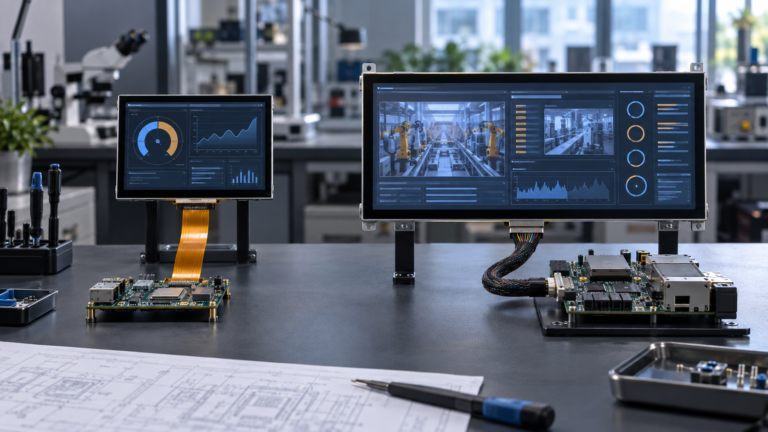
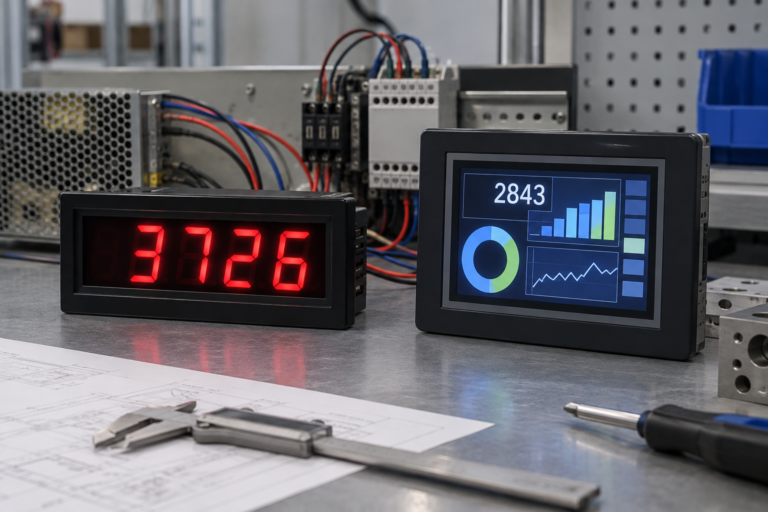
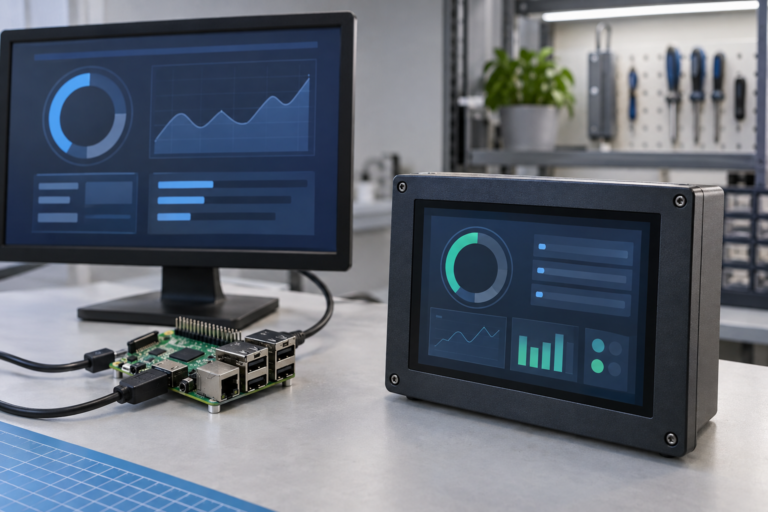
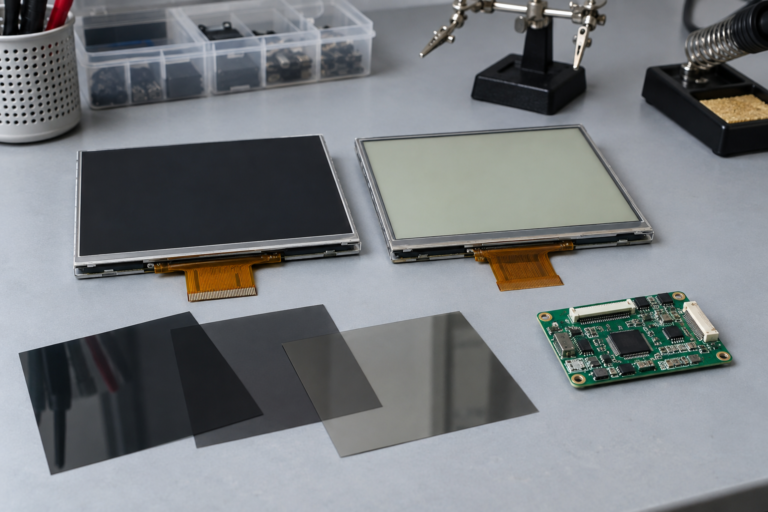
Stehen Sie bei Ihrem Embedded-Display-Projekt vor einer Herausforderung?
Lassen Sie nicht komplexe Integration oder Lieferkettenprobleme Ihre Markteinführung verzögern. Vereinbaren Sie eine kostenlose Beratung mit dem RJY-Expertenteam für maßgeschneiderte Design- und Fertigungsunterstützung.
Bildschirm, Touchscreen oder Touch-Monitor? Wie man das richtige Touch-Display für ein OEM-Projekt auswählt
Veröffentlicht:
20 Min. Lesezeit
Aktualisiert:
Käufer, die nach “screen touch screen” suchen, vergleichen häufig mehrere verschiedene Produkte, auch wenn die Suchbegriffe ähnlich erscheinen. Ein Käufer benötigt möglicherweise ein reines Touchpanel. Ein anderer benötigt ein TFT-LCD mit integriertem Touch-Sensor. Ein dritter erwartet einen vollständigen Touchscreen-Monitor mit HDMI-Eingang, USB-Touch-Daten, einem Gehäuse und Montagehardware. Einige Projekte benötigen zusätzlich einen Computer hinter dem Bildschirm.
Diese Produkte sind nicht austauschbar. Sie unterscheiden sich darin, was sie enthalten, wie sie mit dem Host verbunden werden, wie sie montiert werden und wie viel Entwicklungsarbeit noch verbleibt. Die Auswahl der falschen Struktur kann zu doppelter Controller-Hardware, Treiberproblemen, falschen Touch-Koordinaten, Kabelkonflikten oder einem Gehäuse führen, das die endgültige Baugruppe nicht aufnehmen kann.
Dieser Leitfaden erläutert die Unterschiede zwischen einem Bildschirm, Touchscreen, Touchpanel, Touch-Display-Modul, Touch-Monitor und Touch-Computer. Er zeigt außerdem Geräteherstellern und Produktentwicklern, wie sie die vollständige Display- und Touch-Architektur definieren, bevor sie Muster oder Angebote anfordern.
Was ist der Unterschied zwischen einem Bildschirm und einem Touchscreen?
Ein Bildschirm zeigt visuelle Informationen an. In einem LCD-Produkt empfängt das TFT-LCD-Modul Bilddaten, steuert die Pixel und verwendet eine Hintergrundbeleuchtung, um das Bild sichtbar zu machen. Es erkennt nicht selbstständig einen Finger.
Ein Touchscreen fügt eine Eingabeebene hinzu. Der Touch-Sensor erkennt einen Finger, Stift oder ein anderes unterstütztes Eingabewerkzeug. Ein Touch-Controller misst den Sensor und meldet Koordinaten oder Touch-Ereignisse an den Host. Das Host-Betriebssystem oder die Anwendung entscheidet dann, was diese Ereignisse bedeuten.
Der Bildpfad und der Touch-Pfad sind normalerweise getrennt:
Das Display kann Bilddaten über HDMI, LVDS, MIPI DSI, eDP, RGB oder eine andere Schnittstelle empfangen.
Der Touch-Controller kann Eingaben über USB, I2C, SPI oder eine andere unterstützte Schnittstelle zurückgeben.
Die LCD-Hintergrundbeleuchtung kann eine eigene Stromversorgung und Steuerschaltung erfordern.
Der Host kann einen Treiber, eine Gerätekonfiguration, eine Koordinatentransformation oder Firmware-Unterstützung für den Touch-Controller benötigen.
Deshalb kann ein Display das richtige Bild anzeigen, während der Touch nicht funktioniert. Deshalb kann ein Host auch den Touch-Controller erkennen, während die Koordinaten weiterhin gedreht, umgekehrt, falsch skaliert oder dem falschen Display zugeordnet sind.
Touchscreen-Terminologie, die Käufer häufig verwechseln
Hinter jedem Angebot für Touchscreen-Displays steht keine einzelne Produktstruktur. Bestätigen Sie, was enthalten ist, bevor Sie Preis oder Spezifikationen vergleichen.
Produkttyp
Was üblicherweise enthalten ist
Typische Verbindung
Am besten geeignete Verwendung
LCD- oder TFT-Display
LCD-Zelle, Hintergrundbeleuchtung, Rahmen, Treiber-IC und Display-FPC
MIPI, LVDS, eDP, RGB, SPI oder eine andere Panel-Schnittstelle
Eingebettete Produkte, die keinen Touch benötigen, oder Produkte, die Touch separat hinzufügen
Touchpanel
Touch-Sensor und, je nach Konfiguration, ein Touch-Controller und FPC
USB, I2C, SPI oder eine controllerspezifische Verbindung
Hinzufügen einer Eingabe zu einem kompatiblen Display und einer Frontpanel-Struktur
Touch-Display-Modul
TFT-LCD plus abgestimmter Touch-Sensor, mit getrennten elektrischen Pfaden für Display und Touch
Panel-Schnittstelle für Video und eine zweite Schnittstelle für Touch
Eingebettete Geräte und kundenspezifische Produkte
Touchscreen-Monitor
LCD, Touch-System, Display-Steuerelektronik, Stromeingang und üblicherweise ein Rahmen oder Gehäuse
HDMI, DisplayPort, VGA oder USB-C für Video; häufig USB für Touch
Externe Displays, Kioske, Teststationen, Nachrüstungen und Gerätekonsolen
Offenes oder panelmontiertes Touch-Monitor
Touch-Monitor-Elektronik und eine Montagestruktur, die für ein anderes Gehäuse vorgesehen ist
Standard-Videoeingang plus Touch-Datenverbindung
Schränke, Kioske, Maschinen und kommerzielle Geräte
Touchscreen-Computer oder Panel-PC
Touch-Display plus Prozessor, Speicher, Massenspeicher, I/O und Betriebssystem-Unterstützung
Externe System-I/O statt einer reinen LCD-Schnittstelle
Ein eigenständiges Computer-Terminal
Ein Touchscreen-Display-Computer ist daher nicht einfach ein Monitor mit Touch. Ein Monitor empfängt Bilddaten von einem anderen Computer. Ein Panel-PC enthält die Computerplattform. Diese Unterscheidung wirkt sich auf Kosten, Software-Verantwortung, Thermik-Design, Service-Zugang und Produktlebenszyklus-Planung aus.
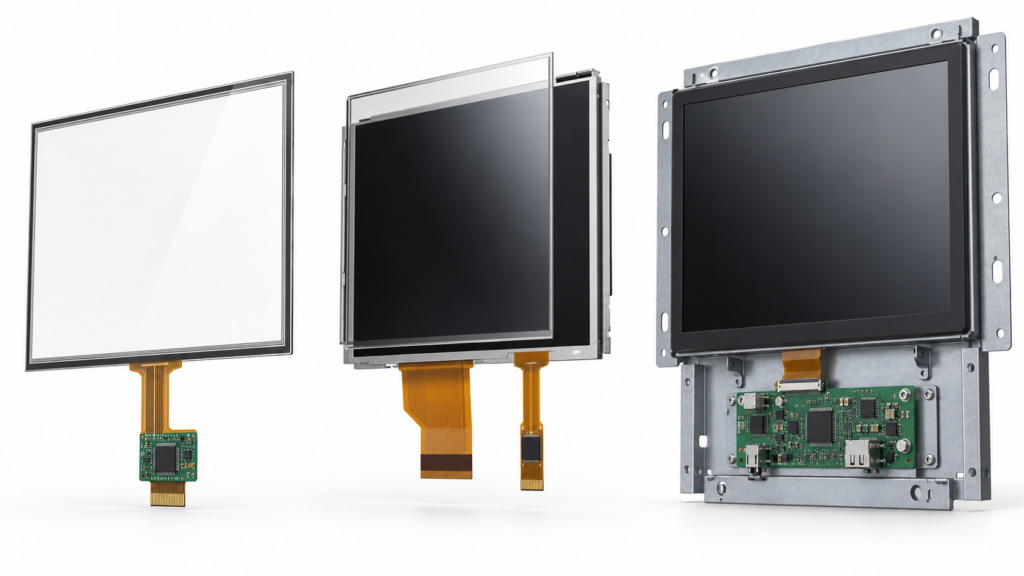
Vergleich eines Touch-Panels, eines Touch-Display-Moduls und eines offenen Touchscreen-Monitors
Wie ein Touchscreen-Display-System funktioniert
Ein vollständiges kapazitives Touch-Display kann die folgenden Teile enthalten:
TFT-LCD-Modul: Erzeugt das sichtbare Bild.
Touch-Sensor: Erkennt eine durch die beabsichtigte Eingabe verursachte Änderung.
Touch-Controller: Scannt den Sensor und wandelt Messungen in Koordinaten oder Ereignisse um.
Deckglas: Bildet die Frontfläche und kann einen gedruckten Rand, eine Öffnung oder eine produktspezifische Kontur tragen.
Verbindungsstruktur: Verbindet das LCD, den Touch-Sensor und die Decklinse durch eine definierte Klebstoff- oder Luftspalt-Anordnung.
Display-Controller oder Host-Prozessor: Sendet das Bild an das LCD und empfängt die Touch-Daten.
Firmware und Software: Konfigurieren das Panel, identifizieren das Touch-Gerät, kartieren Koordinaten und verarbeiten Benutzereingaben.
Jedes Teil beeinflusst die anderen. Eine dickere Decklinse kann die kapazitive Kopplung zwischen einem Finger und dem Sensor verringern. Der Leitfaden von Microchip für kapazitives Touch-Design erklärt, dass Deckglasdicke, Material, Elektrodengeometrie und Rauschbedingungen gemeinsam betrachtet werden müssen.1 Die Touch-Controller-Konfiguration, die mit einem freiliegenden Sensor funktioniert, muss daher möglicherweise nach der Installation des endgültigen Deckglases, des Klebstoffs, des Gehäuses, der Erdung und der Display-Elektronik überprüft werden.
Die LCD-Schnittstelle definiert ebenfalls nicht das vollständige System. Die MIPI-DSI-Anwendungsnotiz von NXP behandelt den Display-Pfad, die Hintergrundbeleuchtungssteuerung und die optionale Touch-Verbindung als separate Integrationsanforderungen.2 Dasselbe Prinzip gilt, wenn das Bild über LVDS, eDP, RGB oder eine externe HDMI-Controller-Platine ankommt.
Kapazitives Touch-Display vs. resistives Touch-Display
Projektive kapazitive Touch-Technologie, oft PCAP oder PCT genannt, ist in Produkten üblich, die eine glatte Glasfront, Gesten oder mehrere gleichzeitige Berührungen erfordern. Resistiver Touch erkennt Druck zwischen leitfähigen Schichten und kann für Anwendungen geeignet sein, die einen passiven Stift oder ein anderes definiertes Eingabewerkzeug verwenden.
Entscheidungsbereich
Projektiv-kapazitiver Touch
Resistive Berührung
Eingabeprinzip
Misst Änderungen in einem kapazitiven Sensorfeld
Misst Kontakt zwischen druckempfindlichen resistiven Schichten
Typische Eingabe
Blanker Finger und andere Eingaben, die von der ausgewählten Sensor-Controller-Konfiguration unterstützt werden
Finger, passiver Stift oder ein anderes Werkzeug, das ausreichenden Druck ausübt
Multi-Touch
Möglich, wenn dies von Sensor, Controller, Firmware, Treiber und Betriebssystem unterstützt wird
Hängt von der spezifischen Technologie ab; herkömmliche Vierdraht-Systeme werden üblicherweise für Einzelkontakt-Eingaben verwendet
Frontfläche
Kann hinter einem definierten Decklinsen-Stapel betrieben werden
Die Konstruktion muss zulassen, dass Druck die Erfassungsschichten erreicht
Hauptvalidierungsrisiken
Deckglasdicke, elektrisches Rauschen, Erdung, Feuchtigkeit, Handschuhe, Randverhalten und Abstimmung
Druckschwelle, Schichtverschleiß, Kalibrierung, Einschwingverhalten und mechanische Integration
Texas Instruments beschreibt einen Vierdraht-resistiven Touchscreen als zwei transparente resistive Schichten, die durch isolierende Abstandshalter getrennt sind. Wenn Druck die Schichten verbindet, misst der Controller die Kontaktposition aus den resultierenden Spannungen.3
Wählen Sie PCAP nicht nur, weil es moderner erscheint. Lehnen Sie resistiven Touch nicht nur ab, weil er älter ist. Beginnen Sie mit dem erforderlichen Eingabewerkzeug, dem Gestensatz, der Benutzeroberfläche, der Deckstruktur, der Umgebung und dem Abnahmetest. Ein Produkt, das als kapazitives Touch-Display beschrieben wird, unterstützt nicht automatisch einen bestimmten Handschuh, Stift, eine Wasserbedingung oder eine bestimmte Anzahl gleichzeitiger Berührungen.
Touchscreen-Monitor vs. eingebettetes Touch-Display-Modul
Ein Touchscreen-Display-Monitor ist nützlich, wenn der Host bereits einen Standard-Videoausgang bereitstellt und das Projekt ein separates, wartungsfreundliches Display benötigt. Er kann den Umfang der Panel-Integration reduzieren, da der Monitor die Display-Steuerungselektronik enthält. Das Produktteam muss dennoch den Videoeingang, die Touch-Datenverbindung, die Betriebssystem-Unterstützung, die Stromversorgung, die Montage und die Umgebungseignung bestätigen.
Ein eingebettetes Touch-Display-Modul gibt dem Produktentwickler mehr Kontrolle über Größe, Tiefe, Deckglas, Kabelverlegung, Rahmenaussehen und interne Elektronik. Es hinterlässt jedoch mehr Arbeit für die Host-Platine, Firmware, das Stromdesign, das Gehäuse und den Montageprozess.
Wählen Sie einen Touch-Monitor, wenn:
Der Host über HDMI, DisplayPort, VGA oder einen anderen unterstützten externen Ausgang verfügt.
The display needs its own frame, controls, mounting points, and power input.
Fast system assembly matters more than minimizing depth or component count.
The display must be replaced or serviced as a complete unit.
The product architecture can accommodate separate video, touch, and power cables.
Choose an embedded module when:
The display must fit a product-specific opening or enclosure.
The project needs a custom cover glass, printed border, FPC direction, or connector location.
The product team controls the host PCB and display interface.
Mechanical depth, bezel width, weight, or internal cable routing is tightly constrained.
The project has a defined path from prototype to repeated production.
The lower component price is not always the lower system cost. A raw module may require a controller board, backlight driver, touch driver, cables, mechanical frame, firmware work, validation, and production fixtures. A finished monitor includes more hardware but may reduce development work. Compare the full integration scope rather than the display price alone.
Welche Schnittstellen benötigt ein Touchscreen-Display?
Display-Schnittstelle
The display interface carries the image. Embedded LCD modules can use MIPI DSI, LVDS, eDP, RGB, SPI, or another panel-level interface. Touchscreen monitors often accept HDMI, DisplayPort, VGA, or USB-C through a controller board. The exact connection depends on the panel and host.
A matching connector is not proof of compatibility. Confirm the panel model, resolution, timing, interface mode, pin definition, voltage, initialization sequence, backlight requirements, and driver IC when available. An HDMI-to-MIPI controller board is an active, panel-specific system. It is not a universal passive adapter.
Touch-Schnittstelle
The touch controller sends input data to the host. USB is common in external touchscreen monitors. Embedded systems may use I2C, SPI, USB, or another controller-supported interface. Confirm logic levels, power, interrupt, reset, wake behavior, controller firmware, and driver availability.
HDMI normally carries the image and audio supported by the selected system. It does not by itself return touch coordinates. Many HDMI touch displays use a separate USB connection for touch. The article on Android-Touch- und HDMI-Touch-Integration explains this two-path architecture in more detail.
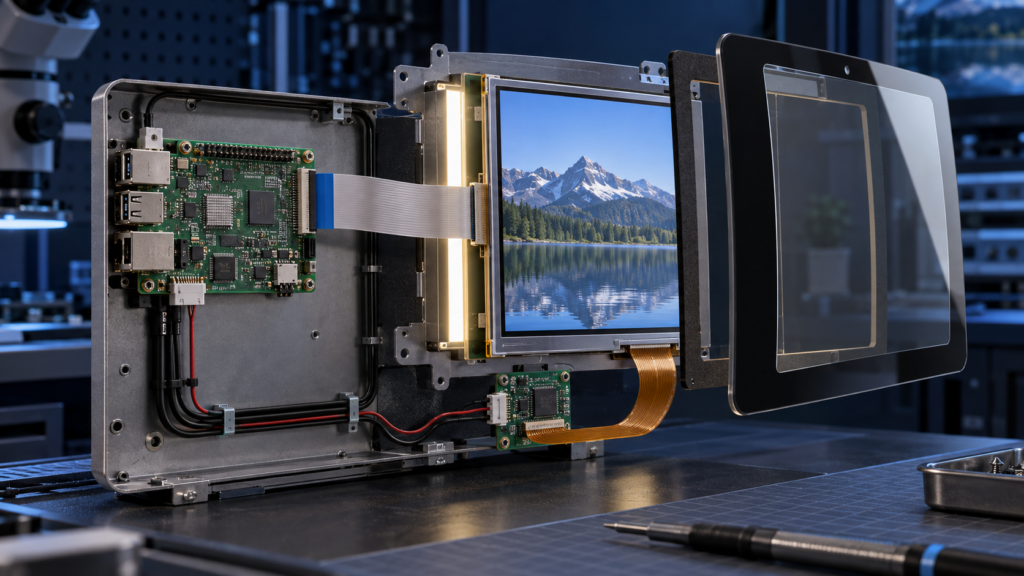
Touch display assembly with separate display and touch connections to an embedded host
Coordinate mapping and software
The host must associate touch events with the correct display. This becomes important when the product uses more than one screen or changes orientation. Android’s touch-device documentation distinguishes direct touch devices from pointer devices and describes how the system maps touch coordinates to a display viewport.4
Test the final software image after cold boot, sleep and wake, cable reconnect, screen rotation, and recovery mode. A driver that recognizes the controller does not prove that every point on the display maps correctly.
Vier gängige Touch-Display-Systemarchitekturen
The same touch screen can sit inside very different systems. Define the architecture before selecting parts, because it determines which organization owns the controller board, firmware, enclosure, cables, and final validation.
Architecture 1: Embedded LCD and touch panel connected directly to a host board
In this structure, the product processor drives the LCD through a native panel interface such as MIPI DSI, LVDS, eDP, RGB, or SPI. A separate I2C, SPI, or USB path carries touch data. The equipment manufacturer controls the host PCB, power rails, panel initialization, backlight control, touch driver, and mechanical design.
This route can produce a compact and integrated product, but it needs the most engineering coordination. The host must generate the correct display timing and support the panel initialization sequence. It must also manage the touch controller’s power, reset, interrupt, firmware, and coordinate mapping. Mechanical drawings must control both FPC paths and keep the touch electronics away from noise sources where possible.
Architecture 2: LCD and touch assembly with a video controller board
A controller board converts a standard host output, such as HDMI, into the panel’s native interface. Touch still returns through a separate path, often USB. This structure can simplify the host connection because the computer does not need a native MIPI, LVDS, or eDP output that directly matches the LCD.
The controller board must still be configured for the exact panel. Resolution alone is not enough. The engineering review must cover timing, interface mode, lane or channel arrangement, pin definition, power sequence, backlight circuit, panel initialization, and the physical cable. If the product uses an on-screen display or firmware-controlled functions, those requirements must also be defined before board selection.
An open-frame monitor combines the LCD, touch system, controller electronics, and mounting frame but leaves the outer product enclosure to the equipment manufacturer. It can suit kiosks, test equipment, machine consoles, and other products that use a standard video source but need a built-in appearance.
The main questions shift from panel timing to integration. Confirm the monitor outline, front opening, mounting points, connector access, ventilation, cable exit, control-button access, grounding, power input, and service route. A monitor that works on a bench may still be difficult to install if the enclosure blocks its connectors or traps heat around the controller board.
Architecture 4: Housed touch monitor or touch computer
A housed touchscreen monitor is the most independent display structure. It can be mounted beside or on the equipment and connected to an external computer. A touch computer adds the processor and operating system. These products can shorten equipment development when a standard format fits, but they provide less control over depth, bezel design, connector position, and the internal component lifecycle.
Choose between these architectures by deciding where the product boundary sits. If the screen must become part of a compact branded device, an embedded assembly may be appropriate. If the display must connect to several existing computers or be replaced as one service unit, a monitor structure may reduce lifecycle complexity.
Wie man einen Touchscreen-Monitor oder ein Display auswählt
1. Define the product structure
Decide whether the project needs a touch panel, an LCD-and-touch assembly, an open-frame touch monitor, a complete housed monitor, or a panel PC. This first decision prevents the quotation from including too much or too little hardware.
2. Set the active area, resolution, and UI requirements
Diagonal size alone does not define usability. Consider viewing distance, the smallest touch target, required text size, screen orientation, user position, and the amount of information shown at one time. Match the LCD active area, touch active area, cover-glass opening, printed border, and software coordinate range.
3. Define the touch behavior
State how many simultaneous contacts the application uses and which gestures need them. Define the intended input tool. If users wear gloves, specify the glove material and thickness. If the product may become wet, define the liquid condition and the required behavior. “Waterproof touch” or “glove touch” is too broad for engineering approval.
4. Confirm the host platform
Provide the processor or computer platform, operating system, available display output, touch input, driver constraints, and boot requirements. A touch screen display monitor that works on one host configuration may need different drivers or settings on another.
5. Review the optical environment
Define indoor or outdoor use, ambient lighting, viewing direction, reflections, target brightness, and whether the product will sit behind another window. A brighter LCD does not solve every visibility problem. Cover glass, air gaps, bonding, surface treatment, UI contrast, and enclosure angle also affect the result.
6. Coordinate cover glass and bonding
The cover lens is both a visible product surface and part of the touch system. Its outline, thickness, printed border, material, edge details, adhesive area, and surface treatment can affect fit, appearance, and touch sensitivity. Approve the cover glass together with the touch sensor, controller, firmware, enclosure, and grounding plan.
7. Check the mechanical design
Review the LCD outline, active area, touch-sensor outline, FPC paths, connector locations, component height, mounting points, adhesive areas, and keep-out zones. Use the actual enclosure CAD and PCB layout. A module can match the front opening while its FPC collides with a bracket or connector.
8. Define the environment as test conditions
Replace broad labels with measurable conditions. Specify expected temperature range, condensation or moisture, cleaning method, vibration, nearby motors or power converters, grounding, and electromagnetic-noise sources. Do not assume that a consumer touchscreen monitor meets industrial or application-specific requirements without evidence for the selected configuration.
Wie man einen Touchscreen vor der Produktion validiert
A datasheet review can remove unsuitable options, but it cannot approve the final touch display. Validation must use the actual LCD, touch sensor, controller, cover glass, controller board, cables, host software, power supply, and enclosure. A change to any one of these elements can alter touch behavior or display stability.
Start with a documented sample configuration
Record the LCD model and revision, touch-controller model, controller firmware, display board version, cable version, driver package, operating-system build, and mechanical drawing. Without this baseline, a successful sample test cannot be reproduced during pilot production.
Verify the image path
Test native resolution, color format, orientation, startup sequence, backlight control, brightness adjustment, sleep, wake, and signal recovery. Run the content patterns that matter to the application rather than relying only on a logo or static desktop. Look for unstable startup, intermittent blank screens, abnormal colors, cropped content, flicker, and backlight behavior that changes after repeated power cycles.
Verify touch across the complete active area
Check the center, corners, edges, and areas close to the printed border. Test taps, drags, long presses, and every required gesture. Confirm that the software maps the touch device to the correct screen and follows the approved orientation. If the product can rotate, test each supported rotation instead of assuming that the operating system will transform coordinates correctly.
Test the real input conditions
Use the intended finger, glove, or stylus. Test the smallest controls in the real UI. If moisture is relevant, define the liquid, amount, location, and expected response. The requirement may be to continue accepting deliberate touches, reject false input, or temporarily lock input until the surface is dry. These are different behaviors and require different acceptance criteria.
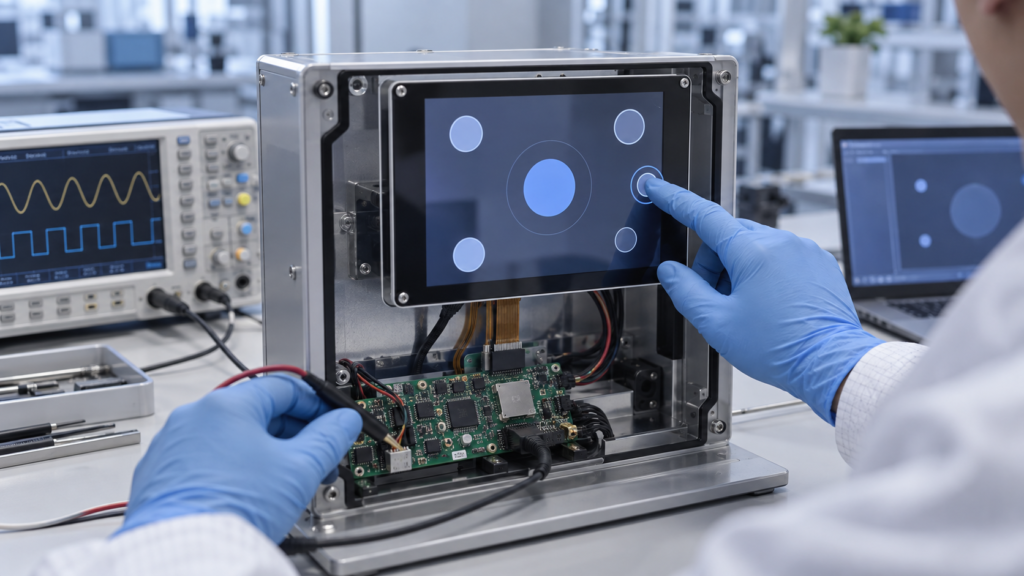
Capacitive touch display prototype undergoing edge-touch and electronics validation
Test electrical and mechanical integration
Operate the display while motors, chargers, radio modules, switching power supplies, and other expected equipment are active. Route the final cables as they will appear in production. Check whether enclosure pressure, fasteners, adhesive, bezel contact, or cable bending changes touch behavior. Also verify that users cannot pull or pinch exposed cables during normal operation or service.
Repeat critical power and recovery events
Run repeated cold starts, warm restarts, sleep-and-wake cycles, signal disconnects, USB reconnects, and power interruptions. Confirm that the image and touch input recover without a hidden service step. If the equipment has a diagnostic or recovery mode, confirm whether touch must work there and test that condition separately.
Finish with written acceptance criteria. Record what counts as a pass for image stability, coordinate accuracy, edge response, required contacts, false-touch rejection, recovery, and physical appearance. This turns a subjective demonstration into a configuration that procurement, engineering, and production can control.
Auswahl eines großen Touchscreens
A large screen touch screen is not simply a small capacitive touch display enlarged to a new diagonal. As the active area grows, the project must manage sensor routing, controller capability, cover-lens support, flatness, bonding, enclosure stiffness, cable length, electrical noise, transport, installation, and field service.
The user interface also changes. A person may operate a small display from one fixed position but approach a large touch screen from several angles. Touch targets, reach zones, viewing distance, hand support, accidental contact, and multi-user behavior must be evaluated on a full-scale prototype.
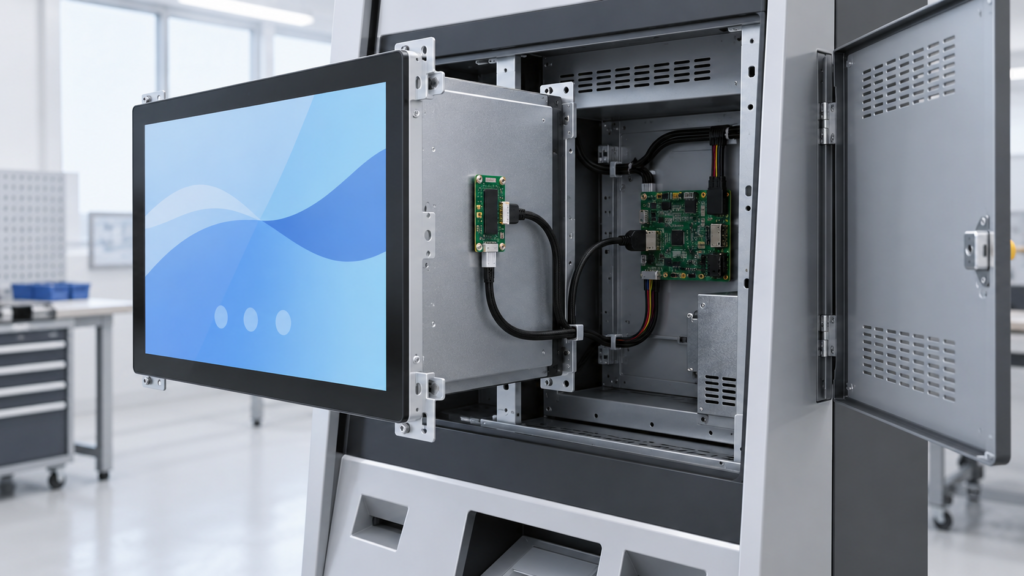
Large open-frame touch display integrated into self-service equipment with accessible controller electronics
For some projects, a standard commercial or industrial monitor platform is the practical route. For others, an open-frame monitor or custom front assembly offers a better mechanical fit. RJY Display’s standard TFT portfolio is not a promise that every large touch-screen size or monitor structure is available. The feasible route must be confirmed from the target dimensions, interface, touch requirements, enclosure, quantity, and application environment.
Die Touch-Display-Struktur an die Anwendung anpassen
Application labels do not replace engineering requirements, but they can reveal which risks deserve early attention.
Industrial machine HMI: Prioritize glove or stylus needs, electrical noise, mounting, service access, operating temperature, repeated operation, and the relationship between the UI and physical machine controls.
Self-service kiosk: Review public-use durability, clear touch targets, front-panel cleaning, cable security, enclosure access, idle-state behavior, and recovery after a host restart.
Smart-home control panel: Focus on front-surface appearance, cover-glass design, viewing angle, standby behavior, wake response, wall depth, and coordination with the embedded host.
Medical or laboratory equipment: Define cleaning materials, input tools, readability, alarm interaction, documentation, and the exact product-level compliance process. A display component should not be called medical-grade without supporting evidence.
Vehicle-related equipment: Review brightness, reflections, temperature, vibration, power behavior, viewing position, nighttime UI, and mechanical support. Do not infer automotive qualification from a general LCD specification.
Portable equipment: Balance brightness, touch behavior, battery power, thickness, weight, cover protection, connector retention, and the effect of hand grip on the touch system.
The purpose of this comparison is not to assign one touch technology to every application. It is to identify the tests, drawings, and configuration details that the project must define before production.
Häufige Fehler bei der Touchscreen-Auswahl
Treating touch as part of the video cable: The image and touch data often use different interfaces.
Selecting only by diagonal size: Active area, resolution, outline, aspect ratio, and mounting determine fit.
Assuming every PCAP screen has the same multi-touch support: Contact count and gesture behavior depend on the complete sensor, controller, firmware, driver, and operating-system path.
Ignoring rotation and coordinate mapping: A detected touch device can still report the wrong position.
Approving the cover glass separately: Lens thickness, printing, adhesive, grounding, and enclosure geometry can change touch behavior.
Confusing a monitor with a computer: A monitor still needs an external host unless it includes a computing platform.
Assuming a controller board is universal: The board must be matched and configured for the actual LCD and system.
Using marketing labels as acceptance criteria: Terms such as industrial, rugged, outdoor, glove touch, and wet touch need project-specific definitions and tests.
Wann benötigt ein OEM-Projekt ein kundenspezifisches Touch-Display?
A standard touchscreen monitor is often suitable when its size, inputs, housing, stand, and operating-system support already fit the equipment. Customization becomes useful when the display must become part of the product rather than an accessory attached to it.
Based on the selected module and project scope, customization can include:
Cover-glass outline, opening, printed border, and surface requirements
Touch-sensor and touch-controller matching
Ausrichtung der Display- und Touch-FPC oder Anordnung der Steckverbinder
Backlight and visibility requirements
Display interface and controller-board coordination
Touch firmware, coordinate mapping, and host integration support
Housing or mechanical-structure coordination around the display assembly
Was bei der Anfrage einer Touch-Display-Lösung bereitzustellen ist
A precise brief allows the supplier to identify whether the project needs a panel, module, monitor, controller board, or complete embedded assembly. Prepare the following information:
Product type and application
Required structure: touch panel, display module, open-frame monitor, housed monitor, or panel PC
Target display size, active area, resolution, and orientation
Reference module, panel datasheet, or existing equipment drawing
Host processor or computer platform
Required display input or panel interface
Required touch interface and operating system
Number of contacts, gestures, and intended input tools
Cover-glass, bonding, printing, and front-panel requirements
Enclosure CAD, mounting method, FPC direction, and connector limits
Brightness, viewing, lighting, cleaning, moisture, and environmental requirements
Anforderungen an Controller-Platine und Firmware
Muster menge, geschätzter Jahresbedarf und Projektzeitplan
Die vollständige Touch-Architektur wählen, nicht nur den Bildschirm
The right touch product is the one that fits the complete system. A touch panel, embedded capacitive touch display, touchscreen monitor, and touch computer can all provide on-screen input, but they solve different engineering problems.
Start by defining the product structure. Then verify the display path, touch path, software, cover glass, mounting, environment, and production plan. This process helps prevent a low-cost component choice from becoming an expensive system redesign.
If you are developing equipment that needs a custom touch display, request a touch display architecture review. Share the display size, resolution, host platform, video interface, touch interface, operating system, cover-glass requirements, mounting structure, and expected volume so RJY Display can review the feasible module and controller-board path before sampling.
Häufig gestellte Fragen
Is a touch screen the same as a touch screen monitor?
No. A touch screen may refer only to a touch sensor or to an LCD-and-touch assembly. A touch screen monitor normally adds display-control electronics, external video input, touch-data output, power input, and a mounting frame or housing.
Does HDMI carry touch data?
HDMI normally carries image and supported audio data. A touch monitor commonly uses a separate USB connection to return touch input to the host. Confirm the actual monitor and controller-board design before connecting the system.
Is every capacitive touch display multi-touch?
No. The supported number of contacts and gestures depends on the touch sensor, controller, firmware, driver, host operating system, and application. Verify the required behavior with the final assembly.
What is the difference between a touch monitor and a touch computer?
A touch monitor displays video from an external host and sends touch input back to that host. A touch computer or panel PC also includes the processor, memory, storage, system I/O, and operating-system platform.
Can an LCD module be converted into a touch display?
Often, a compatible touch sensor, touch controller, cover glass, bonding structure, and mechanical design can be reviewed for an existing LCD module. Feasibility depends on the module dimensions, active area, enclosure, optical requirements, host interface, and intended environment.
Can RJY customize a large touch screen?
RJY can review a large touch-screen requirement, but feasibility depends on the available display platform, target size, sensor and controller solution, cover structure, interface, enclosure, project quantity, and validation requirements. Availability should not be assumed before an engineering review.
What information is needed to confirm touch-display compatibility?
Provide the panel or monitor model, size, resolution, display interface, pin definition or datasheet, backlight requirements, touch controller and interface, host platform, operating system, cover-glass structure, enclosure constraints, environment, and required touch behavior.