Stehen Sie bei Ihrem Embedded-Display-Projekt vor einer Herausforderung?
Lassen Sie nicht komplexe Integration oder Lieferkettenprobleme Ihre Markteinführung verzögern. Vereinbaren Sie eine kostenlose Beratung mit dem RJY-Expertenteam für maßgeschneiderte Design- und Fertigungsunterstützung.
Was ist der Unterschied zwischen STM32 und Arduino?
In der Welt der eingebetteten Systeme und Mikrocontroller-Projekte stechen zwei Plattformen oft durch ihre Vielseitigkeit und weite Verbreitung hervor: STM32 und Arduino. Beide haben ihre Stärken und Schwächen bei der LCD-Entwicklung, abhängig von der Komplexität des Projekts und den Anforderungen an das Display. In diesem Artikel untersuchen wir die Unterschiede zwischen STM32 und Arduino für die LCD-Entwicklung und helfen Ihnen, die richtige Plattform für Ihr nächstes Projekt zu wählen.
Veröffentlicht:
13 Minuten Lesezeit
Aktualisiert:
STM32 vs. Arduino ist ein häufiger Vergleich, wenn Ingenieure, Produktentwickler und Hardware-Teams eine Mikrocontroller-Plattform für Sensoren, Steuerungssysteme, LCD-Projekte und eingebettete Geräte auswählen. Arduino ist bekannt für schnelles Prototyping und Benutzerfreundlichkeit. STM32 ist bekannt für stärkere Mikrocontroller-Leistung, mehr Peripherieoptionen und tiefere Kontrolle über eingebettete Hardware.
Für einfache LCD-Projekte kann Arduino ein praktischer Ausgangspunkt sein. Es ist einfach zu bedienen, verfügt über viele Display-Bibliotheken und funktioniert gut mit grundlegenden Zeichen-LCDs oder kleinen SPI-TFT-Modulen. Für anspruchsvollere TFT-LCD-Projekte ist STM32 oft die bessere Wahl, da es mehr Rechenleistung, umfangreichere Peripherieunterstützung, DMA-Optionen und professionellere Entwicklungssteuerung bieten kann.
Die richtige Wahl hängt vom Projekt ab. Ein Hobby-Prototyp, eine Klassenzimmer-Demonstration oder ein einfaches Sensor-Display benötigt möglicherweise kein STM32. Ein HMI auf Produktebene, ein industrielles Steuerungsdisplay, eine Touchscreen-Schnittstelle oder ein TFT-LCD-Projekt mit höherer Auflösung kann einen leistungsfähigeren Mikrocontroller, ein Controller-Board oder eine eingebettete Plattform erfordern.
STM32 vs. Arduino: Grundlegender Unterschied
STM32 ist eine Familie von 32-Bit-Mikrocontrollern von STMicroelectronics. Diese MCUs basieren auf Arm-Cortex-M-Prozessorkernen und decken eine breite Palette an Leistungsstufen, Speichergrößen, Peripheriegeräten, Gehäusen und Leistungsprofilen ab. STM32 wird häufig in eingebetteten Systemen eingesetzt, die Echtzeitsteuerung, Kommunikationsschnittstellen, Motorsteuerung, Display-Schnittstellen, Sensorik und industrielle Produktentwicklung erfordern.
Arduino ist eine Open-Source-Elektronikplattform, die Entwicklungsboards, Software-Werkzeuge und ein großes Community-Ökosystem umfasst. Viele Arduino-Boards basieren je nach Board-Modell auf AVR-, Arm- oder anderen Mikrocontrollern. Die Hauptstärke von Arduino liegt nicht nur im Chip selbst, sondern in der vereinfachten Entwicklungsumgebung, der breiten Bibliotheksunterstützung und dem anfängerfreundlichen Arbeitsablauf.
Einfach ausgedrückt:
STM32 ist eine professionelle Mikrocontroller-Familie.
Arduino ist eine benutzerfreundliche Entwicklungsplattform.
STM32 bietet in der Regel tiefere Hardware-Kontrolle und stärkere Peripherieoptionen.
Arduino bietet in der Regel schnellere Einrichtung und einfacheres Prototyping.
Für LCD-Projekte hängt die richtige Wahl von Display-Auflösung, Schnittstelle, Grafik-Komplexität, Touch-Anforderung und Produktphase ab.
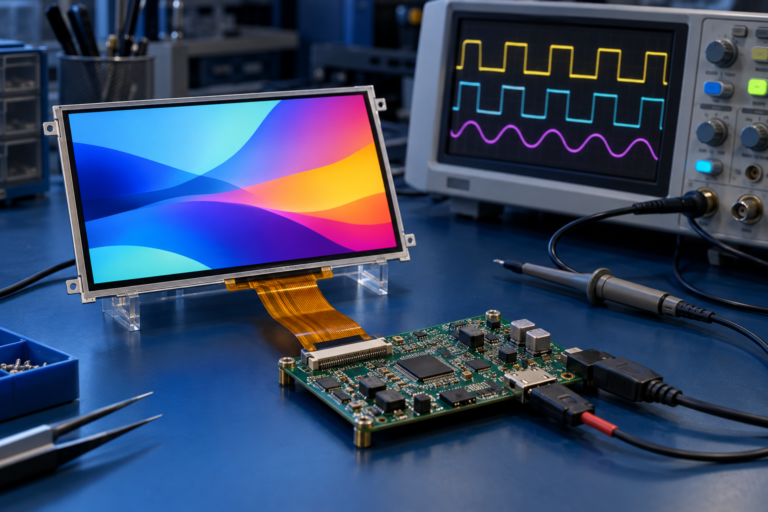
Vergleich von STM32- und Arduino-Boards für LCD-Display-Projekte
Schnellvergleich: STM32 vs. Arduino
Faktor
STM32
Arduino
Hauptidentität
Mikrocontroller-Familie von STMicroelectronics
Open-Source-Hardware- und Software-Entwicklungsplattform
Höher, insbesondere bei Registern, HAL, DMA, Takten und Debugging
Niedriger, geeignet für Anfänger und schnelle Experimente
Entwicklungswerkzeuge
STM32CubeIDE, STM32CubeMX, Keil, IAR, PlatformIO, andere
Arduino IDE, Arduino Cloud, PlatformIO, viele Bibliotheken
Eignung für LCD-Projekte
Besser für fortgeschrittene TFT-LCDs, Touch-UI, Echtzeitgrafik, Steuerung auf Produktebene
Gut für grundlegende LCDs, kleine TFT-Module, Lernen und einfache Prototypen
Peripheriesteuerung
Stärker und detaillierter
Vereinfacht und bibliotheksgesteuert
Debugging
Professionelle Debugging-Workflows verfügbar
Einfacherer Workflow, oft seriell-basiert für Anfänger
Eignung für kommerzielle Produkte
Oft geeignet für die Entwicklung eingebetteter Produkte
Nützlich für Prototypen; die endgültige Produktnutzung hängt von Board, Design und Anforderungen ab
Was ist STM32?
STM32 ist eine breite Familie von 32-Bit-Mikrocontrollern. Verschiedene STM32-Serien sind für unterschiedliche Anforderungen ausgelegt, wie z. B. geringer Stromverbrauch, hohe Leistung, Konnektivität, Motorsteuerung, Grafik, Sicherheit und industrielle Steuerung.
Für displaybezogene Projekte kann STM32 nützlich sein, da viele STM32-MCUs umfangreiche Peripherieunterstützung bieten. Abhängig vom jeweiligen MCU kann das Projekt SPI, I2C, parallele Schnittstellen, DMA, Timer, externe Speicherschnittstellen oder dedizierte displaybezogene Funktionen nutzen. Einige STM32-Familien unterstützen auch grafikorientierte Entwicklungswerkzeuge und Middleware.
STM32 ist nicht ein Board oder ein Chip. Es ist eine große Produktfamilie. Das bedeutet, dass die genaue LCD-Fähigkeit vom ausgewählten STM32-Modell, Speicher, Taktrate, verfügbaren Pins, Schnittstellenunterstützung und Software-Architektur abhängt.
Was ist Arduino?
Arduino ist eine Entwicklungsplattform, die darauf ausgelegt ist, Elektronik und Programmierung zu vereinfachen. Sie umfasst Boards, eine IDE, Bibliotheken, Beispiele und eine große Benutzergemeinschaft. Viele Display-Module verfügen über Arduino-kompatible Bibliotheken, was Arduino für schnelle LCD-Tests und frühe Prototypen attraktiv macht.
Arduino-Boards variieren stark. Ein klassisches Arduino Uno ist im Vergleich zu vielen modernen Boards begrenzt, während neuere Arduino-Boards leistungsfähigere Mikrocontroller verwenden können. Daher sollte “Arduino” nicht als ein festes Hardware-Niveau betrachtet werden.
Für LCD-Projekte ist Arduino oft nützlich, wenn das Ziel schnelles Testen, einfache Benutzeroberfläche, Zeichenanzeige, kleine grafische Anzeige, Sensorauslesung oder ein früher Proof of Concept ist.
STM32 vs. Arduino für LCD-Projekte
LCD-Projekte reichen von sehr einfach bis hochanspruchsvoll. Ein 16 × 2-Zeichen-LCD, das Sensorwerte anzeigt, unterscheidet sich stark von einem farbigen TFT-LCD mit Touch-Interaktion, Animationen, Symbolen, Menüs und Echtzeit-Datenaktualisierungen.
Arduino ist oft für einfache LCD-Projekte ausreichend. STM32 wird attraktiver, wenn das Projekt eine höhere Aktualisierungsleistung, präziseres Timing, mehr Speicher, DMA, mehrere Peripheriegeräte oder die Integration in ein kommerzielles eingebettetes Produkt erfordert.
LCD-Projekttyp
Arduino-Kompatibilität
STM32-Kompatibilität
16 × 2- oder 20 × 4-Zeichen-LCD
Sehr gut geeignet
Geeignet, aber häufig unnötig
Kleines SPI-TFT-Display
Geeignet für einfache Grafiken
Geeignet für bessere Leistung und Steuerung
TFT-LCD mit mittlerer Auflösung
Nur mit geeigneten Boards und sorgfältigen Einschränkungen möglich
Häufig praktischer
Touchscreen-Benutzeroberfläche
Gut für einfache Touch-Demos
Besser für produktionsreife Touch-Integration
Echtzeit-Industrie-HMI
In der Regel eingeschränkt
Je nach MCU und Systemdesign besser geeignet
Grafische Benutzeroberfläche mit hoher Auflösung
Auf einfachen Arduino-Boards in der Regel nicht ideal
Kann mit der richtigen STM32- und Speicherauslegung geeignet sein
Leistungsunterschied
STM32 bietet häufig höhere Leistung und mehr eingebettete Steuerungsfunktionen als viele einfache Arduino-Boards. Dies ist relevant, wenn ein Display-Projekt Grafiken schnell aktualisieren, Sensordaten verarbeiten, Kommunikation abwickeln, Touch-Eingaben verwalten und gleichzeitig andere Systemfunktionen steuern muss.
Einfache Arduino-Boards sind nicht für rechenintensive Grafik-Workloads ausgelegt. Sie eignen sich eher für einfache Display-Ausgaben, Sensor-Dashboards, Menübildschirme und schnelle Demonstrationen.
Die Leistung hängt jedoch vom jeweiligen Board ab. Ein modernes Arduino-kompatibles Board kann stärker sein als ein älteres STM32-Board. Ein High-End-STM32 kann viele Arduino-Boards übertreffen. Käufer sollten die tatsächliche MCU, Taktrate, Speicher, Schnittstelle und Grafik-Anforderungen vergleichen, anstatt sich nur auf den Plattformnamen zu verlassen.
Unterschied bei der Display-Schnittstelle
Die Kompatibilität von LCD-Modulen hängt stark von der Schnittstelle ab. Zu den gängigen Display-Schnittstellen gehören SPI, I2C, MCU-parallel, RGB, LVDS, MIPI DSI, HDMI und eDP, je nach Display und Systemebene.
Arduino wird häufig mit I2C-Zeichen-LCDs, SPI-TFT-Displays und Display-Shields verwendet. Dies ist praktisch für Lernen und Prototyping, aber möglicherweise nicht geeignet für größere oder höherauflösende TFT-LCD-Module.
STM32 kann je nach Modell eine breitere Palette eingebetteter Schnittstellen unterstützen. Einige STM32-Projekte verwenden SPI-TFT-Displays, parallele Schnittstellen, externen Speicher, DMA oder displayorientierte Middleware. Allerdings kann nicht jedes STM32 jedes LCD ansteuern. Die spezifische MCU und die Display-Schnittstelle müssen sorgfältig aufeinander abgestimmt werden.
Speicher- und Grafik-Anforderungen
Grafiken erfordern Speicher. Ein Vollfarb-TFT-Display kann Framebuffer, Bild-Assets, Schriftarten, Symbole und UI-Daten benötigen. Höhere Auflösungen erhöhen den Speicherbedarf schnell.
Einfache Arduino-Boards verfügen oft über begrenzten RAM- und Flash-Speicher. Dies macht sie für komplexe Grafiken ungeeignet, es sei denn, die Display-Bibliothek verwendet Teilaktualisierungen, kleine Puffer oder der Display-Controller übernimmt einen Großteil der Arbeit.
STM32-Bausteine sind in verschiedenen Speichergrößen erhältlich und können je nach Serie externen Speicher unterstützen. Dies macht STM32 flexibler für grafische LCD-Projekte, aber die Speicherplanung ist dennoch unerlässlich.
Vor der Auswahl der Plattform sollten Ingenieure Folgendes abschätzen:
Display-Auflösung
Farbtiefe
Framebuffer-Anforderung
Größe der UI-Assets
Touch-Eingabeanforderungen
Aktualisierungsgeschwindigkeit
Anforderung an externen Speicher
Prozessorlast durch andere Aufgaben
DMA und Echtzeitsteuerung
DMA oder Direct Memory Access ermöglicht Datenbewegungen, ohne dass die CPU jedes Byte manuell verarbeiten muss. In Display-Projekten kann DMA helfen, Pixeldaten effizienter zu übertragen, insbesondere bei Verwendung von SPI, parallelen Schnittstellen oder Speicheroperationen, je nach MCU-Design.
Viele STM32-Projekte nutzen DMA, um die Display-Aktualisierungseffizienz zu verbessern oder die CPU-Last zu reduzieren. Dies kann nützlich sein, wenn das System gleichzeitig Sensoren auslesen, mit anderen Geräten kommunizieren, Touch-Eingaben verarbeiten oder Motoren steuern muss.
Arduino-Bibliotheken können Komplexität verbergen, was für Anfänger nützlich ist. Für fortgeschrittene Display-Leistung benötigen Ingenieure jedoch oft eine Steuerung auf niedrigerer Ebene über Timing, Datenübertragung, Pufferung und Speichernutzung. STM32 bietet mehr Raum für diese Kontrolle.
Software-Ökosystem und Entwicklungswerkzeuge
Arduino ist stark in der Software-Einfachheit. Die Arduino-IDE, Beispiel-Sketches und Community-Bibliotheken erleichtern das Anschließen eines Displays und das schnelle Anzeigen von Ergebnissen. Bibliotheken wie LiquidCrystal, Adafruit_GFX und TFT_eSPI werden häufig beim Display-Prototyping verwendet.
Die STM32-Entwicklung ist strukturierter und komplexer. Zu den gängigen Werkzeugen gehören STM32CubeMX, STM32CubeIDE, HAL-Bibliotheken, LL-Treiber, Keil, IAR, PlatformIO und je nach Projekt grafikbezogene Werkzeuge. Dieser Arbeitsablauf gibt Entwicklern mehr Kontrolle, erfordert jedoch stärkere eingebettete Kenntnisse.
Für frühe Experimente kann Arduino Zeit sparen. Für die Produktentwicklung kann STM32 eine stärkere Kontrolle über Hardware, Timing, Speicher, Stromversorgung und Debugging bieten.
Lernkurve
Arduino ist für Anfänger einfacher. Viele Benutzer können ein einfaches LCD anschließen und innerhalb kurzer Zeit ein Beispiel ausführen. Dies macht Arduino nützlich für Bildung, Proof-of-Concept-Prototypen und schnelle Display-Tests.
STM32 hat eine steilere Lernkurve. Entwickler müssen möglicherweise Taktkonfiguration, GPIO-Modi, Peripherie-Setup, Interrupts, DMA, Speicherlayout, Compiler-Einstellungen, Debugging und Hardware-Design-Details verstehen.
Der Kompromiss ist klar: Arduino reduziert den Einrichtungsaufwand, während STM32 mehr technische Kontrolle bietet.
Kosten und Produktentwicklung
Arduino kann für Lernen und Prototyping kosteneffektiv sein, insbesondere bei Verwendung gängiger Entwicklungsboards und Display-Shields. Ein Arduino-Entwicklungsboard ist jedoch nicht immer die kosteneffektivste Wahl für die Massenproduktion.
STM32 erfordert möglicherweise anfänglich mehr technischen Aufwand, kann aber besser für optimierte Produkthardware geeignet sein. Die endgültigen Kosten hängen von der MCU-Auswahl, dem PCB-Design, der Display-Schnittstelle, dem Speicher, der Firmware-Entwicklung, dem Testen und der Produktionsmenge ab.
Für die B2B-Produktentwicklung sollten Käufer nicht nur Board-Preise vergleichen. Sie sollten die Gesamtentwicklungskosten vergleichen, einschließlich Engineering-Zeit, Firmware-Komplexität, Debugging, Display-Kompatibilität, Zertifizierungsplanung, langfristige Verfügbarkeit und Produktionsskalierbarkeit.
Wann sollten Sie STM32 wählen?
STM32 ist in der Regel die bessere Wahl, wenn das LCD-Projekt stärkere eingebettete Leistung, präzisere Hardware-Steuerung oder produktionsreife Entwicklung erfordert.
Wählen Sie STM32, wenn das Projekt Folgendes umfasst:
TFT-LCD-Module mit grafischer Benutzeroberfläche
Touchscreen-Schnittstellen
Echtzeit-Display-Aktualisierungen
Mehrere Sensoren oder Kommunikationsaufgaben
Industrielle Steuerung oder Geräteschnittstellen
Steuerung auf niedriger Ebene über Timing und Peripherie
DMA-basierte Datenübertragung
Optimiertes kundenspezifisches PCB-Design
Langfristige eingebettete Produktentwicklung
STM32 ist nicht automatisch für jedes Display-Projekt erforderlich, aber es ist oft eine stärkere Plattform, wenn das Endprodukt stabil, reaktionsschnell und technisch kontrolliert sein muss.
Wann sollten Sie Arduino wählen?
Arduino ist in der Regel die bessere Wahl, wenn Einfachheit und Geschwindigkeit wichtiger sind als fortgeschrittene Leistung. Es ist nützlich für Lernen, Demonstrationen, einfache Prototypen und frühe Tests.
Wählen Sie Arduino, wenn das Projekt Folgendes umfasst:
16 × 2 oder 20 × 4 Zeichen-LCDs
Kleine SPI-TFT-Displays mit einfacher Grafik
Anzeige von Sensorwerten
Einfache Touch-Demonstrationen
Bildungsprojekte
Schneller Machbarkeitsnachweis
Prototypen für Hausautomation
Einfache Menüoberflächen
Arduino kann helfen, eine Idee schnell zu validieren. Wenn das Produkt später eine bessere Leistung, eine niedrigere Steuerungsebene oder eine kommerzielle Integration benötigt, kann das Design auf STM32 oder eine andere eingebettete Plattform migriert werden.
Arduino-kompatibles Board, verbunden mit einem kleinen LCD-Display für einfache Prototypentests
STM32 vs. Arduino vs. Display-Controller-Board
Bei vielen LCD-Projekten ist die eigentliche Entscheidung nicht nur STM32 vs. Arduino. Einige Produkte sollten eine dedizierte Display-Controller-Platine oder eine eingebettete Steuerplatine verwenden, anstatt das LCD direkt über einen Mikrocontroller anzusteuern.
Ein Mikrocontroller kann für einfache Displays oder kompakte eingebettete Schnittstellen geeignet sein. Jedoch können höher auflösende TFT-LCDs, Displays mit HDMI-Eingang, Android-basierte Panels, komplexe Touch-Benutzeroberflächen oder Multimedia-Schnittstellen eine Controller-Platine oder einen leistungsfähigeren eingebetteten Prozessor erfordern.
Wenn das Projekt beispielsweise einen HDMI-Eingang, eine Android-Schnittstelle, einen LVDS-Displayausgang, einen MIPI-Displayausgang, Touch-Unterstützung oder Firmware-Anpassung benötigt, kann eine passende Controller-Platine praktischer sein, als alles von einem kleinen MCU aus zu entwickeln.
Aus diesem Grund sollte die Display-Auswahl das gesamte System berücksichtigen: LCD-Modul, Schnittstelle, Controller-Platine, Firmware, Touch-Panel, Stromversorgung, Gehäuse und Anwendungssoftware.
Häufige Fehler bei STM32- und Arduino-LCD-Projekten
Ein häufiger Fehler ist es, das Board vor dem LCD auszuwählen. Display-Auflösung, Schnittstelle, Treiber-IC, Spannung, Hintergrundbeleuchtung, Touch-Schnittstelle und Timing sollten überprüft werden, bevor die Plattform festgelegt wird.
Ein weiterer Fehler ist die Annahme, dass eine Display-Bibliothek Produktkompatibilität garantiert. Eine Bibliothek kann für eine Demo funktionieren, aber Endprodukte benötigen auch stabiles Timing, zuverlässige Verdrahtung, EMV-Kontrolle, Stromversorgungsdesign, Touch-Genauigkeit und langfristige Wartbarkeit.
Ein dritter Fehler ist die Unterschätzung der Speicheranforderungen. Ein Display, das klein erscheint, kann dennoch mehr RAM oder Flash benötigen als erwartet, wenn Schriftarten, Symbole, Bilder und Puffer einbezogen werden.
Ein vierter Fehler ist die Verwendung von Arduino für ein Projekt, das tatsächlich eine Controller-Platine oder ein eingebettetes Systemplattform benötigt. Wenn die Display-Schnittstelle LVDS, MIPI, HDMI oder eDP ist, ist ein einfacher Arduino-Ansatz möglicherweise nicht geeignet.
So wählen Sie die richtige Plattform für ein LCD-Projekt
Bevor Sie STM32, Arduino oder eine Controller-Platine wählen, überprüfen Sie zuerst die Display-Anforderungen. Das Display bestimmt viele der Plattformanforderungen.
Zu den wichtigsten Fragen gehören:
Welche LCD-Größe ist erforderlich?
Welche Auflösung ist erforderlich?
Welche Display-Schnittstelle wird verwendet?
Benötigt das Display Touch?
Welche Touch-Schnittstelle wird verwendet?
Benötigt die Benutzeroberfläche Grafiken, Animationen oder Video?
Welche Aktualisierungsgeschwindigkeit ist erforderlich?
Wie viel RAM und Flash werden benötigt?
Benötigt das System einen vollständigen Framebuffer?
Welche anderen Aufgaben muss der MCU übernehmen?
Ist das Produkt ein Prototyp oder ein kommerzielles Gerät?
Erfordert das Projekt eine Controller-Platine?
Ist eine Firmware-Anpassung erforderlich?
Wie hoch ist die angestrebte Produktionsmenge?
Diese Fragen helfen zu vermeiden, eine Plattform zu wählen, die zu schwach, zu komplex oder für das Endprodukt ungeeignet ist.
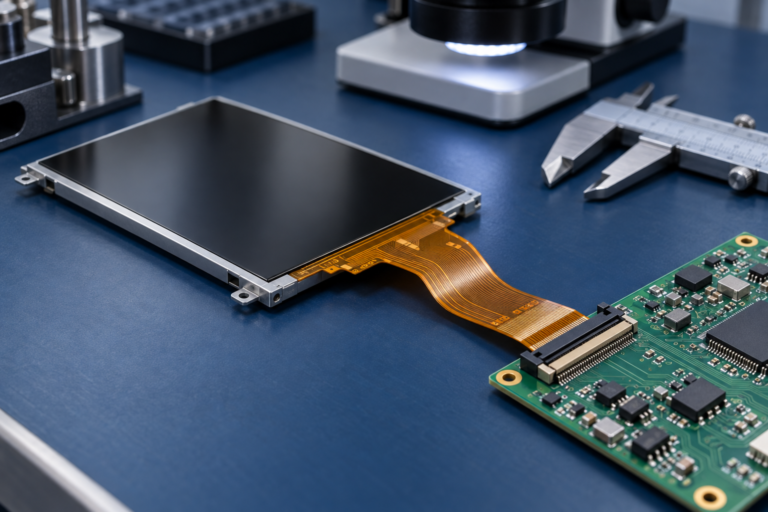
TFT-LCD-Modul mit Mikrocontroller-Board und LCD-Controller-Platine zur Plattformauswahl
RJY Display-Unterstützung für LCD- und Controller-Board-Projekte
RJY Display unterstützt TFT-LCD-Module, Controller-Platinen und kundenspezifische Display- Lösungsdiskussionen für technikgetriebene Projekte. Bei LCD-Projekten sollte die Plattformwahl auf der Display-Schnittstelle, Auflösung, Touch-Anforderung, Controller-Platinen-Anforderungen, Firmware-Anforderungen und der endgültigen Anwendungsumgebung basieren.
RJY Display kann bei der Überprüfung helfen, ob ein Projekt ein einfaches LCD-Modul, ein TFT-LCD mit Touch-Panel, eine passende Controller-Platine oder eine umfassendere Display-Lösung verwenden sollte. Controller-Platinen können zusammen mit kompatiblen TFT-LCD-Modulen basierend auf Panel-Schnittstelle, Auflösung, Firmware, Touch und Projektanforderungen besprochen werden.
Wenn Ihr Projekt ein TFT-LCD-Modul, ein Touch-Display, eine Controller-Platine, Android-Steuerplatine, Firmware-Unterstützung oder Display-Integration umfasst, bereiten Sie das LCD-Modell, die Größe, Auflösung, Schnittstelle, Touch-Anforderung, Host-Plattform und Anwendungsdetails vor der Anfrage vor.
STM32 vs. Arduino ist keine Frage, welche Plattform universell besser ist. Arduino ist einfacher zu verwenden und funktioniert gut für einfache LCD-Projekte, Prototypen, Lernen und schnelle Experimente. STM32 bietet stärkere Leistung, mehr Peripheriesteuerung, DMA-Optionen, professionelles Debugging und eine bessere Eignung für fortgeschrittene eingebettete Display-Projekte.
Für grundlegende Zeichen-LCDs und kleine SPI-Display-Prototypen ist Arduino oft ausreichend. Für TFT-LCD-Module, Touch-Schnittstellen, Echtzeitgrafiken, Industrieausrüstung und produktreife eingebettete Entwicklung ist STM32 oft die bessere Richtung.
Für höher auflösende Displays, HDMI-Eingang, Android-Schnittstellen, LVDS, MIPI, eDP oder komplexe grafische Benutzeroberflächen kann die bessere Lösung eine passende LCD-Controller-Platine oder eine eingebettete Steuerplatine sein, anstatt nur eines kleinen Mikrocontrollers.
Die richtige Plattform hängt vom gesamten Display-System ab: LCD-Größe, Auflösung, Schnittstelle, Grafiklast, Touch-Anforderung, Speicher, Stromversorgung, Firmware, Controller-Platine, Produktphase und Produktionsplan.
FAQ
Was ist der Hauptunterschied zwischen STM32 und Arduino?
STM32 ist eine Familie von 32-Bit-Mikrocontrollern von STMicroelectronics, während Arduino eine Open-Source-Entwicklungsplattform ist, die auf Benutzerfreundlichkeit ausgerichtet ist. STM32 bietet in der Regel tiefere Hardwarekontrolle, während Arduino für Anfänger und schnelles Prototyping einfacher ist.
Ist STM32 besser als Arduino für LCD-Projekte?
STM32 ist oft besser für fortgeschrittene TFT-LCD-Projekte, Touch-Schnittstellen, Echtzeitgrafiken und produktreife Entwicklung geeignet. Arduino ist oft ausreichend für grundlegende Zeichen-LCDs, kleine SPI-Displays, und einfache Prototypen.
Kann Arduino ein TFT-LCD ansteuern?
Ja, Arduino kann viele kleine SPI-TFT-Displays und einfache LCD-Module mit verfügbaren Bibliotheken ansteuern. Allerdings können grundlegende Arduino-Boards bei größeren Displays, hoher Auflösung, schneller Aktualisierung oder komplexen grafischen Benutzeroberflächen eingeschränkt sein.
Kann STM32 hochauflösende TFT-LCDs ansteuern?
Einige STM32-Geräte können fortgeschrittenere TFT-LCD-Projekte unterstützen, abhängig vom spezifischen MCU, Schnittstelle, Speicher, DMA, Display-Timing und Softwaredesign. Nicht jeder STM32 kann jedes hochauflösende Display ansteuern.
Welches ist einfacher zu lernen, STM32 oder Arduino?
Arduino ist einfacher zu lernen, da es eine einfache IDE, viele Beispiele und breite Bibliotheksunterstützung bietet. STM32 hat eine steilere Lernkurve, bietet aber mehr Kontrolle über eingebettete Hardware.
Sollte ich STM32, Arduino oder eine Controller-Platine für mein LCD-Projekt verwenden?
Verwenden Sie Arduino für einfache Prototypen, STM32 für fortgeschrittene eingebettete Display-Steuerung und eine Controller-Platine, wenn das Display HDMI, LVDS, MIPI, eDP, Android, komplexe Touch-Unterstützung oder höherwertige UI-Integration erfordert.
Ist Arduino für kommerzielle Produkte geeignet?
Arduino kann für Prototyping und einige einfache Produkte nützlich sein, aber die kommerzielle Entwicklung erfordert in der Regel eine sorgfältige Überprüfung von Hardware-Design, Lieferkette, Zuverlässigkeit, Firmware-Wartbarkeit, Kosten und Zertifizierungsanforderungen.
Welche Informationen sollte ich vorbereiten, bevor ich eine Plattform für ein LCD wähle?
Bereiten Sie die LCD-Größe, Auflösung, Schnittstelle, Treiber-IC, Touch-Anforderung, Hintergrundbeleuchtungsanforderung, Aktualisierungsanforderungen, Speicheranforderungen, Host-System, Anwendungsumgebung und erwartete Produktionsmenge vor.